
@LoFiLeiF @Vaultnaemsae @anjo : I will try to sum up exactly what I did, and what worked to get MPE running on Windows 11. it is sort of a “how to…”:
-
Download and install loop Midi by Tobias Erichsen here: loopMIDI | Tobias Erichsen
-
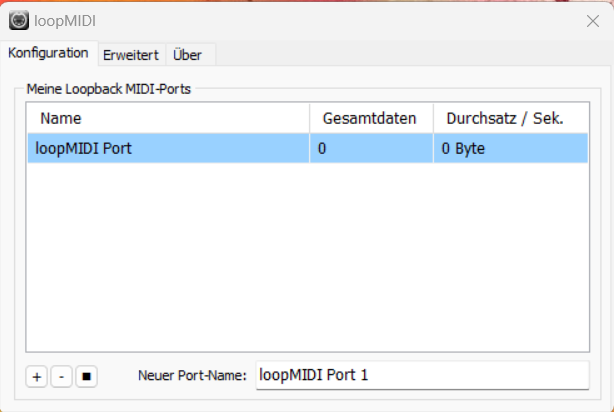
start LoopMidi. If no port shows up on Your machine, create one using the “+” button on the bottom left. The window should look something like that:
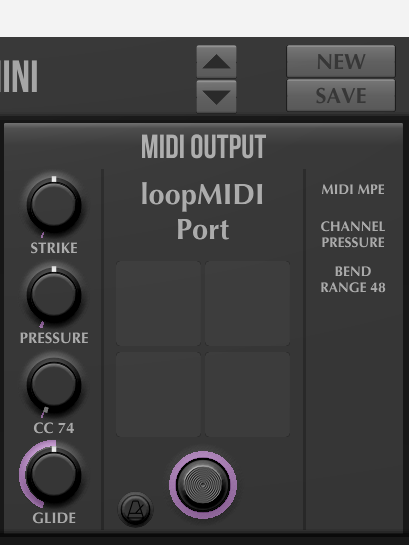
- Start Midi Guitar 3 Standalone. Choose “Midi Guitar Mini” as a starting point and choose loopMIDIPort as Output. Like this:
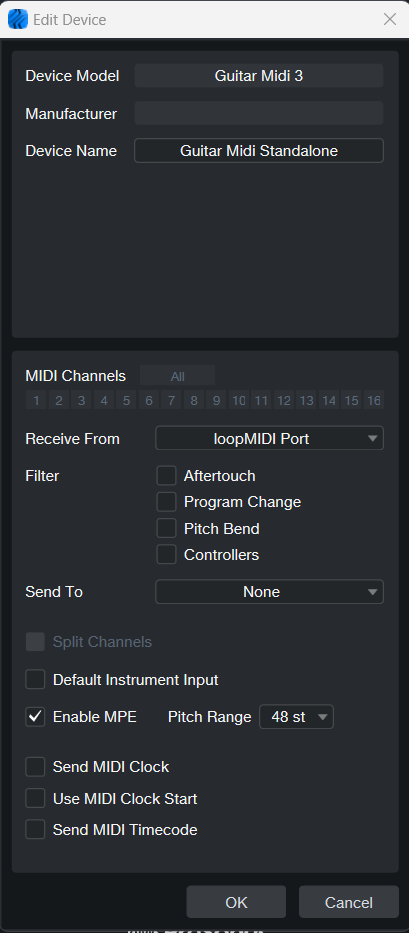
- create a new external Device in Studio One. As a starting point, choose “new keyboard”. This makes no sense as a name, so rename it. Let the new device receive from “Loop Midi Port”, and don´t let it send anything. Enable MPE. On my machine it looks like this:
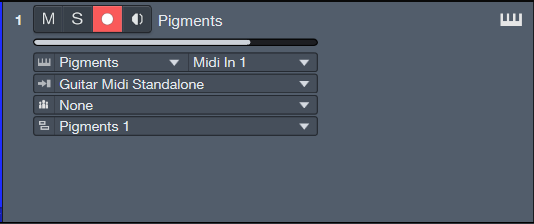
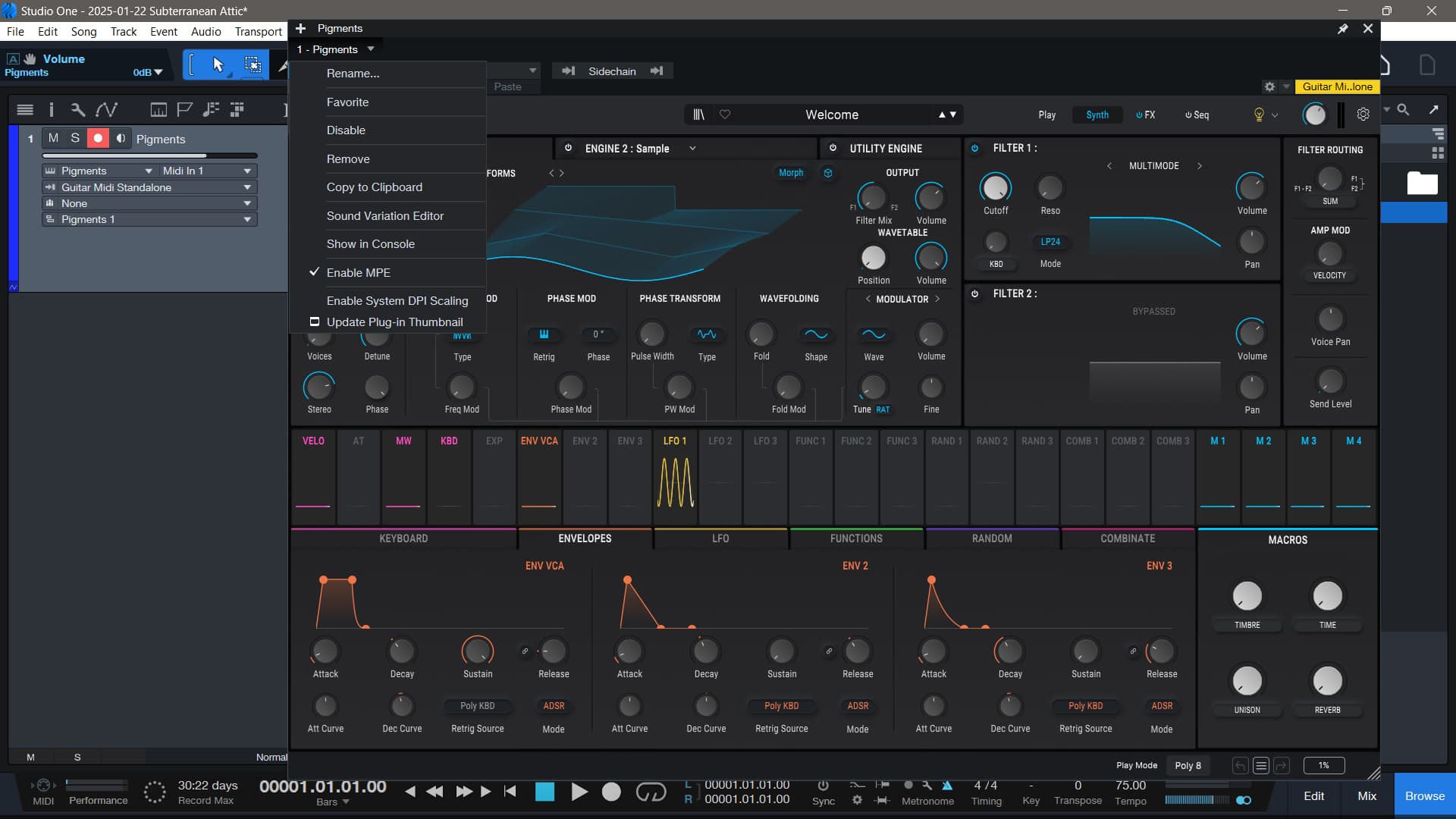
- Set up an instrument track in Studio One. Chose the new device receiving input from MG3 standalone as instrument input. I took in this example Pigments as an instrument. It should look roughly like this:
- Don´t forget to activate MPE in the instrument window too, like this:
Now, MPE should run smoothly, and You can also use dropout protection any way You like! It is really fine to use, because if You set up the Windows Task Bar appropriately, You can very easily switch between Studio One and MG3 Standalone if You need to adjust something (i.e. if You change to an instrument that should not receive bends, etc.). And now play!