Windows 10, JAM 3.0.63, Steinberg UR22C audio interface (with the newest drivers).
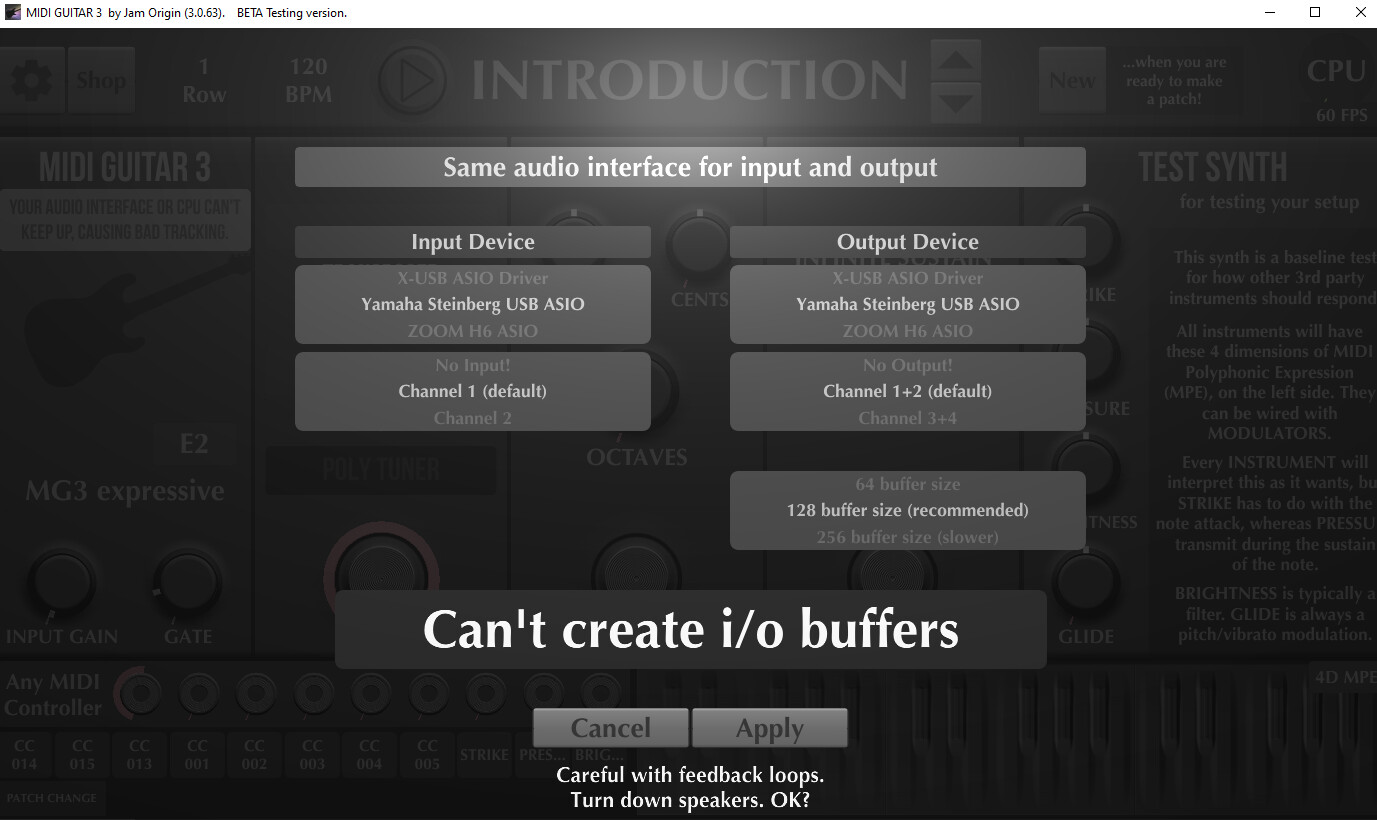
The audio interface works fine. I can use it in Ableton as an ASIO device without problems. The standalone version of JAM origin can’t create i/o buffers. How can i fix it?
A) ASIO Host Conflict:
If another application (e.g. Ableton, Chrome, Zoom, Spotify) has taken exclusive control of the device, MG3 may not be able to allocate buffers. Close other audio apps, and in Windows Sound Settings → Advanced → uncheck “Allow applications to take exclusive control” for the UR22C.
B) Buffer Size / Sample Rate Mismatch
Sometimes audio applications may request a buffer size or sample rate that the driver doesn’t support. Open the Steinberg/Yamaha control panel and manually set the sample rate and buffer size, then match those settings in MG3.
This window will tell you which settings MG3 is using.

 Close other audio apps, and in Windows Sound Settings → Advanced → uncheck “Allow applications to take exclusive control” for the UR22C.