I am currently waiting on delivery of a VG800. I am hoping to try out the Hex version on MG3 on Windows to open up my world.
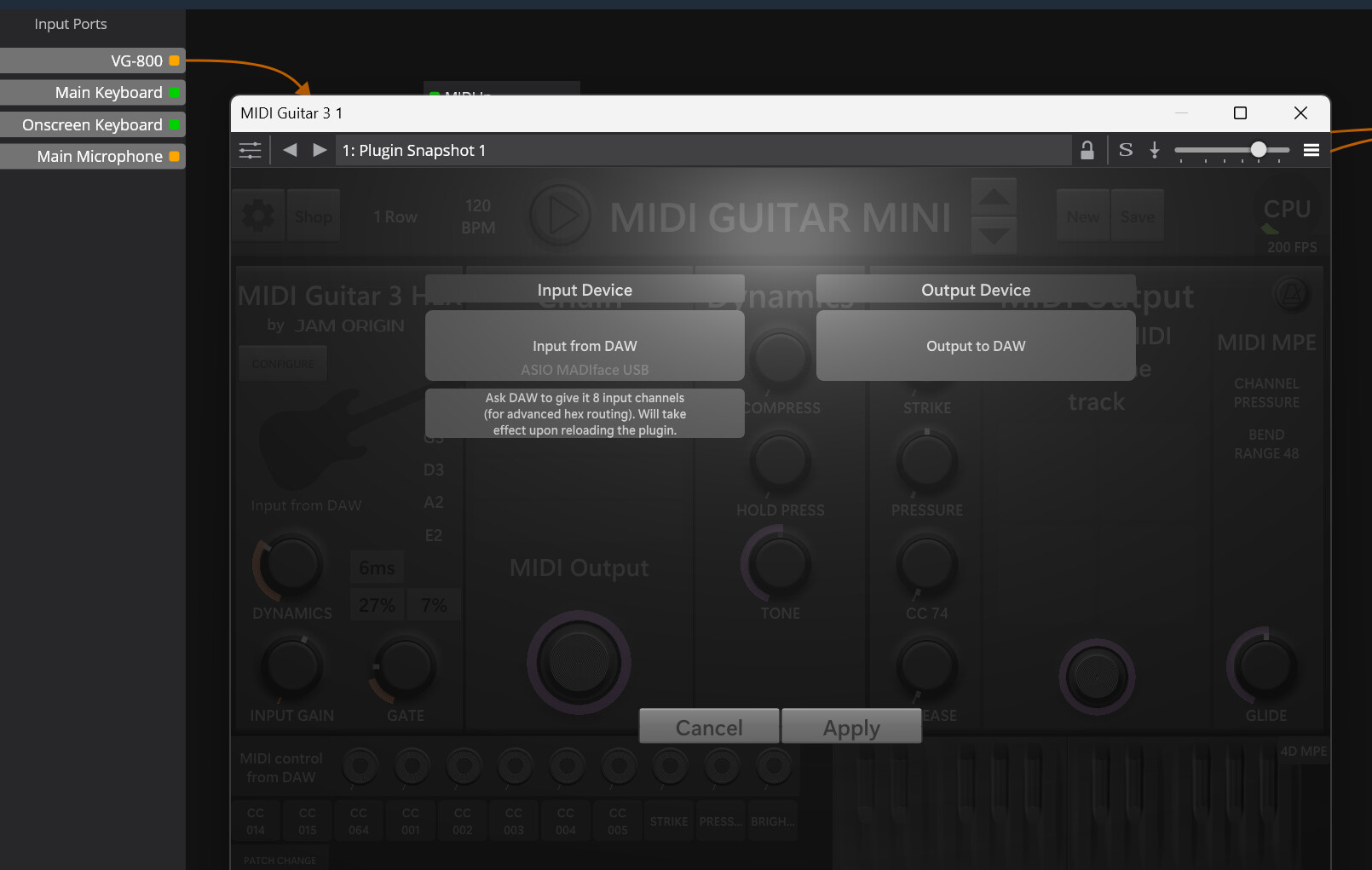
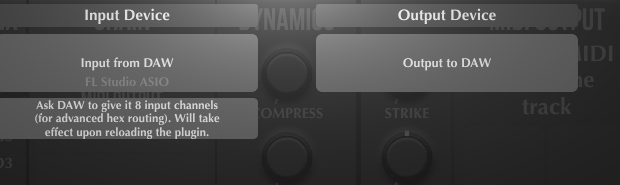
In the videos I have watched standalone MG3 appears to automatically map the audio stream from the device. In my case I want to use my live DAW Cantabile, in which case you build audio line inputs/output with your own names. I have also seen MIDI Caster tool for getting around this, but I prefer to have my DAW in control.
Is this even going to be possible? Is there an audio mapping process when MG3 Hex cannot find it automatically. Thx
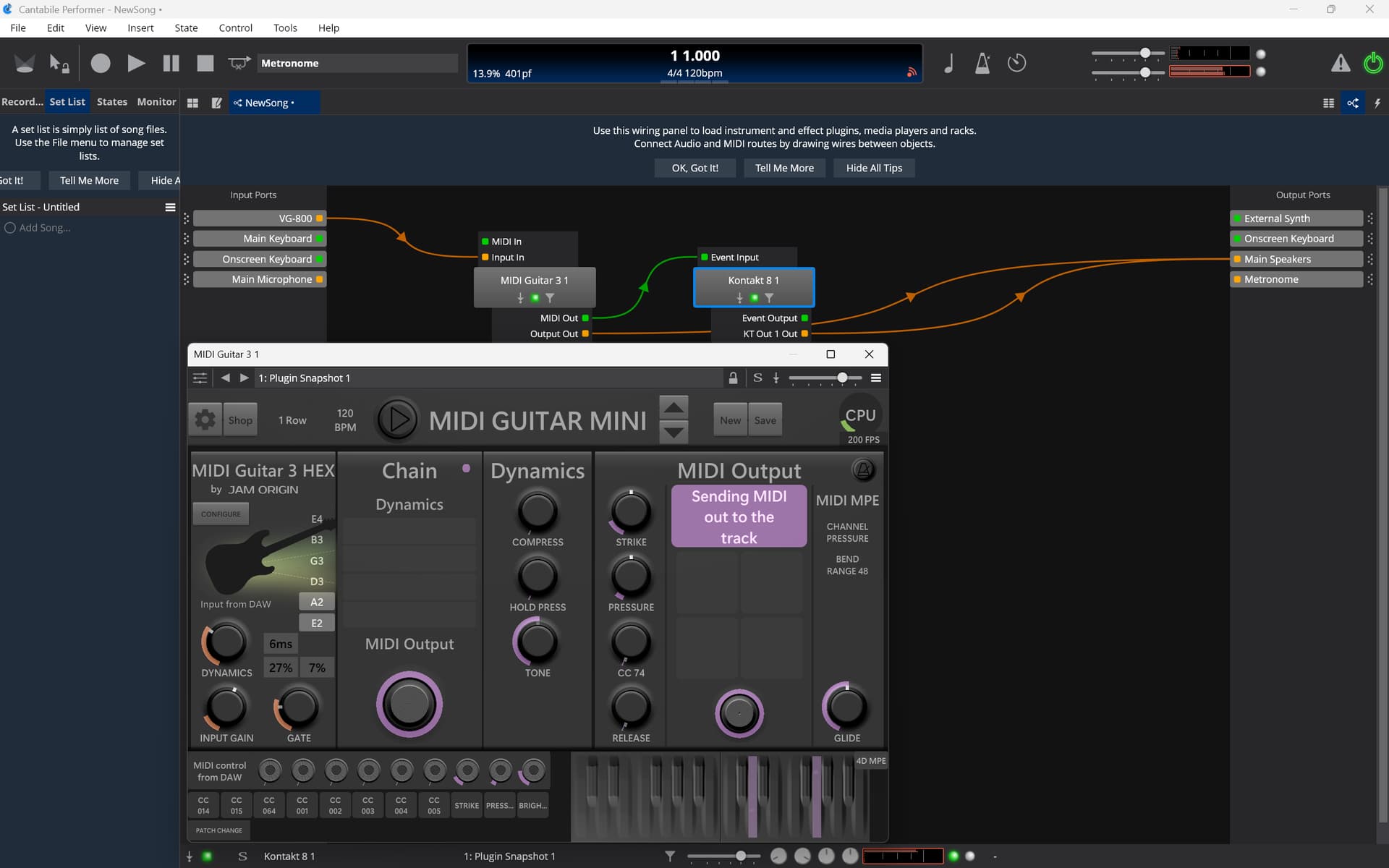
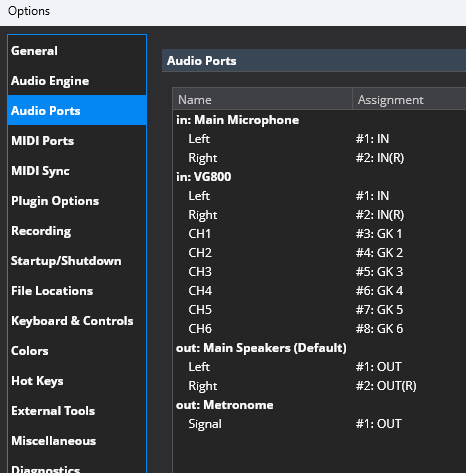
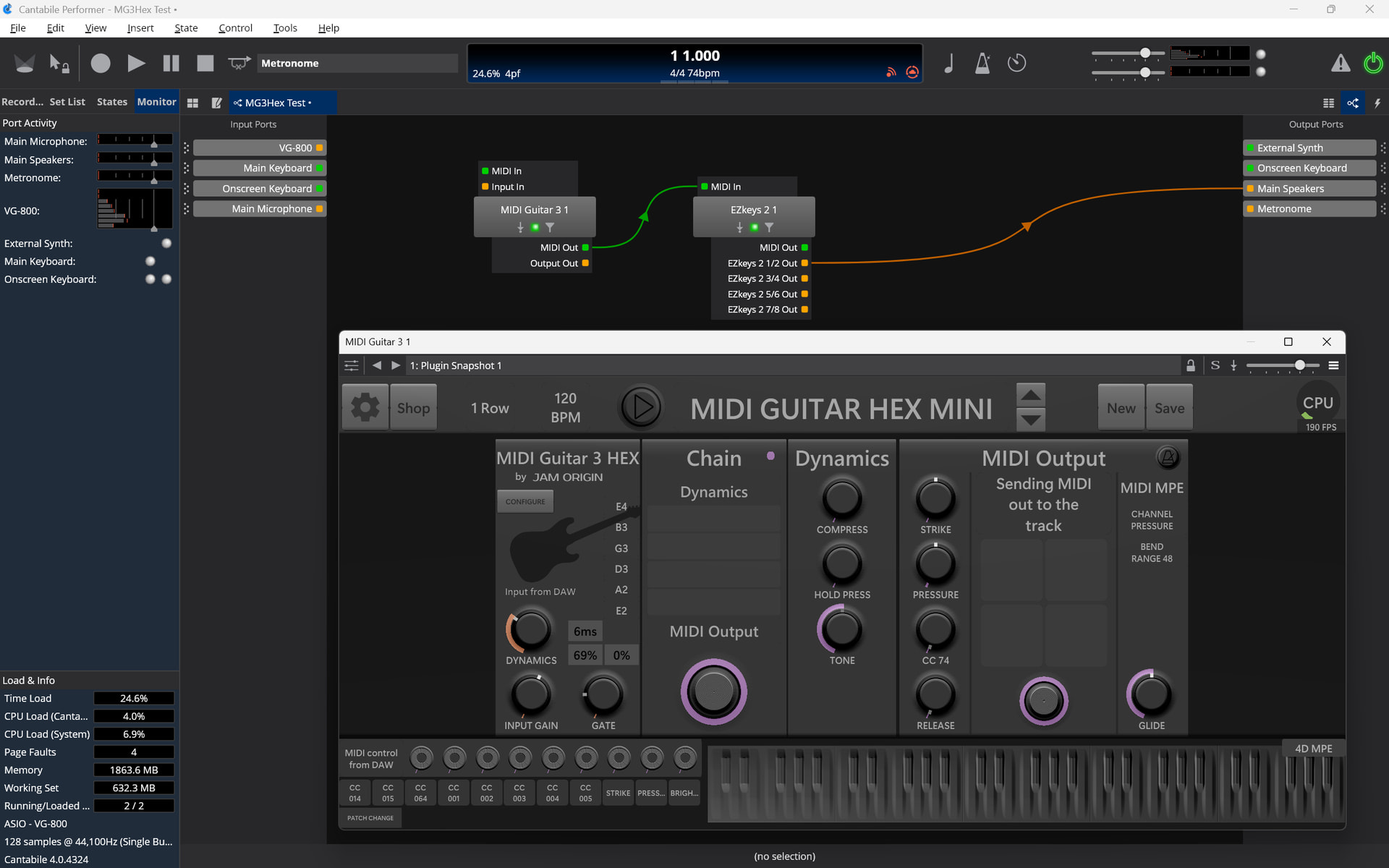
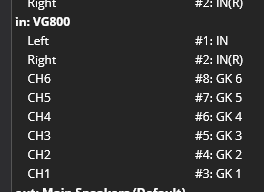
I just downloaded the trial version of Cantabile to check. It is no problem to run MG3 Hex using a VG-800. All you need to do is to set up a new input port that is reflecting the eight input channels of the VG-800. Have fun!
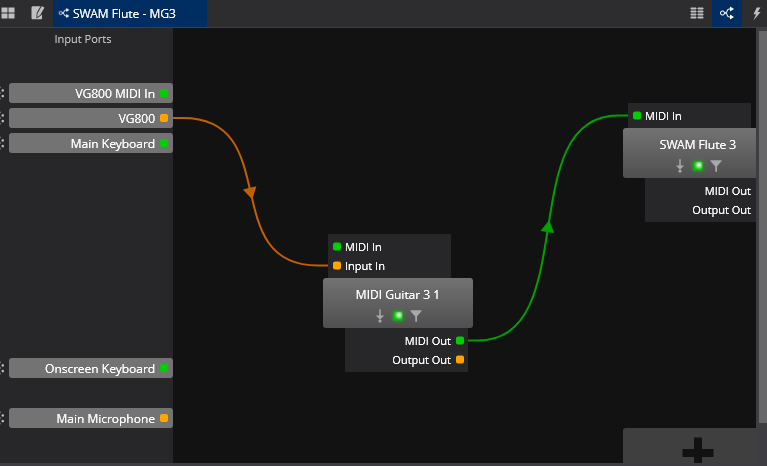
Finally got my VG800. I have been mainly working on the internal Virtual Instruments. The basic MIDI tracks very nicely.
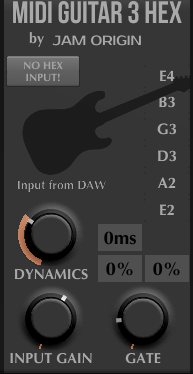
I do want to get MG3 Hex working. I set it up exactly as you specified (hopefully), but the plugin in Cantabile doesn’t want to recognize the hex channels. Standalone MG3 works fine.
Any suggestion on what might be missing from your own experience, or trouble shooting? Thx
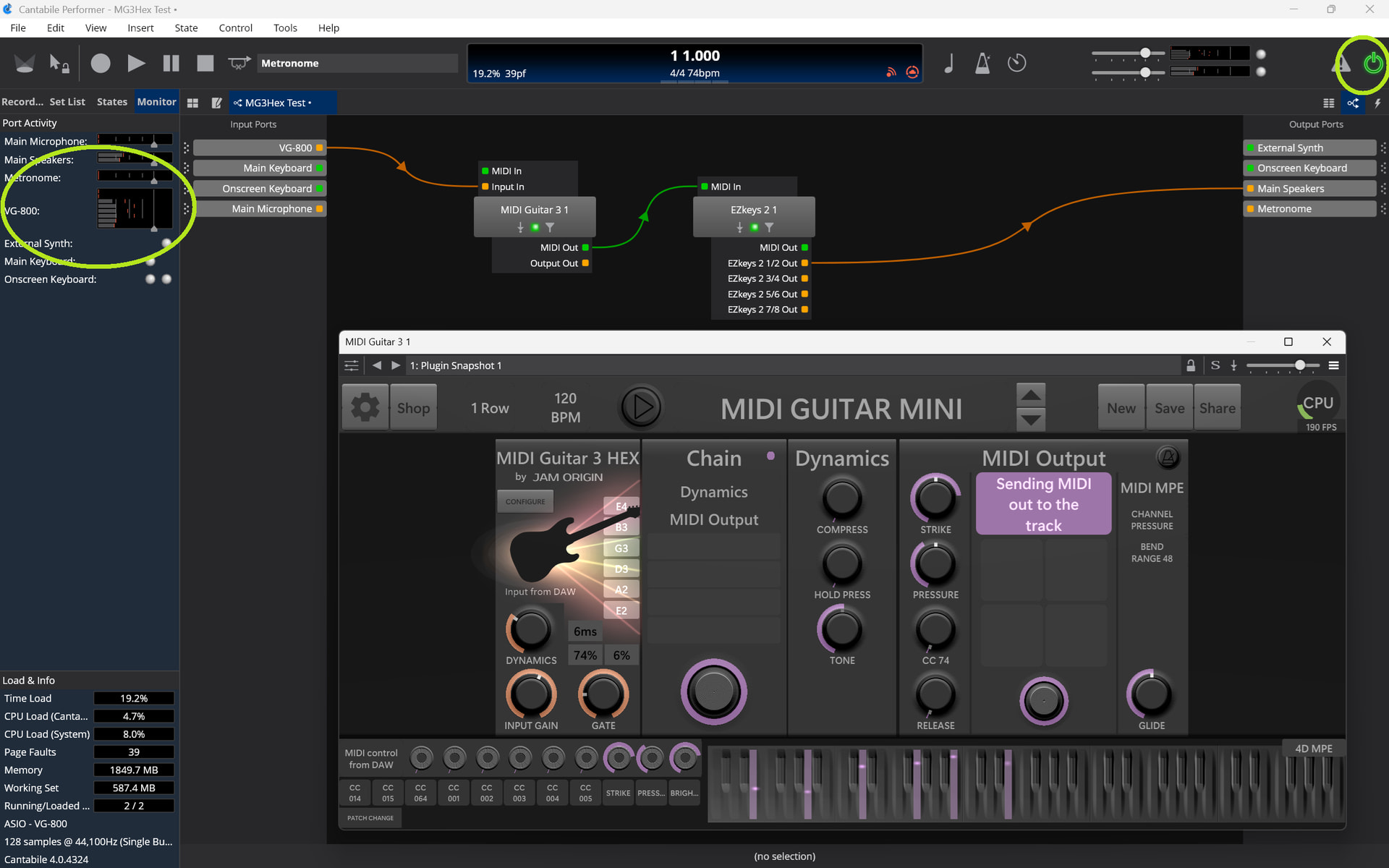
If you set it up as I did it is working. Can you make some screenshots? Is the MG3Hex plugin reacting on the input signals (light beams around the guitar logo)?
Yes. VG800 is configured as the Audio Driver. I have also tested Cantabile as a host to some Virtual Instruments with VG800 MIDI. Tracks nicely and the audio uses the VG800.
There is not much you can set on the VG-800 in this regard. The GK1-7 signals are always submitted through the USB port. Have you tried to use a different USB cable?
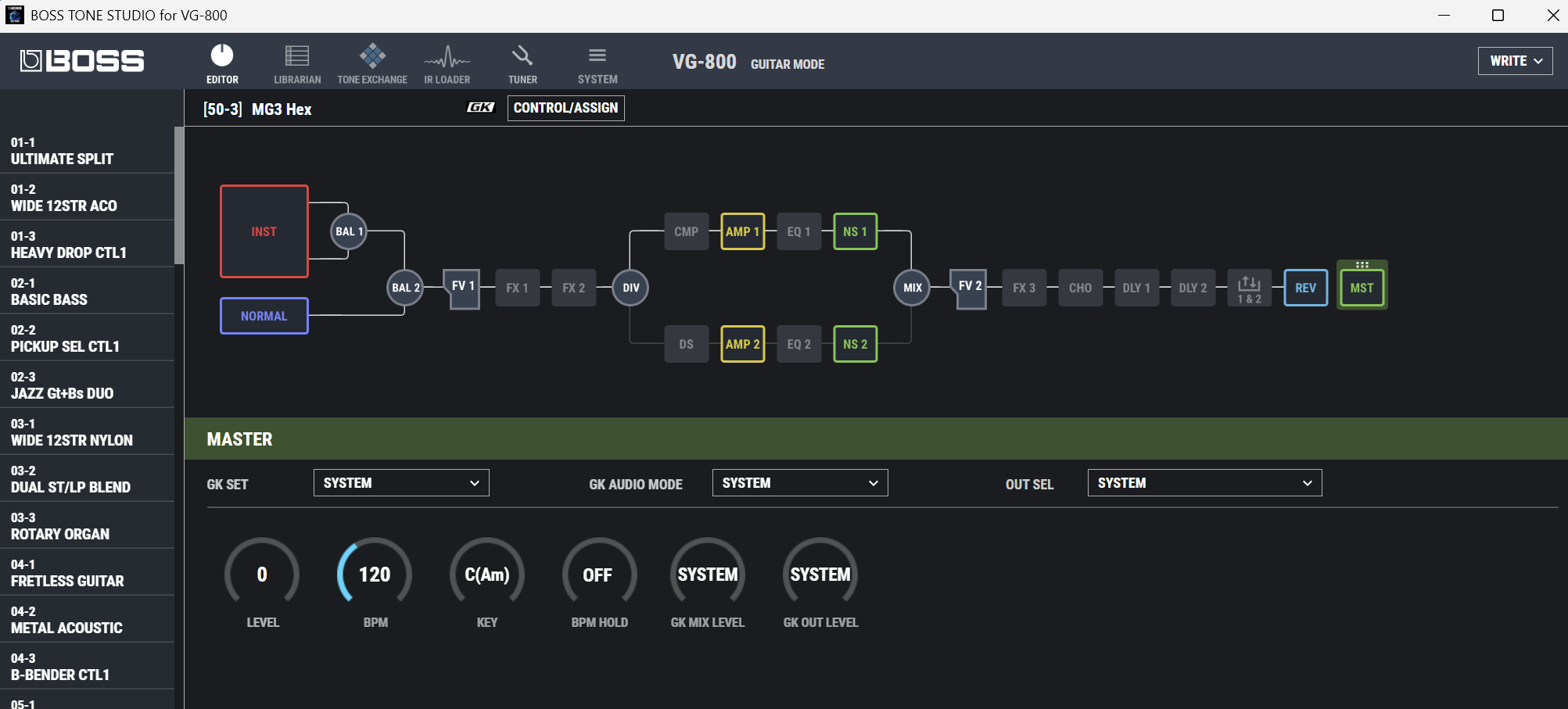
You just need a VG-800 patch which is not outputting any processed sound. Therefore I made a patch with the master volume level just set to zero.
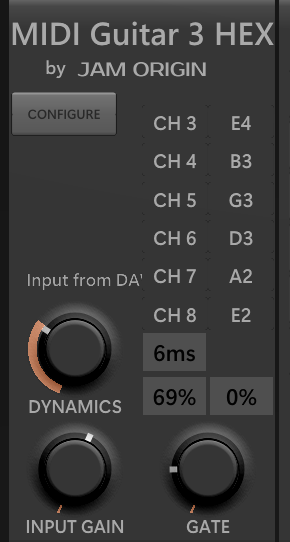
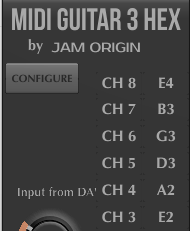
Good, if you see the input you should not be far away from success! The configuration in MG3 depends on the built-in position of your GK3 pick-up. Mine are installed “reverse” (cable exit from the high e string side / downwards on the guitar). In my case the config is like:
If your PU is built-in the other way you have to swop the channels from top to bottom (top E4 CH8 to bottom E2 CH3).
Edit:
In Cantabile I just started adding channels and assigning inputs in numerical order. I think this doesn’t matter but must match with the assignments done in MG3 Hex in a way reflecting the real hardware situation.
I presume you support purchase of the MG3 Hex license over just using the VG800 MIDI. I like the MPE mapping to my SWAM Instruments. Have you found any other benefits?
I’m glad it worked out. I never use the VG-800’s MIDI output. In direct comparison, there are significantly more false triggers and glitches. Also, the latency (not so important to me) is slightly higher on the VG-800.
However, I see the biggest advantage of the MG3 Hex in its much better dynamic range and in its modules and filters, which enable fast and convenient workflows.
Hi Folks: I was able to get HEX input in Reaper by making a folder track with 8 tracks in it, with tracks 1-6 pointing to my input channels 3-8 where I receive my Godin Nylon Multiac SA string signals for recording. (I normally apply a multiband compressor to each string to punch them up and add a stereo mix). I took a send from each track to the folder track, sending Audio:1 (each mono string) to 1, 2 to 2, and so on. The parent folder track is multiband with 8 channels, and is running MG3-HEX alone in the FX block and it is seeing all six strings in the input section and giving the rainbow from the strings. Next I will try with my hardware synths, e-mu Ultras to see how the channel splits compare to my Roland GI-10. joelc