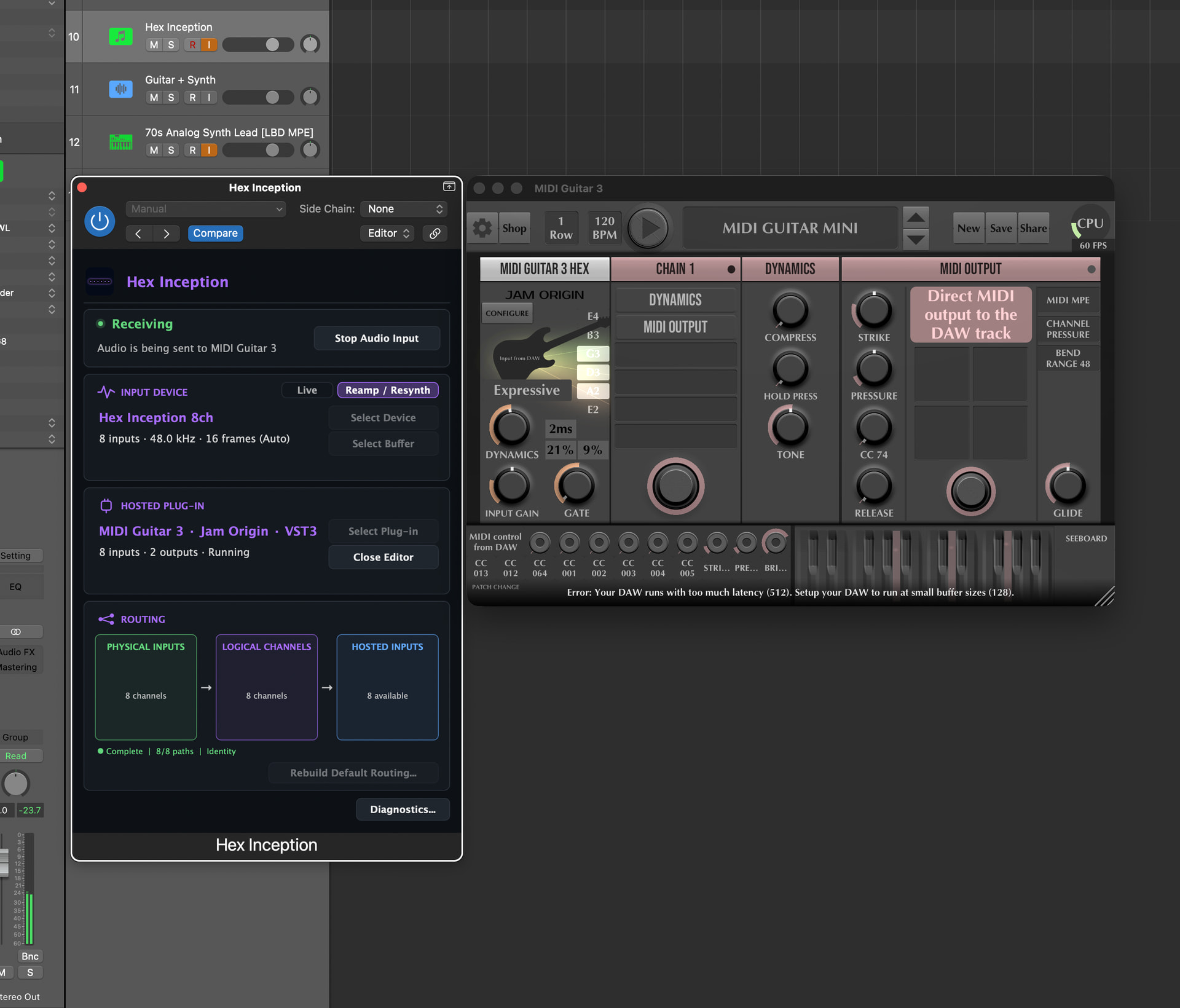
Hex Inception (formerly Audio Inception): an MG3 Hex helper plug-in utility now under development

Hi fellow MG3 Hex users,

I’d like to get some feedback on a new macOS tool I’ve been developing for working with hex guitar systems in DAWs and hosts.

The original idea was to make multichannel processors such as MIDI Guitar 3, GK2MIDI, JamSynth and PatchWork usable in hosts that don’t natively support their multichannel input requirements. Since then, it’s grown into a broader hex-oriented workflow tool.

If you’ve spent time trying to use these kinds of plug-ins inside different DAWs and hosts, you’ve probably run into routing limitations imposed by the DAW/host. My goal has been to work around those limitations while keeping the workflow suitable for real-time playing.

I now have a working prototype consisting of a plug-in and a virtual CoreAudio device. The plug-in hosts the target processor (I’ve been testing extensively with MG3), while the virtual device provides the multichannel audio path required for the hosted plug-in to receive each string.

The current compromise is that you still need to create an Aggregate Device and route your interface’s hex inputs into the virtual device. At the moment, that appears to be the most practical way to support virtually any hex interface in virtually any DAW.

The plug-in can also expose the hosted processor’s Direct MIDI through its own virtual MIDI output, which has been particularly useful in Sessions and MainStage 3.

The project isn’t finished yet. It’s by far the most technically challenging software I’ve built, and I’m still working on latency optimisation, but the results so far are encouraging.

It’s built with JUCE and CoreAudio, so it’s macOS only.

My question is simply this:

Would anyone besides me find a tool like this useful?

I’m trying to decide whether it’s worth investing the additional development time required to turn it into a commercial product, or whether I should focus on the other projects currently on my roadmap.

I’d be truly grateful to hear your thoughts on this project.

This very short video features a test set I recorded in Ableton Live 12, yesterday. I’m playing pre-recorded dry hex guitar back through Audio Inception with MG3 hosted to re-amp/re-synth it all.
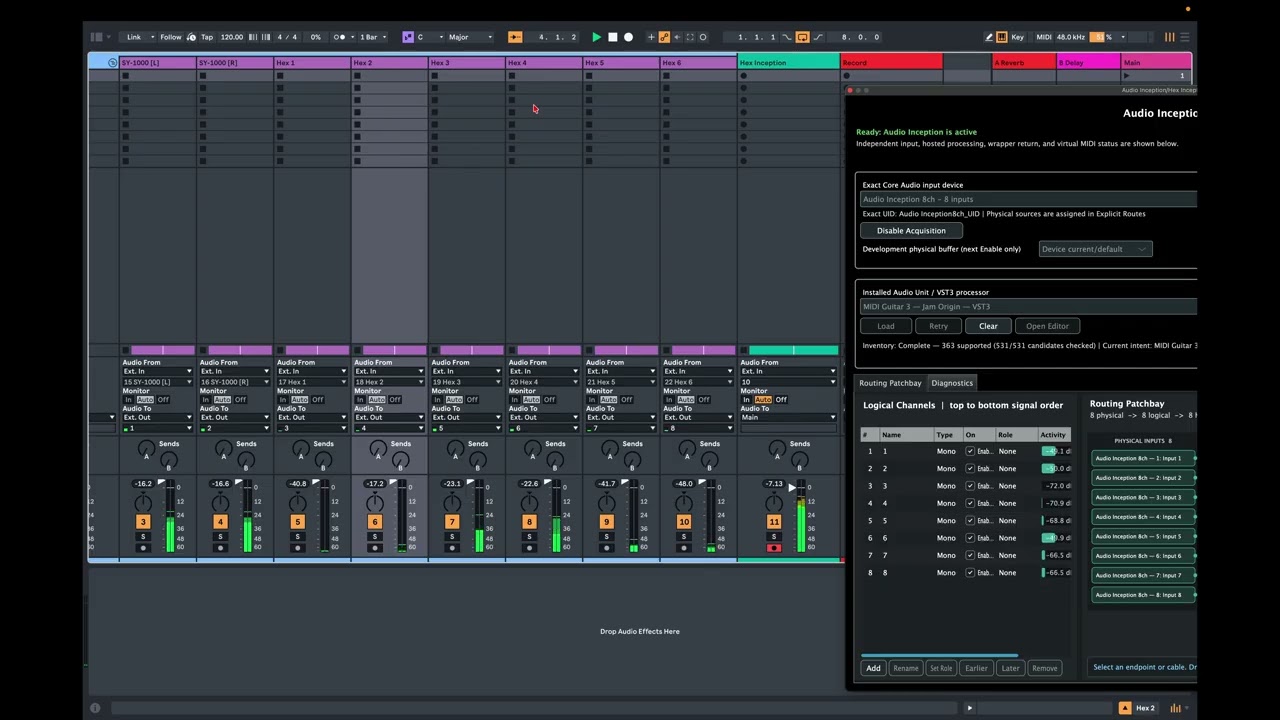
2 Likes

I use the hex input and patchwork inside of protools (windows 11). Seems to work well. What routing issues/limitations do you have that this helps with? I use a subix pickup–> Neve 1073OPX via ADAT to an apollo 8

Thanks for your response, @johnpaul134. I’m speaking from the macOS side, so some of this won’t apply to your Pro Tools workflow on Windows.

The problem I’m trying to solve isn’t MG3 itself but the differences between DAWs.

Several macOS hosts don’t expose multichannel inputs to plug-ins in the same way. Logic Pro, MainStage, Bitwig and Sessions all have their own limitations or different approaches. @JamO has done a great job providing alternatives such as the MG3 Hex AUv3 build and the network audio/MIDI solution, but the former is not universally applicable across every host and the latter can be confusing.

My goal is to make the workflow consistent regardless of the DAW in use. The hosted plug-in always receives the same multichannel audio stream, whether it’s running as AU or VST3, and I can also provide a consistent virtual MIDI output path instead of relying on whatever MIDI routing facilities a particular host happens to support.

Another workflow I’m interested in is reprocessing previously recorded hex audio. Getting recorded multichannel audio back into MG3 isn’t equally straightforward in every DAW, and that’s another area this project is intended to simplify.

So, for me, the main benefits are:

  • consistent multichannel routing across different macOS DAWs;
  • consistent MIDI output behaviour;
  • easier reprocessing of recorded hex performances; and
  • a workflow that doesn’t depend on whether a particular host supports AUv3 or some other host-specific feature.

Gotcha thanks for the info. One other caveat is in protools, I create a 5.1 surround (6 input track) and I host MG3 inside of patchwork as the first plugin on that track. So I have probably 20 or so different bluecat instances with MG3 in it running in my Protools template session. No routing issues. My main issue is on another thread (gate/dynamics/ tracking parameters not being stored per instance)

Hi @Vaultnaemsae, thanks for addressing the often-neglected topic of integrating different DAWs—even if it’s currently limited to Mac users with HEX. A link to your website here would certainly be helpful for all interested users.

Given all the excellent results achieved with MG3, your work will surely inspire @JamO’s future projects as well.

Furthermore, these HEX Helpers could also become significant for the large community of MG3 Standard users if, in the future, MG3 Standard is able to perform single-string detection without HEX hardware.

I wish you continued success with your projects.

@johnpaul134, How does the 5.1 setup work in Windows/Pro Tools? Is your multichannel interface the primary I/O for the session? I’m guessing Pro Tools allows a multichannel-input plug-in (like PatchWork) to sit on a track and receive the individual string channels directly. I’m not a Windows user and I’ve never worked with Pro Tools, but it sounds like an excellent workflow – if that’s how it works.

Your post actually prompted me to experiment with a 5.1 surround configuration in Logic Pro (still not sure if it’s even possible), but I’ve hit a snag that has temporarily derailed the experiment.

@anjo, Thanks for your words of support. One of the goals here is exactly that – to be able to put MG3 Hex wherever I want, regardless of the DAW’s routing limitations.

As for future versions of MG3 tracking, I’ll leave that to @JamO. :slightly_smiling_face: Audio Inception is really focused on solving a much more specific problem that exists right now; i.e. certain DAWs getting in the way of using multichannel processors – like PatchWork or MIDI Guitar 3 Hex – because they don’t provide the multichannel audio routing the plug-in requires. If a user’s DAW already handles multichannel well, or a user is happy with the standard MG3 workflow, then Audio Inception probably isn’t something they’d have much use for.
That said, yesterday I found that you can use Audio Inception to sneak non-aggregated iPhone audio (under the IDAM protocol) into a session without any of the latency encountered with competing systems. I would expect to find more interesting uses like this if development continues.

The main intention of this post was to find out whether there are enough existing MG3 Hex users who would find a tool like this useful before I invest the time to turn it into a finished product.

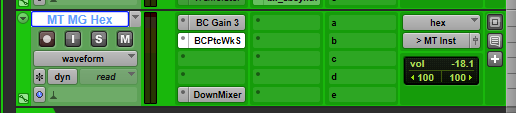
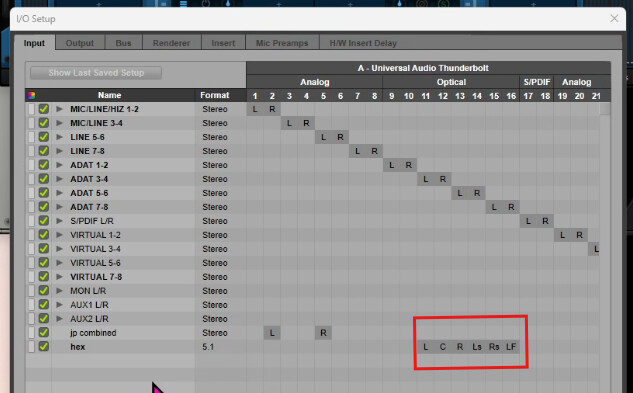
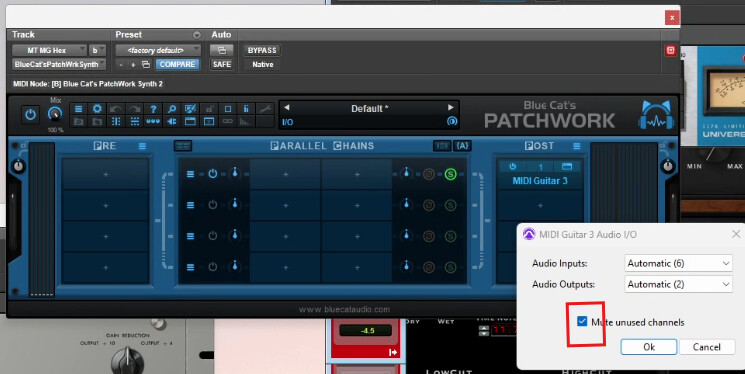
I created a hex input in the protools I/O which is tied to 6 of the 8 ADAT inputs on my 1073 opx which connects via adat to my apollo 8 interface. Then I run patchwork with midi guitar inside of it and the VST instrument running inside of midi guitar. I then down mix it to stereo (even though the output is already stereo I prefer to have it show stereo in protools so I can pan it etc…). One key setting to click in patchwork is to mute unused channels so no raw DI audio leaks through.

1 Like

Hi @Vaultnaemsae
I’m struggling to see the benefit of Audio Inception compared to using an aggregate audio device—combining the sound card and the GM-800 or VG-800 so they are directly accessible within the DAW.
Personally, ever since MG3-Hex stopped directly recognizing Roland interfaces when used inside a DAW (unlike a few months ago), I’ve been running MG3-Hex in standalone mode for MIDI generation and accessing the MIDI channel via the “MIDI Guitar Virtual Output.”
Of course, the downside of this method is that the MG3-Hex patch isn’t saved within my DAW project, but it works seamlessly across all DAWs.
I primarily use Fender Studio, which doesn’t (yet) natively support AUv3 plugins.
In short, I’d be curious to test your software to understand how it works and see if it improves or simplifies my workflow with MG3-Hex.

At least in its current form, Audio Inception doesn’t replace an aggregate audio device. In fact, if you want to take full advantage of the workflow, you’ll still use one. The aggregate device allows the hex audio to be recorded and routed into Audio Inception. The difference is what happens after that.

The problem Audio Inception is trying to solve is that, while MG3 Hex still supports multichannel input, it can only use it if the host DAW exposes those channels to the plug-in. Unfortunately, support varies enormously between DAWs.

For example, Ableton Live has very flexible routing, but VST3 and AU plug-ins can’t receive multichannel audio inputs (only the older VST2 format could). Logic Pro and Bitwig have their own routing limitations, and even though Logic exposes surround buses, it doesn’t provide a straightforward way to feed eight independent channels into an AUv2 like MG3 Hex. REAPER is one of the few DAWs that handles this particularly well.

So the experience depends much more on the DAW than on MG3 itself.

Running MG3 Hex in standalone is a perfectly valid solution if your main goal is to generate MIDI and send it back into the DAW via the virtual MIDI port. The trade-off is that MG3 becomes a separate application rather than part of the project, and you lose the ability to treat it like an integrated plug-in with its audio processing and state saved inside the session.

That’s really where Audio Inception comes in. The goal is to make MG3 Hex behave much more like the audio engine in a hardware unit such as the SY-1000, VG-800. With hardware, we can record the individual string signals, re-route them, reprocess them and experiment with them later. I wanted the same sort of flexibility with MG3.

So rather than asking, “How do I get MIDI out of MG3?”, the question becomes, “How do I treat MG3 as a multichannel audio processor inside my DAW, regardless of its routing limitations?”

That’s the problem Audio Inception should ultimately solve.

Is “Audio Inception” standalone software that needs to be launched before your DAW?
Should MG3-Hex be launched within “Audio Inception” or inside the DAW?
It’s all not entirely clear to me.
I think things will become clearer once a test version of your software is available.
It looks interesting!

Audio Inception is an AUv2/VST3 plugin that can subload AUv2/VST3 plugins.

Imagine you working are in Logic Pro. You can load MG3 AUv2 and even select hex, but you cannot feed it with the hex input. It is simply not possible. It is very similar with some minor differences/possible workarounds in MainStage, Bitwig, Live 12, Sessions, etc. Also, MG3 Hex (AUv3)*** works in some hosts and not others.

The simplest use case for Audio Inception is:

  1. load Audio Inception as a MIDI-Controlled AU on a software instrument track. (Feed it MIDI from your controllers that will eventually arrive in MG3);
  2. host MG3 in Audio Inception, open editor, select hex tracker;
  3. Select/Enable BOSS device/multichannel interface as input in Audio Inception;
  4. MG3 Hex is now processed inside Audio Inception and sends processed sound and generated MIDI from the plug-in.

In a more complex case you can record your hex feed and reroute it to the Audio Inception plugin for realtime tweaking of the hosted plug-in, most likely MIDI Guitar 3.

***I’m aware that the AUv3 version of MG3 exists, but it’s 100% TestFlight continuity dependent. Wouldn’t it be better to just have the one MG3 plug-in for every case and DAW?

Re: Beta Testing – it’s totally internal testing by me at this stage. I’m not sure how far I am from having a release candidate. It works very well on my system now but needs observation and refinement. I also need to figure out the best distribution method if it’s even up for a closed beta.

I’ve revamped the application as Hex Inception. Not only does it have a new name, it also has a new icon, and an 8-channel virtual audio driver for reamping/resynthing via aggregate audio device, compacted UI, improved smart routing and improved plug-in scanning. Also, it now only accepts audio interfaces with 6 input channels or higher, and practically, it should only be used to host plugins with more than 6 input channels.

If it ends up being for my own personal use only, that’s OK :slight_smile:

Anyway, this is approaching the finish line.