
I’m using a MOTU ultralite mk5 to drive MG3Hex as a standalone app for live gigging. I’m having great success using my Godin guitar sending the hex signal with a Separate Strings 13 pin breakout cable into the MOTU inputs 3-6. The hex input menu choice under Audio Devices shows "Channel 1-8 Hex Pickups. " The input’s 1 and 2 are on the front of the unit. I would like to plug my electric bass into one of those inputs and use it to drive regular MG3 (not hex). I tried adding the motu channel 1 as an audio device, but that only gives me the direct bass signal and doesn’t drive pitch to midi. I can save the tracker “MIDI BASS 3” within the patches I’ve created for bass, but I’d like to be able to just pick up the bass at the gig and play it without diving into the settings menu. Is there a way to assign channels 1 or 2 to drive pitch to midi non hex?. If there is currently no way to do this, my feature request would be for audio channel input to be saved with the patch, or perhaps make it midi controllable for a quick switch from hex to regular.
Have you tried to run two instances of MG3, one Hex with input CH 1-6 and one “normal” with input CH 1?
(Disregard the iRig Device in picture below)
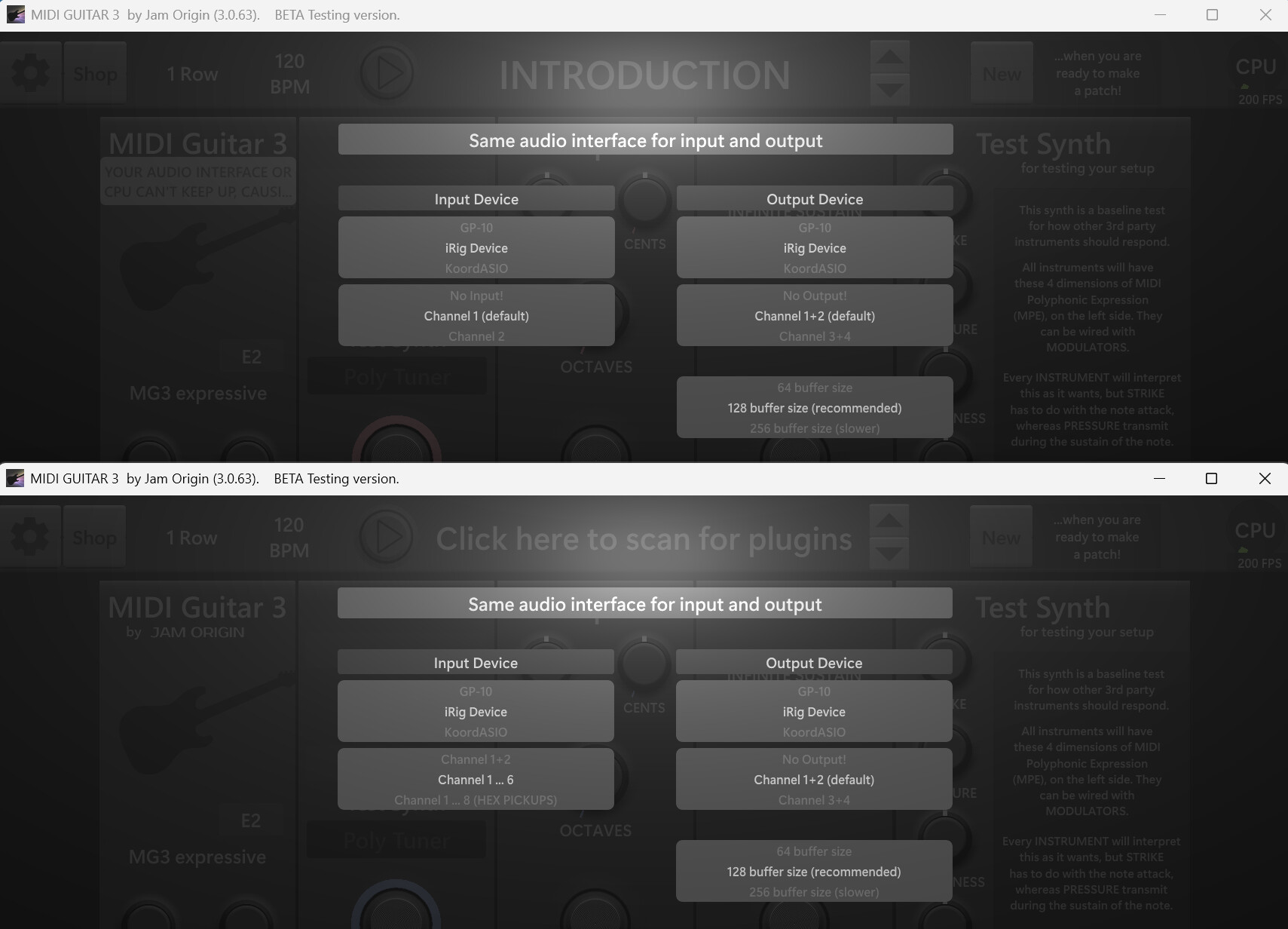
Edit: I wrongly assumed that you have 8 input channels available on your interface > forget my answer!
maybe i’m imagining things, but i kind of remember someone saying that you can run mg3 inside mg3.
if you have a plug in wrapper like bluecat patchwork then it might be possible to have that instance be bass only and always available.
I do have 8 input channels. 3-6 on the back of the MOTU unit are being used for hex, I have 2 more inputs on the front of the MOTU. I thought of this, and looked to see if I could open MG3 as VST plugin inside itself, but it doesn’t show it as available. Perhaps if I was using Gig Performer I could do it, but I’m really trying to keep MG3 in standalone mode.
I had thought of that, but it did not show up as available. I don’t know what a plug in wrapper is, but I’ll research it. thanks,
Aha, then it should work as I described. Two instances of MG3 permanently open, on the same interface. Bass guitar on the front CH1 / MG3 Bass/ volume pot on/off, the guitar on the backside CH 3-8 / MG3 Hex.
I was hoping to keep MG3n Standalone mode as it’s working so well. Gig Performer is very powerful program, but it’s complicated to set up. I really want to just use MG3 as the host. Maybe the saving of the audio input to be included with the patch will be in the next update, fingers crossed.
Please try to open two instances of MG3 in standalone mode, that should work.
It did work!! Both instruments plugged in, one hex and one single channel bass, both working fine! Potentially I could just pick one up at the gig, and put it down and pick up the other one. But there is one problem preventing that. Midi control only works on one of the MG3s. Both instances show all the midi devices in their lists, but only the hex side is responding to CC messages . However, both instances respond to PC messages. If I can solve this midi cc issue, I can test it on a gig and see if running 2 standalone MG3 overheats my little computer. Here is a video of the behavior https://youtu.be/3u7lp8pN_N8?si=K9ebTSSgB6BGX894
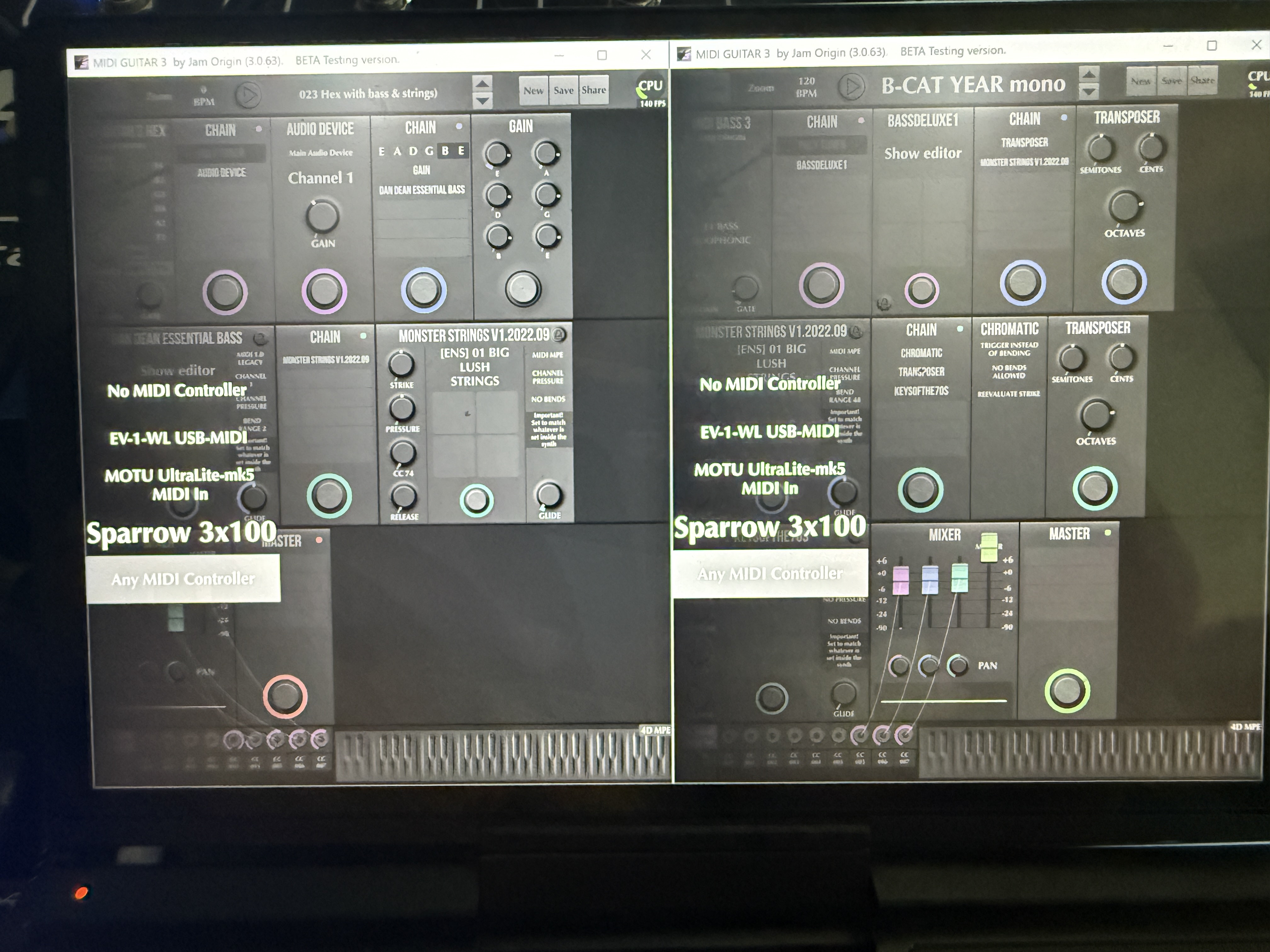
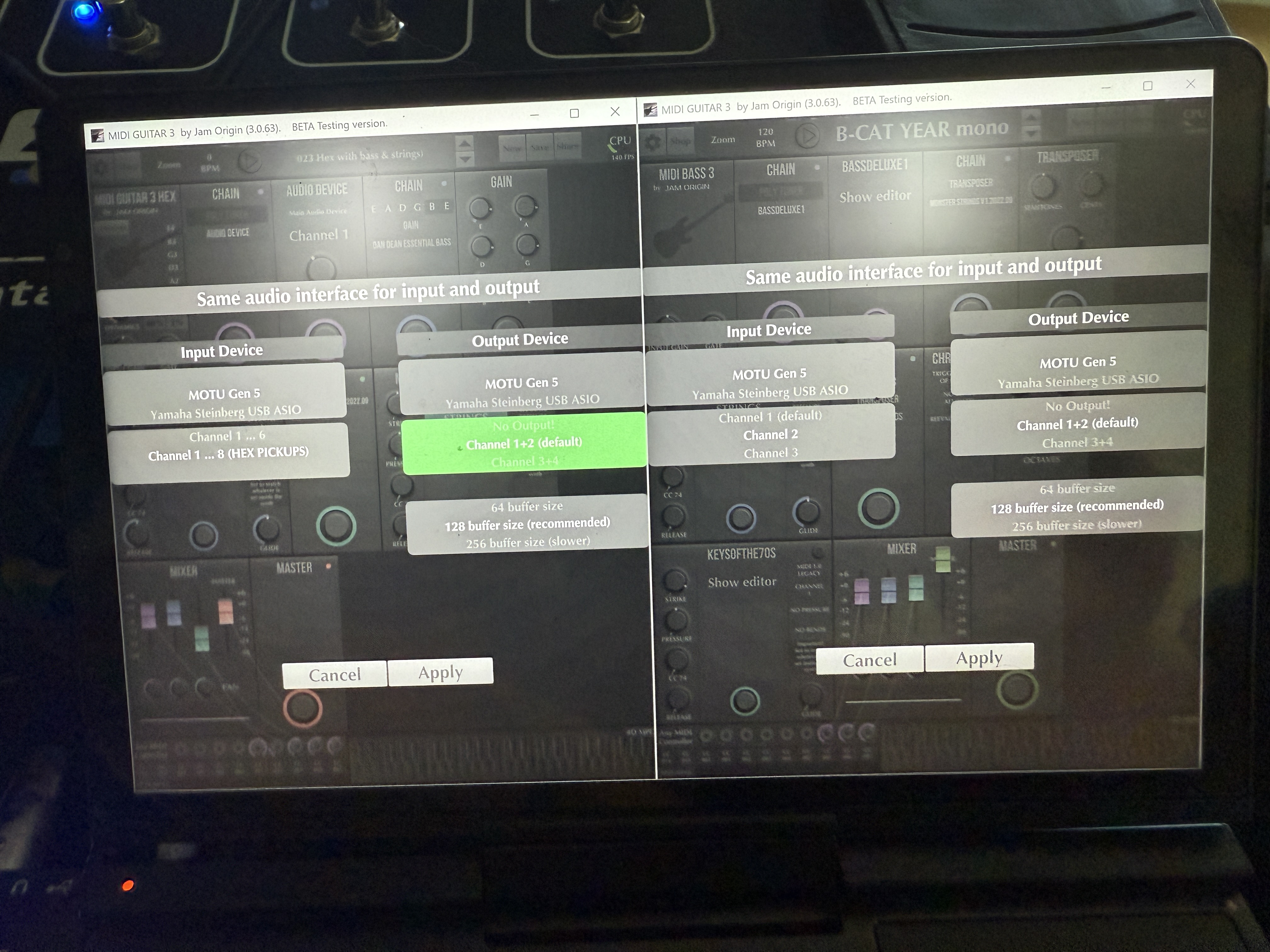
If you install MIDIberry and loopMIDI you will receive the CC messages on both instances of MG3 / Hex.
MIDIberry has to run in the background, don’t close it after you made the connection from your input device to loopMIDI.
https://www.tobias-erichsen.de/software/loopmidi.html
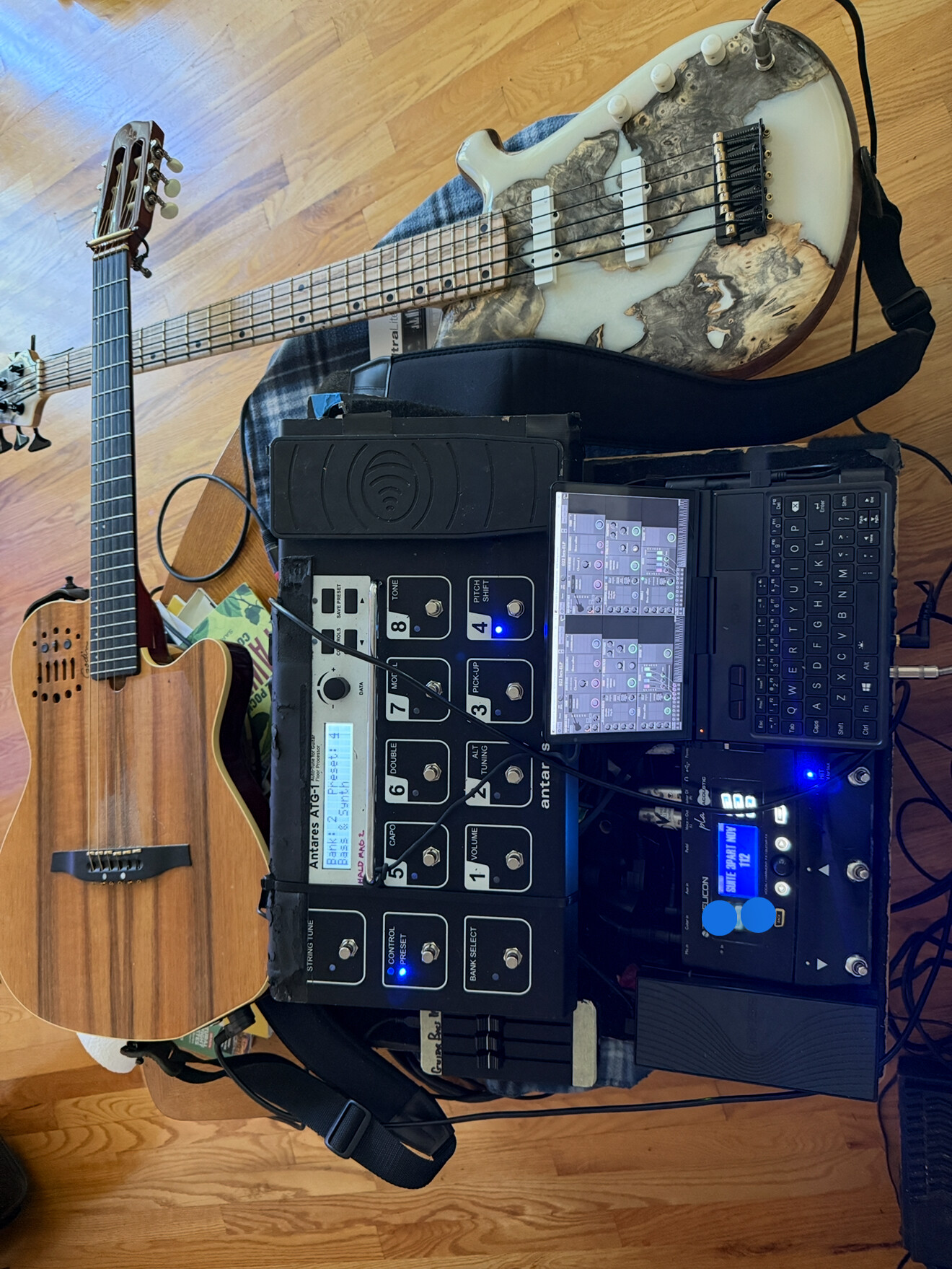
that’s a great looking setup. it’s really coming together.
are those road toad strings on your bass? i have them on a ukulele bass and they are so much fun to play.
They are DR Black strings. I think they look nice with the light neck and white pickups, sound pretty close to regular DR HighBeams with a little less high end (the EMGs are very bright so it’s a good balance).
Thanks again, I’ll give it a try later this evening.
I’ve installed midi berry and loop midi. MG3 shows loop midi in its list. When I click on my devices in midi berry, I get the message in red at the bottom, which says “unable to create midi in port from input device.” I think that’s ok since these devices are only outputting midi CC. When I click the OUTPUT section it shows blue for every device. At first Midiberry showed no data in the monitor section when I activated any of my controllers, but after a restart it showed data for each device if (and only if) I highlighted that device in the list. MG3 now receives data from the Loopmidi port, but only receives from whatever device is highlighted in MidiBerry. So it’s sort of working, but I need it get data from all my midi controllers, (faders and exp pedal) not just the highlighted one.
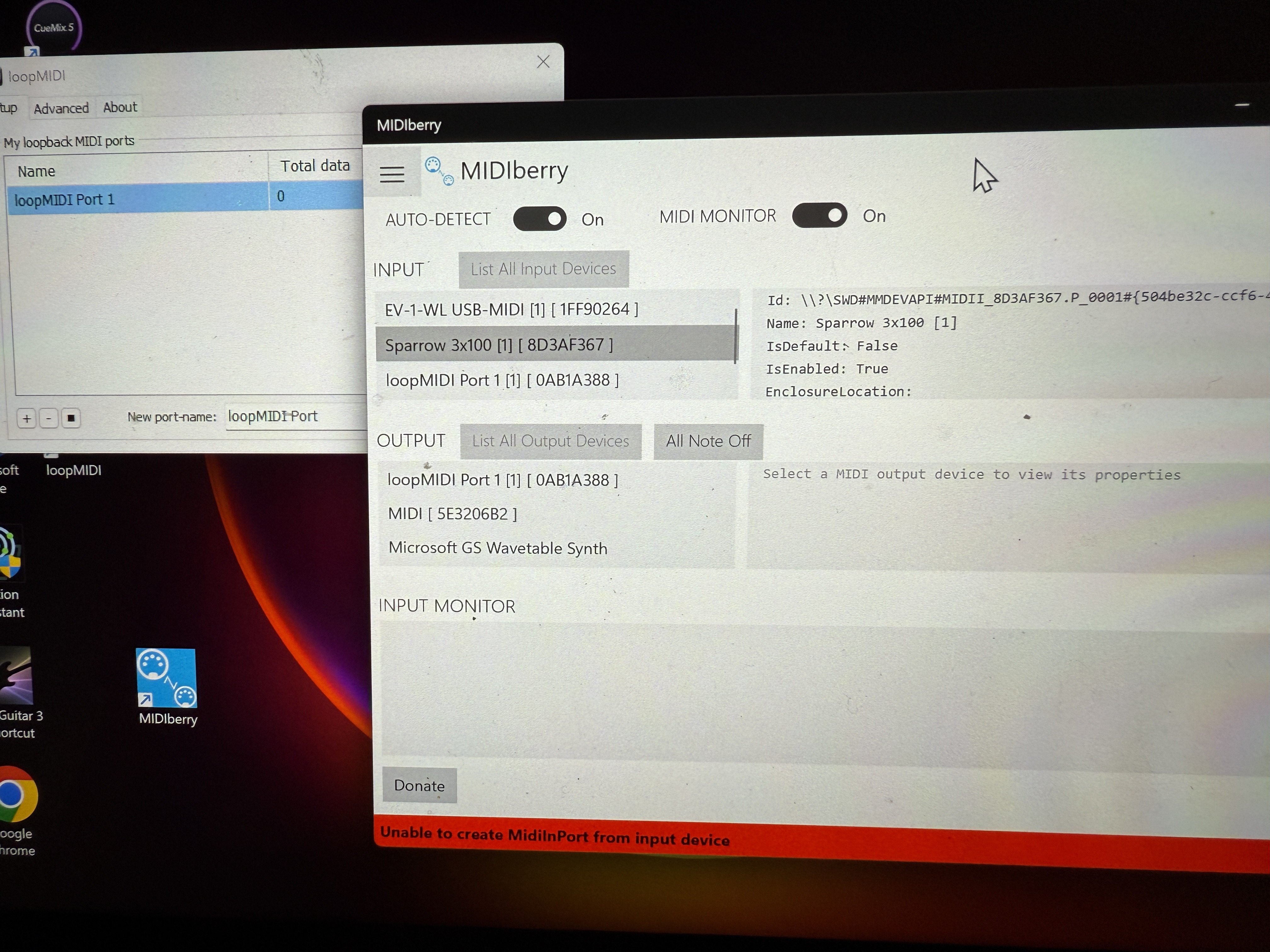
Must be a Windows thing. On macOS, you can run multiple MG3 instances and receive MIDI at both targets from the same MIDI controller. Maybe the forthcoming Windows MIDI overhaul will help…a very big maybe. I think it may already be available if you’re part of the Windows Insider Program.
I download this, but it didn’t help About Windows MIDI Services - Windows MIDI Services
Thank you all for your help on this. You got me going in the right direction. MidiBerry did not work out for me, as you see above. But I just downloaded MIDI OX and was able to remap my ports and ITS WORKING!! These work arounds are more complex than I ever wanted to be. On a gig, I believe every app is one more link in the chain that might break, one more possible issue. Hence, I was trying to just run one instance of MG3 as my main host program. This work around with LoopMIDI and Midi OX should allow me to achieve my goal of quickly switching between hex guitar and regular bass on a gig. However I hope JamO is watching this thread and would consider making the Audio Device input something that is saved within the patch (also the monophonic versus duophonic for bass). Doing that could eliminate the need to run two MG3’s with LoopMIDI and MIDI OX, and let me just use MG3 stand alone as my gig app! THANKS AGAIN EVERYONE!
Maybe it would be easier to run it all in a host or DAW for the sake of MIDI sanity; something like Gig Performer or Camelot (not MainStage - since you’re on Windows) that are designed for gigging musicians. But I can’t recall now, perhaps there was a very good reason for why you went standalone.
Gig Performer is very powerful and also very complex. I dove headlong into it the last time I tried to make a gigable mini computer rig. I needed it to solve midi issues with SampleTank. This time I have avoided SampleTank completely, and I’d like to avoid Gig Performer too. Stand alone mode with MG3hex is really excellent, and it’s proved stable. You open one program, it’s easy to set up, clean interface and it works! If I didn’t want to switch instruments and have synth access for both guitar and bass, the standalone program would be all I need! Right now running two standalones, patched together with loopmidi and midi Ox should work, but it’s less than optimal because the current the mini rig is on the floor, the screen is tiny and hard to read, and I have to open two MG3s and choose audio inputs on each (did I mention the screen is tiny…). If I’m only using one hex guitar, it’s easy, just open MG3 and go! Hopefully, saving audio inputs with patches will be a future update, then I won’t need to open two MG3 and use the work arounds.
ONE MORE HURDLE…I’ve done 3 gigs now running dual MG3s (one instance hex guitar and one instance bass mono, side by side on the screen). It works great, I can set down the hex guitar pick up the bass, hit a patch change and just go! ALL 3, three hour gigs went fine, no glitches. But, it’s cumbersome at the start of each gig because it’s a tiny screen, on the floor and setting up the two MG3s with appropriate audio inputs is tricky for my big fingers, and bad eyes! Fortunately Loop Midi and Midi Ox both boot on startup. I wondered if could get two MG3’s to boot on startup with the appropriate audio inputs selected? Then I discovered Windows Hibernate! It writes the last state of your computer’s RAM to you HD and calls it up when you restart. Perfect, I tried it and BINGO! two instance of MG3 were side by side on my screen and my MIDI Faders and EXP pedal were working, but then I tried a Program Change. That wouldn’t work. It’s coming from the 5 pin midi out on the Anatares pedal into the MOTU interface midi in, and the motu interface front panel midi light flashes when I step on a patch change button so it’s getting a PC message. I look at MIDI OX and it shows the Motu interface, but the activity monitor doesn’t show any patch change messages from it. IF I RESTART THE COMPUTER, and open MG3, the patch changes work, but then I’m back to where I was, having to open up two MG3s and set up the audio inputs again. DOES ANYBODY HAVE ANY IDEA WHY THE MOTU IS LOSING THE MIDI CONNECTION AFTER STARTING FROM HIBERNATION?