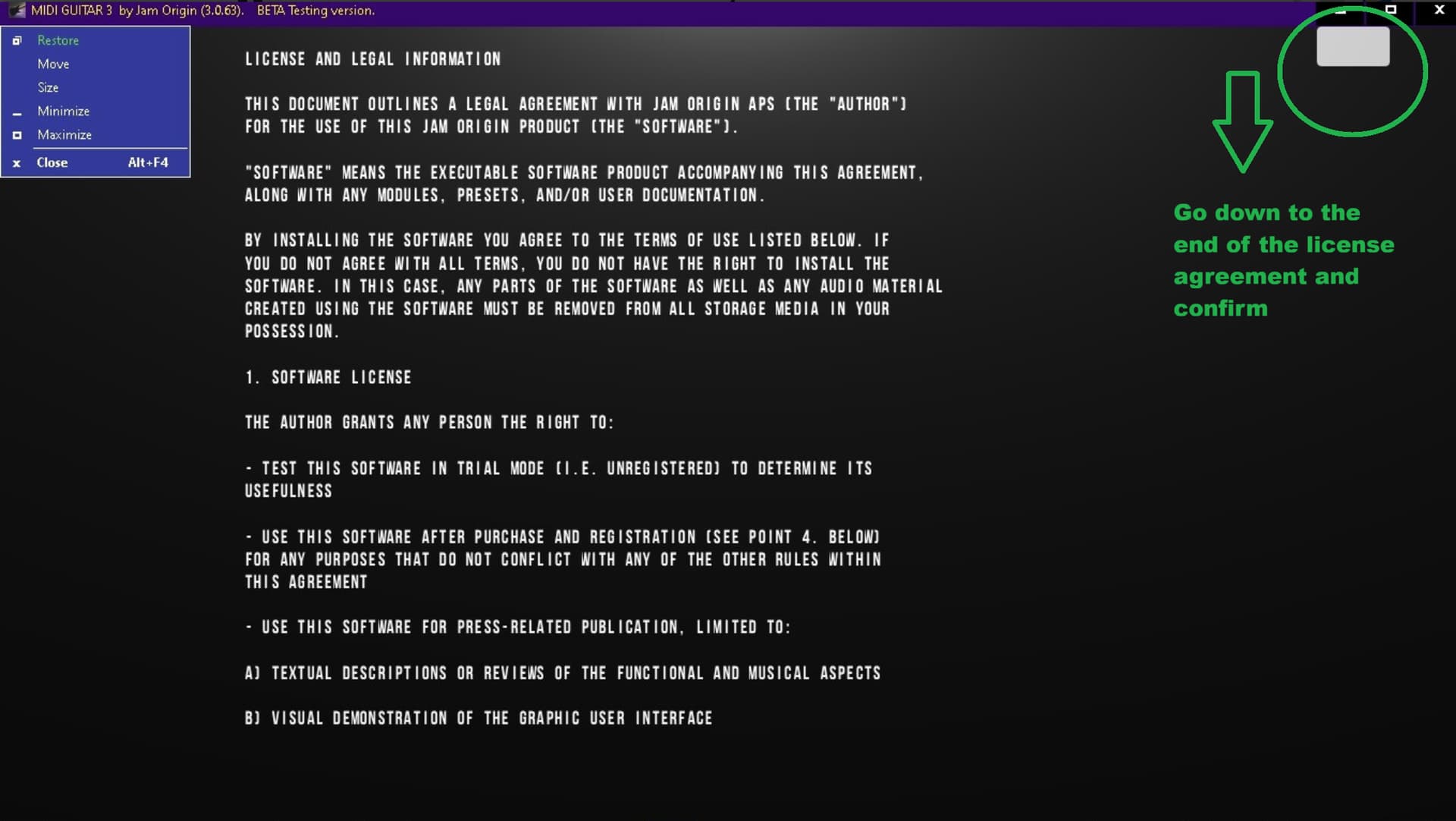
I installed MG3 but it doesn’t work - says it can’t find ASIO driver. The first time I ran it it gave me an option to pick a driver which I did choosing the same driver as I use for MG2.
Then it opened with a black screen and nothing on it, no menu or buttons and no way to select any interface or drivers.
Now when I try to run it it doesn’t even give me an option to pick an ASIO driver.
MG2 still runs fine.
I’m using a Presonus Studio24c intrerface, same as for MG2 and MG2 works fine with it.
That’s very strange. Please make sure that you have the latest version installed for your OS.
I assume that the Presonus interface comes with its own driver, that should be selected. However, first you need to get the program working again.
Yes Presonus has it’s own Studio 24 ASIO driver and MG2 still works fine with it in standalone.
I tried using Studio one and it did find MG3 and loaded it so it seems to load ok in Studio One (that came free with the Presonus Studio 24c interface).
I again tried running MG3 from the exe/shortcut. It gives the usual “no Asio driver things” and opens blank black as usual but then if I click on the very upper left caption bar icon the MG3 screen comes on but none of the buttons do anything and are all frozen.
I do have an ASIO for ALL program. I ran that and rescanned but with no difference. I don’t think the Presonus Studio 24c audio interface needs that anyway but I’m not sure since windows comes with no ASIO drivers so maybe at one time I did have to run it for the Presonus to work but it does now with MG2 so I assume the ASIOfor All isn’t necessary.
I also downloaded the latest .63 beta version, installed it and the same things happen but now MG3 only comes up with a disclaimer/rights screen and no controls.
Can you post the MG3 log file, you’ll find here (xxx will be your user name):
“C:\Users\xxxxxx\AppData\Roaming\JamOrigin\MIDI Guitar Log Standalone.txt”
not likely, but i thought i’d mention that if the presonus being in ‘exclusive’ mode could cause something like this. rebooting and running mg3 only would determine if this is the case.