MG3 Hex in Logic Pro with break-out box

The Hex version works in the stand alone version but i cant make it work in Logic

I made a break-out box with 6 individual inputs and the power is provided by a GR 20.

When i try it in Logic then i got the question’ask the DAW for 8 inputs’ but i don’t know how to do that.

Logic Pro has had a problem with the MG3 Hex tracker Audio Unit since day one and there are other posts about it. In my experience, you are better off using standalone MG3 and feeding it into Logic.

I haven’t been able to apply Logic’s surround capabilities to feed 8 audio channels into MG3 Hex. If anybody can figure it out, please advise!

I also havent figured out how to do that exectly but i will try thanks for the reply.

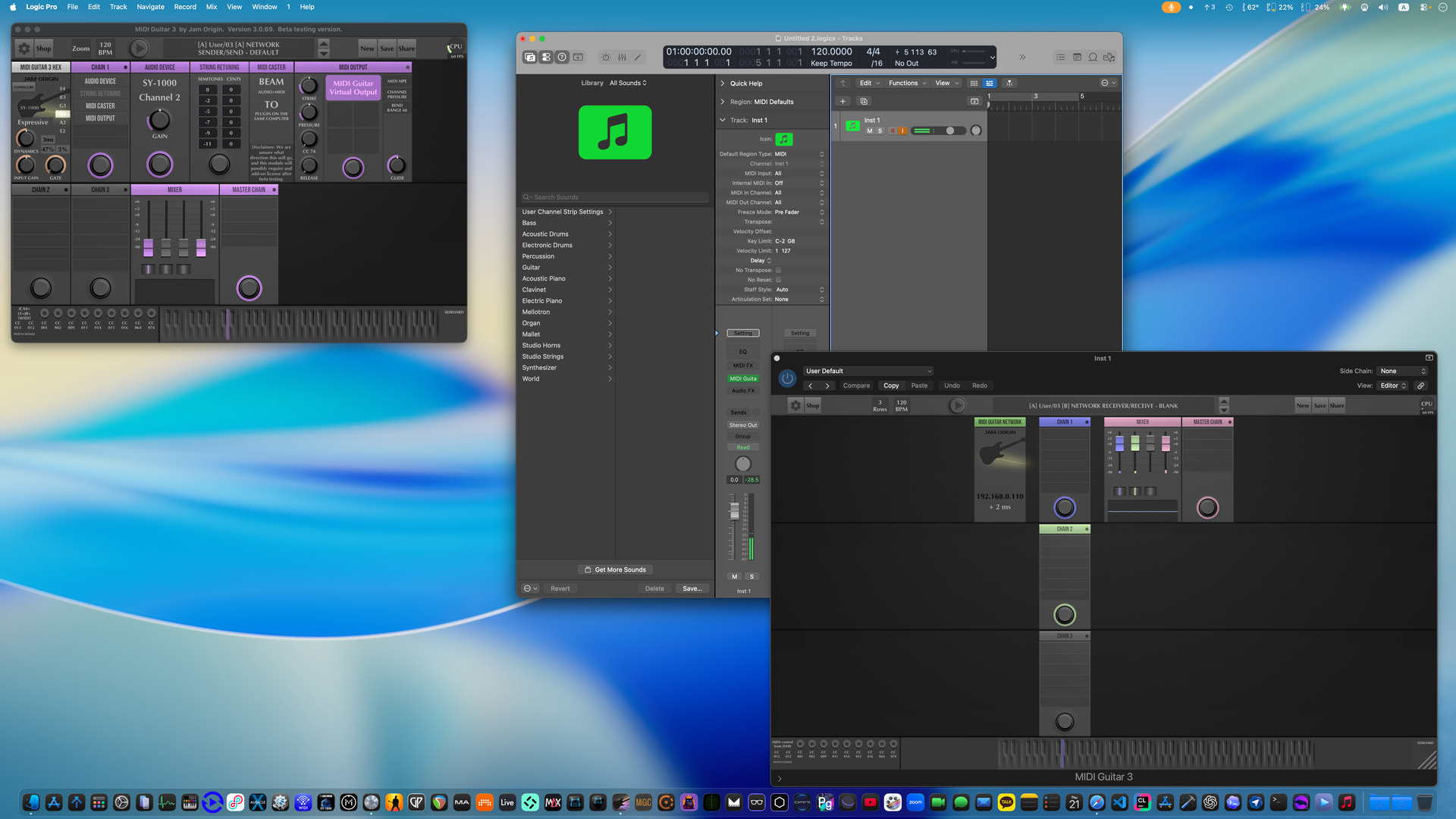
We’ve been experimenting with a AUv3 version of MG3 which can open the 6 channels of the audio interface directly in the AUv3 plugin. I actually submitted this to TestFlight a few days ago, but it seems to be stuck in Apples review still.

1 Like

That would be nice,the normal version is already great but a Hex version in the DAW would be even better.

I could not find a page to introduce myself but i am Leo from Holland.

1 Like

hi leo and welcome!

kim from new york here.

i don’t recall the status of midi caster on apple, but if it works like on pc it may help you.

you’d run mg3hex in standalone mode, find midi caster in the tools folder.

in logic, run a second copy of mg3 and set it to use the network tracker.

ideally you’d have two audio interfaces, one for mg3 standalone, the other for logic. but it may work regardless.


Yes, good call on that one. The MIDI Caster network tracker is a viable option depending on your goal. Just tested it after a long time not using it.