
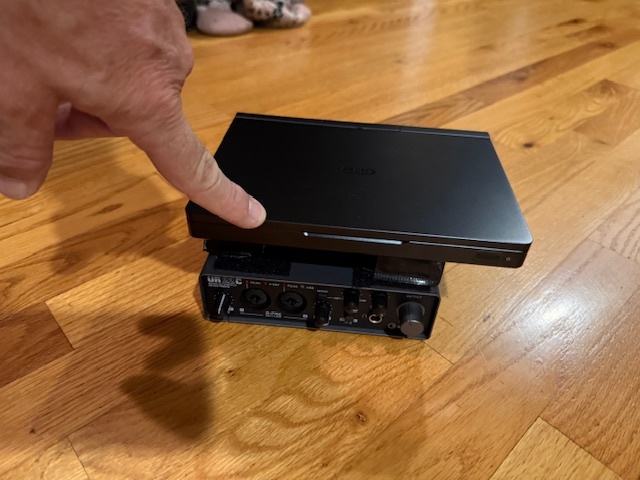
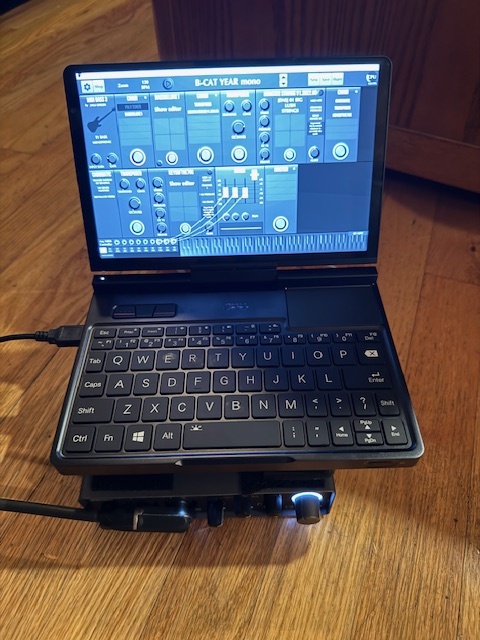
Been a while since I’ve posted here. I’m going to try MG3 Bass instead of Hex tomorrow. I bought a mini GPD Pocket 4 with AMD Ryzen AI9 HX 370 processor , 32GB RAM, 2TB drive. I’ve been testing it at home all day using a Steinberg UR-22C interface with MG3 in stand alone mode, mostly running Monster Strings VST, Lost in the 70’s Keys, and various .SFZ samples (mostly from Band in a Box). Happy to report no glitches or crashes! I’m going to try it on my bass gig tomorrow. Will report back.
4 Likes
Gig went well. It never crashed. It shows a lot of promise, but I have a ton of tweaking and patches to write. The most frustrating part was that MG3 can only look at one audio input. The Steinberg interface has 2. I wanted to use one for guitar and the other for bass. But that means whenever I switch instruments, I have to go to settings>audio interface>select input, then back out of it. The unit is on the floor with my pedal board and the screen is tiny, so doing this each time I change instruments is difficult and slow. Would be nice if the audio input choice was saved with the patch. Could that be a feature in a future update? It great that the tracking selection is saved with the patch, so I can program some for bass and some for guitar, but would be a lot easier if it would save the input choice too.
i’m glad the gig went well.
assuming you will only be playing one instrument at a time, you could just route both together. turn the volume knob down on the one you’re not using and mg3 will be none the wiser.
1 Like
I would like to see inputs being saved with patches as well. I regularly switch between HEX and mono and it is a pain to re-set everything each time.
1 Like
thinking of getting a micro mixer, but my pedal board already soo big… might be the best solution though.
does the steinberg software do any mixing? i see it has a ‘dspmix’ option, that might allow you to route things more to your liking.
I ended up stuffing a little 2 channel mixer in my pedalboard and feeding bass and guitar into the main input. MG3 only wants to look at one input from the Steinberg. But now that I’ve taken the rig apart, I’m wondering if I couldn’t have added the Steinberg in a “Chain” as an “Audio Device” and then selected input 2 there? (rather than in the set up screen).
So I did the rest of the weeks gigs with this mini GPD rig. This included two days with 2 shows each day, outside in 90 degree heat on Put in Bay Island. NO CRASHES, I put a couple small wood spacers under the GPD so it’s cooling fan would have maximum flow. I switch back and forth from bass to guitar using all of the previously mentioned synths set at 128 buffer. It performed well, but I think I can do better with HEX so I’m taking the rig apart and replacing the Steinberg with a MOTU MK-5 ultralite, using one of Bill Bax’s Separate String 13 pin Breakout Cables. Will report back after I get it working and try on some gigs.
I’ve got the MOTU MK-5 ultralite working with MG3 HEX stand alone, latency showing between 5-8ms with 128 buffer.
But it is changing the MOTU sample rate down to 44.1kHz as soon as MG3 loads. Prior to MG3 loading, the system shows the MOTU is set at 48kHz, and the Cue Mix software also shows it is set at 48KHz, and the front screen of the MOTU shows 48kHz. The moment MG3 loads it drops to 44.1kHz. I cannot find any setting for MG3 to use higher sample rates. I tried changing to MOTU to 96kHz, but same thing happened, it drops back to 44.1 as soon as MG3 loads. Does MG3 scan the VSTs and Sampler folder and force the MOTU rate to match the lowest sampled instrument? Or do I need to change a setting somewhere?
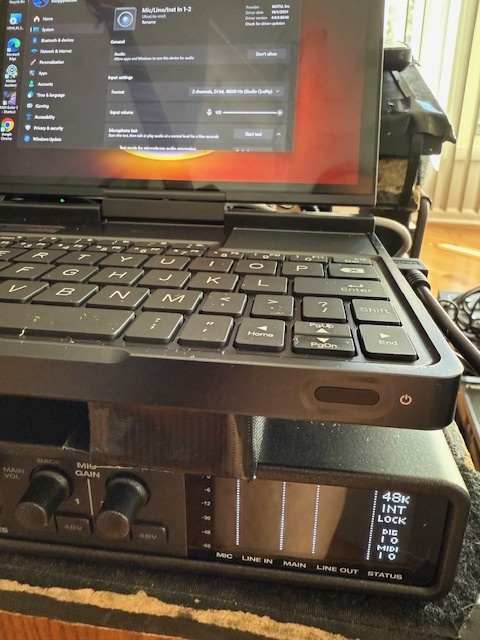
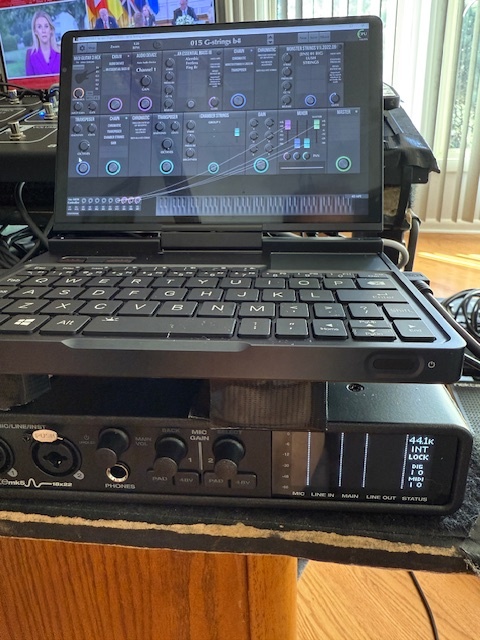
You can manually force standalone MG3 to a different sample rate in the audio settings using [Cmd + ,] on macOS and the equivalent on Windows [Ctrl + ,]. If you’re using a DAW, the sample rate should be handled by the host software.
1 Like
this is certainly a significant improvement.
good luck with the hex approach.
1 Like
Thanks, I’ll give that a try. I’m in standalone mode, I want to keep it as simple as possible and just use MG3 as my host for any VSTs or sampled sounds I want to run. Is it true that latency gets lower with faster sample rate, or is it strictly dependent on buffer size?
One bug I came across tonight in working with HEX. The HEX gain knobs don’t work. I was excited to see them because in my GR-55 and GM-800 I can adjust the instrument volume on each string. Some sounds, like a string section where I might want it to be strong on the bass and cello and lighter on the violins, I like to fade it out across the strings (E and A full on, D a little less, G a little less, B less, high E even less). I can turn any of six the gain knobs all the way down to zero (it actually says mute), but the volume of the instrument on that string does not change. It’s a great feature, I hope it can soon be functional 
Just tried Ctrl + and it didn’t do anything. Do I need to be on a certain screen for that to work? This small laptop keyboard only has + available with the shift key, perhaps that is interfering
.
i believe the keystroke you want is ctrl comma (hold control, hit the comma).
1 Like
i’m pretty sure this is a known issue.
1 Like
I wasn’t aware (or I forgot) but was trying it just now and was disappointed. I’m going to try the control comma you mentioned above, thanks.
doesn’t seem to work, do I need to be in a specific window when doing it?
for me in standalone mode ctrl-comma works both at the main screen and on the audio interface screen.
1 Like
My mistake, it does work. This tiny keyboard had me pressing the apostrophe instead of the comma. Thanks again, you are a big help! However, it only seems to offer 44.1 and 48. 96kHz is not an option, but I know the MOTU does 96…