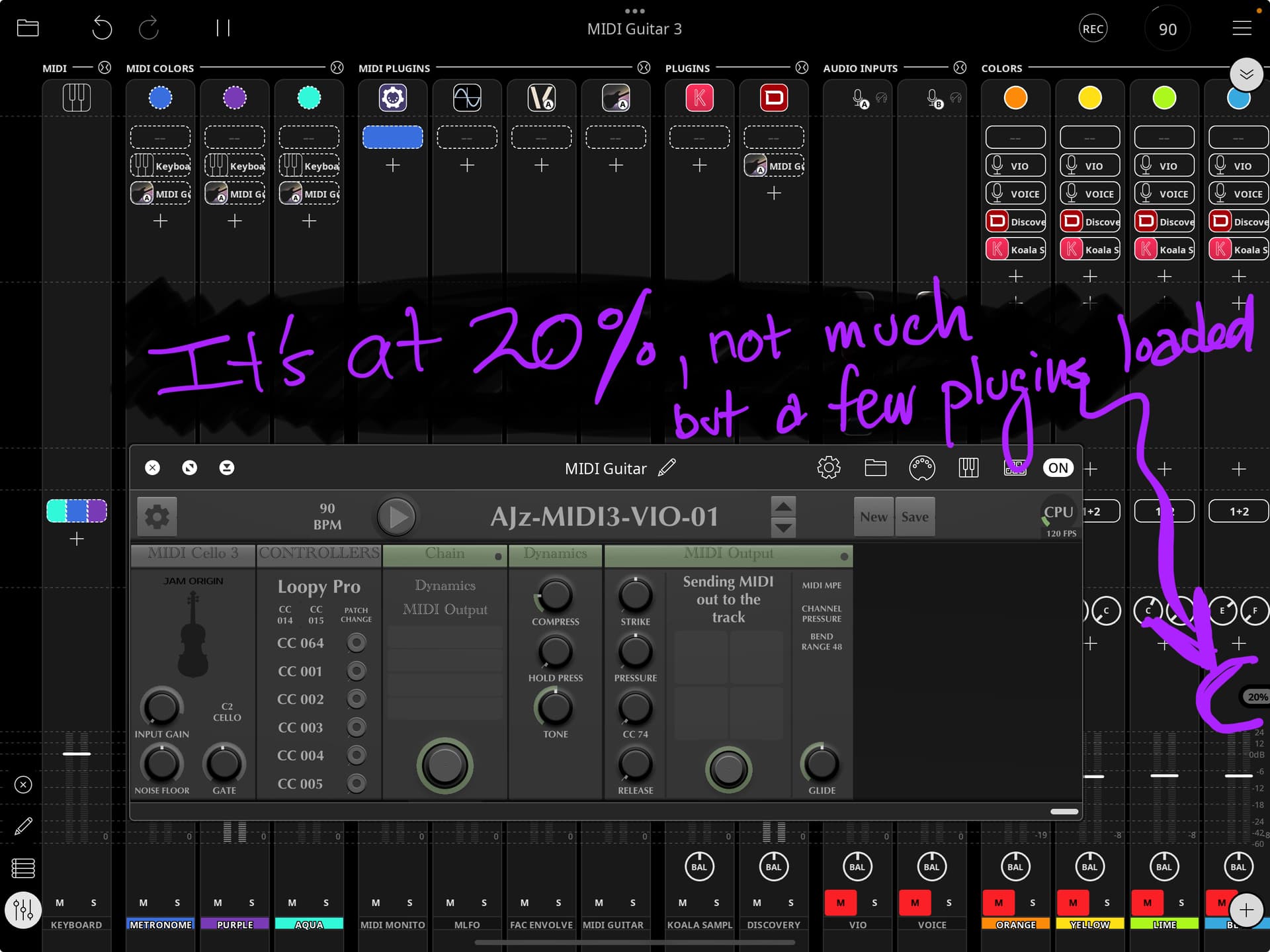
As I am trying to use MG3 in Loopy Pro, I noticed using it jumps up my CPU usage by about 60%. That’s a whole lotta CPU my friend. I typically have dozens of plugins in a project, if I add MG3 now I am up in the 80+% CPU area which is NOT SAFE. In fact, as I run it, I’ve experienced the static and noise of CPU over processing.
Any Thoughts?
Any chance of a special iOS version that may have the conversion engine but is lighter on some of the other features?
Hm. What device are you using? I’m now running an M3 iPad Air, and decided one day to very informally load test an AUM session with a stack of plugins. I had IIRC 6 instances of MG3, 7 SWAM instruments, one each of SampleTank, Decent Sampler, Syntronik, and SynthOne, probably half a dozen TONEX and MixBox plugins, and an instance of Circa looper. Once all this loads and settles down, I was hitting, I believe, 60-70% load.
Really, I was trying to figure out for myself if the Silicon architectural improvement over the A-series iPads was as significant as people told me it was. It wasn’t trying to test MG3 directly, but I do seem to be able to run 6-8 instances of that on the M3 device without having run into a problem yet. (Now, that said, I do try to bypass plugins not currently in use, in my AUM sessions, whenever I don’t need them running for tails or othersuch, and the bypass in AUM does seem to free up resources when running. So I can’t say that my test was exhaustive, either. )
Anyway, I did have load issues with my older iPads, but I’ve been impressed thus far at the M3 iPad Air.
I am going to spin up a separate Loop Pro project with MG3 by itself and see what the CPU usage is. I have run into some license issue. So I have to figure that out first.
I made a new project - and loaded MG3 with a few (about a dozen) plugins that I typically start with in all projects.
It seems to jump the CPU up to about 20%; whereas without it I am at about 6-8%;
So let’s “roughly” say….. 12 or 15%; for a single plugin….. IMHO that’s a ton of CPU. It is an amazing plugin (if I can get it to work with my violin)
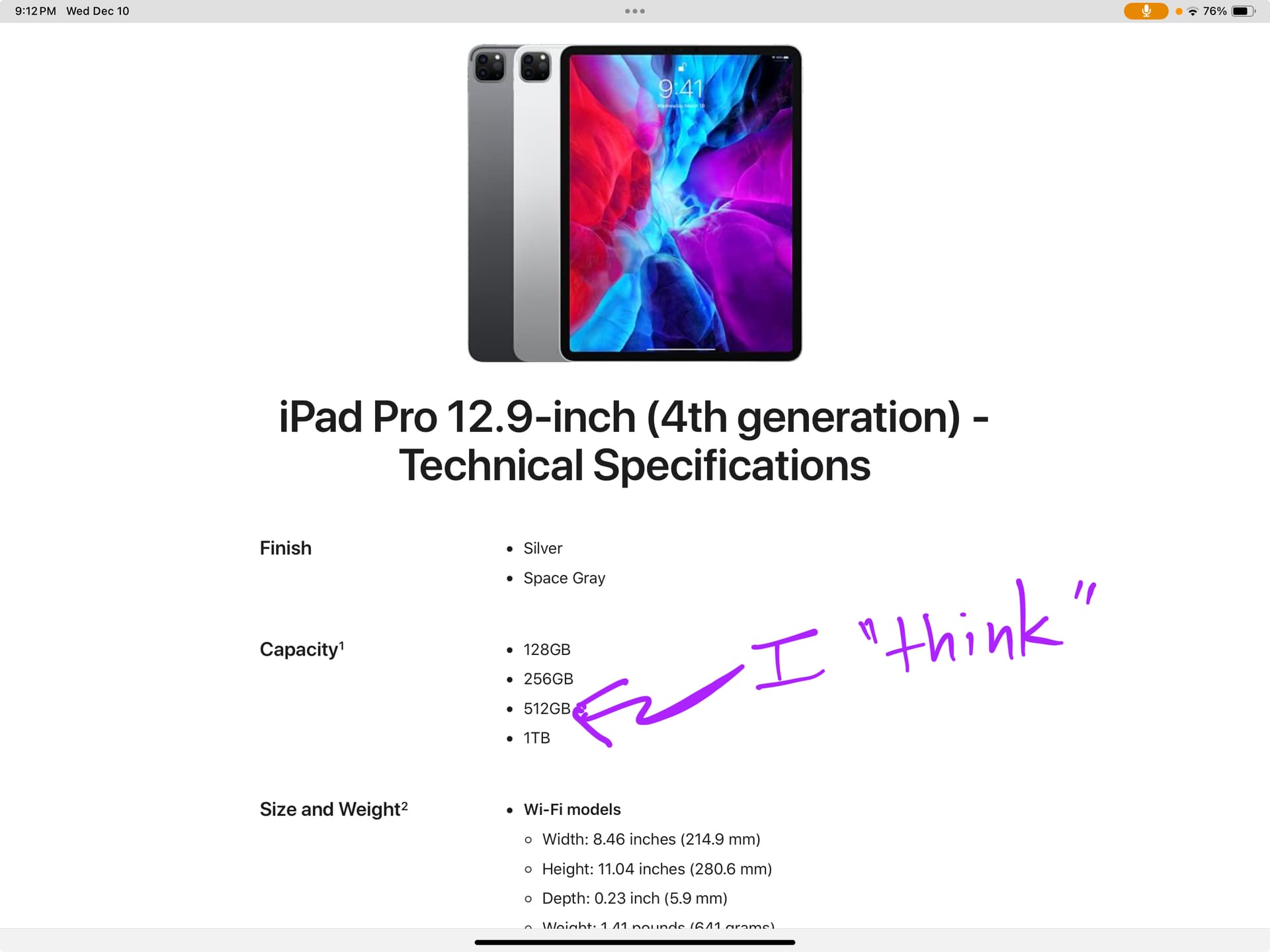
If you check the specs for the 2020 iPad you mentioned, it has 6GB of RAM. 512GB of RAM would be a mammoth amount, even in 2025.
Regarding MG3 performance on Apple devices, it is generally recommended to use an M series iPad or Mac.
The previous iPad I used had was not an M series. It was a 2107 iPad Pro, and hit its limits running MIDI Guitar 3 with parallel instrument plug-ins at lower sample buffers. I have not had any issues at all since I updated it to a gently used M1 iPad Pro, which is the first generation of M series iPads from 2021. I grabbed one with 128GB storage because the device’s primary purpose is to process audio and MIDI in realtime.
All that to say, you should be able to get by with your current device as long as you are aware of its limits and don’t drive its CPU into oblivion. But you’ll get far superior performance with even an entry-level M series iPad.
So, as others here have noticed, it does sound like your limiting factor may be the processing speed of the A-architecture chip. I can sympathize; it took me a while to get my hands on an Apple Silicon (“M-series”) chip device, and the architectural advance that represents does seem to be every bit as big a deal as I was told.
And here I’d reiterate something I learned from trying to work within the performance limitations of my last iPad (which was I believe an A10 chip). If you use AUM (which I have really come to love, as a plugin host for iOS), and you can design your sessions to bypass plugins not immediately in use, it does seem to free up resources for the ones that are in use. In my case I would set up my MIDI tabletop and floor controllers to not just mute a channel, but also to bypass hungry plugins that were on that channel. It seemed to make a difference, and if I was creative with bus sends, I could design around most needs to retain “tails” (like delay or reverb tails) and still get the efficiency improvement.
I believe it was someone in this commenariat, here, who also clued me in on an important general performance consideration: it sounds like as a rule, some plugins, like samplers, primarily rely on memory (RAM) for their performance; while others (such as MG3, SWAM modeled instruments) don’t need lots of memory so much as they need immediate processor power (which is the chipset). For me, understanding this helped me to learn how to set things up more efficiently.
For sure I’m still learning much of this, myself, as I go along–and so take me with all due grains of salt. But hopefully some of that might prove useful for your 4th gen Pro.
The Cello tracking (and most tracking modules in MG3) are very CPU intensive indeed!
I have the exact same iPad here and im trying to get CPU usage down as we update tracking models, but I can’t promise anything. We all want the best possible tracking, at low ranges, and with low latency, and something has to give… I’m sometimes catch myself surprised that a 6 year old iPad is almost cutting it, - tracking, in a DAW and plugins.
Obviously, the monophonic tracker (in MG3 module) is a lot less demanding and the new iPads are much faster.

 )
)