Does anyone know the specific MIDI Program and Control Change MIDI values / parameters to adjust the MG2 “Mix” level (from off to 100% synth mix) as well as the “MIDI Mapping” values to select specific synths / sounds on MG2?
I’ve got MG2 loaded on a Windows PC and currently just trying to figure things out with the loaded sounds.
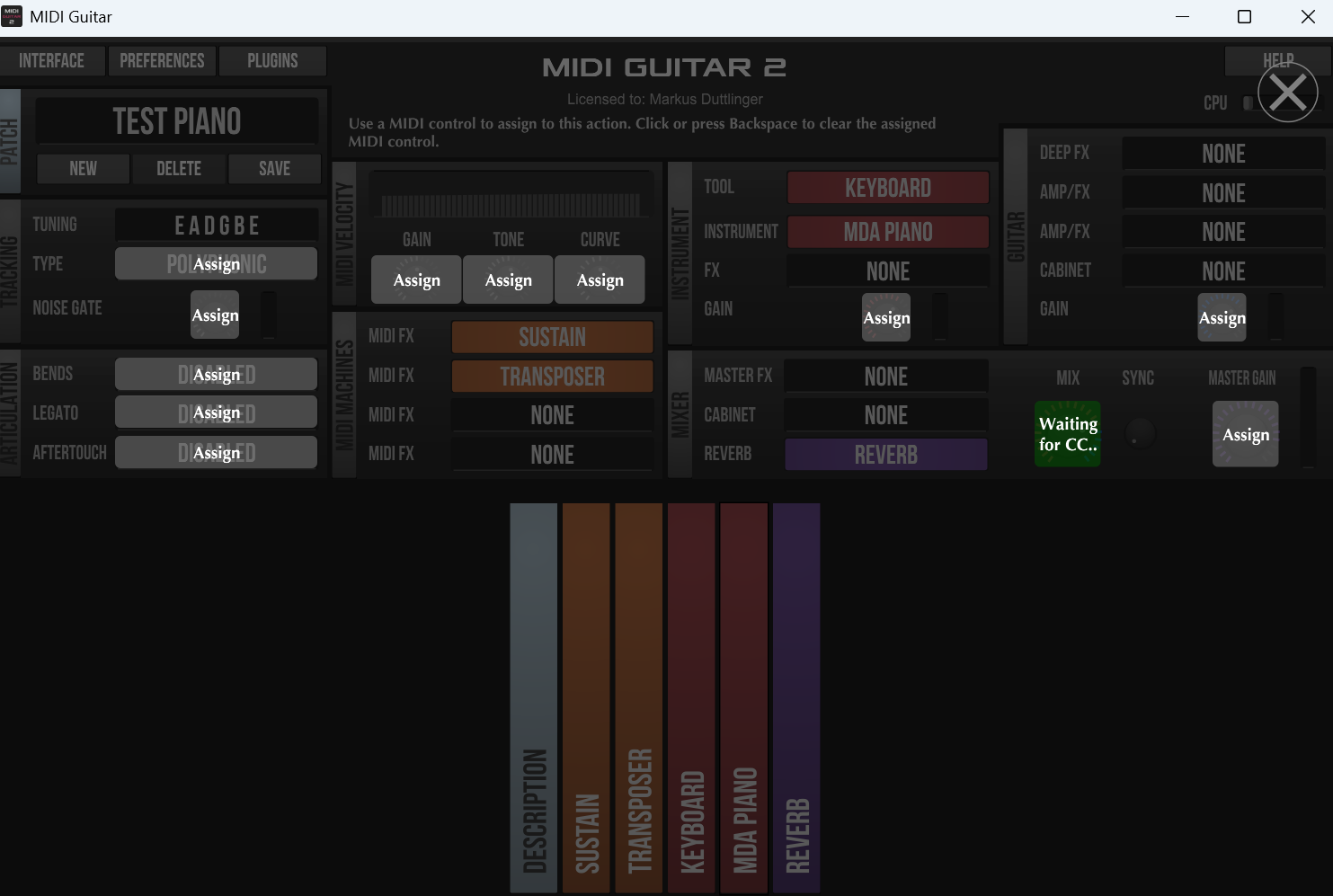
Thank you again. I programmed the MIDI Maestro with what I think are the correct MIDI channel and Control Change values (0 for off/min and 127 for on/max), clicked on Interface => Learn. The screen came up. Clocked on the Assign button for MIX, then tapped the appropriate Maestro button. MG2 stayed in the “Waiting for CC”. Obvi, tapped the Maestro button a couple times. Nothing. Did the same for both on (one of the Maestro buttons) and off (for another one), in the Learn mode… the MG2 did not ‘take’.
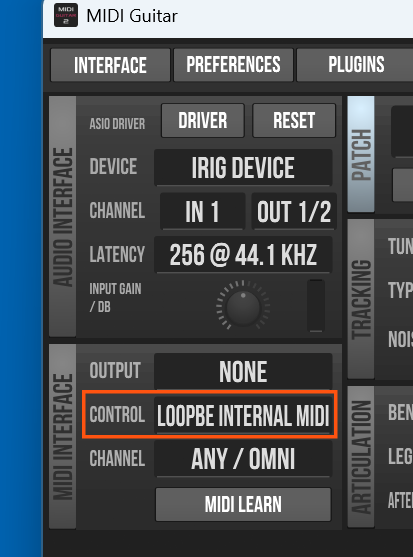
I’ve assigned the MOTU M2 as the MIDI IN/Out device. but I’m sure I’m doing something wrong! Thanks for any help you can provide.
Thank you. Actually, the MIDI Maestro connects to the MOTU M2. I made the assignment in MG2 to the M2. I thought I set the MG2 to Channel 2. But upon closer inspection, I had it to Ch1.
Changed the MM Command to Ch2 and now the MIX acts correctly having ‘learnt’ it.
Now I need to figure out how to switch sounds - from a Mini Moog (for example) to Strings.
I sincerely appreciate all the support and positive responses.
MIDI Guitar 2 maps incoming Program Change numbers directly to your saved patches using a numerical prefix system.
When saving or renaming your patches in MG2, use a prefix format like 001, 002, 003 (or 0, 1, 2 depending on whether your controller starts counting at 0 or 1) at the beginning of the patch name.
For example:
001 MiniMoog (responds to PC message 0 or 1)
002 Strings (responds to PC message 1 or 2)
The Boss SY-200 uses specific Control Change (CC) numbers for its parameters. According to the SY-200 MIDI implementation, the Effect On/Off switch defaults to CC #27 (sometimes labeled as EFECT CC or ON/OFF SW CC depending on the firmware/editor version).
Program a button/switch on your Maestro to send a CC message.
Set the MIDI Channel to match whatever channel your SY-200 is listening on.
Set the CC Number to 27.
Set up the toggle/values so that pressing the switch alternates between sending CC 27 with a value of 127 (On) and CC 27 with a value of 0 (Off).
Edit:
you might need a MIDI splitter box like this one here (don’t know your particular hardware setup):
Wow. So very helpful! Thank you! Channel is correct. The CC # 27 is new… will try that. Have a MIDI splitter coming, since neither Sy-200 nor MOTU have “MIDI Thru”.
You can run both versions (MG2 & MG3) in parallel without any problems. The latest download link is this one here. It is an “.exe” file, just run the installer: