After upgrading to Mac OS Sequoia 15.6 (I Mac 24 GB, M4 chip) with Logic Pro 11.1.2 I downloaded Midi Guitar 3.066, adjusted the Logic settings to 16 bit, and 44.1 KHz, the MG3 sounded distorted or scratchy while playing but the wave form recorded on the Logic track would not playback what I just tried to record. How can I fix that?
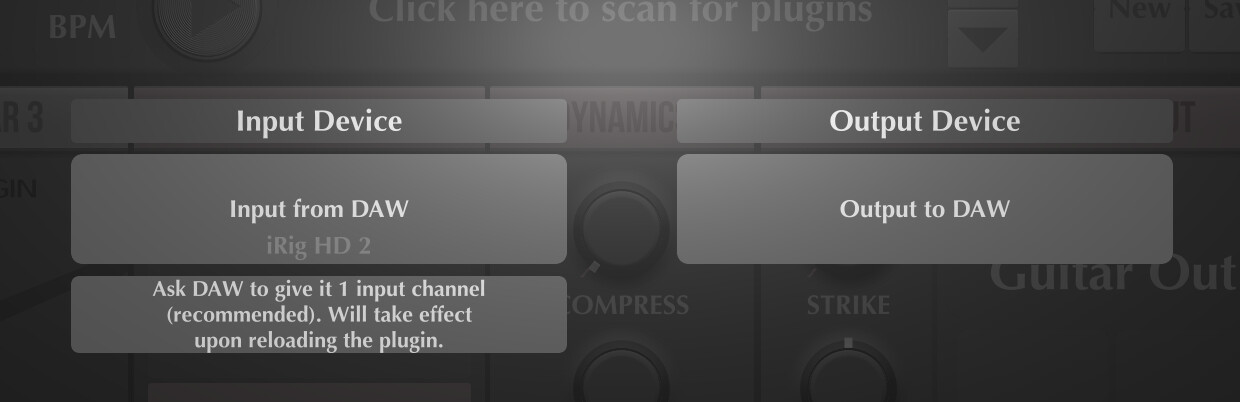
When I go to MG3 settings, it shows my correct input device, but for output device it only shows “Output to DAW“
Running MG3 as a standalone works perfectly fine on Mac OS Sequoia, so Logic Pro must be causing this headache.
In standalone settings a can choose for Output Device:
Logic Pro 11 doesn’t do 16-bit audio. And the sample buffer only goes down to 32 samples (on my M1 at least). So, I’m not sure exactly what you mean here.
If you are using MG3 as an audio unit in Logic Pro, this is exactly what you should be seeing. Audio generated within MG3 is passed to the output of the plugin. If you wish to send that audio to another destination, use the DAW’s audio routing. Below is an image with from the MG3 Audio Unit indicating “Input from DAW” and “Output from DAW selected” in the I/O settings. You shouldn’t really have to touch this setting under general use. These settings should be independent of the standalone settings.
Aha. I thought you were referring to the summing audio setting, maybe. Anyway, I do not think this is relevant to your issue. Why would it be?
Right, because Logic Pro records input – assuming you have armed and activated record. Tracks record what they are listening to.
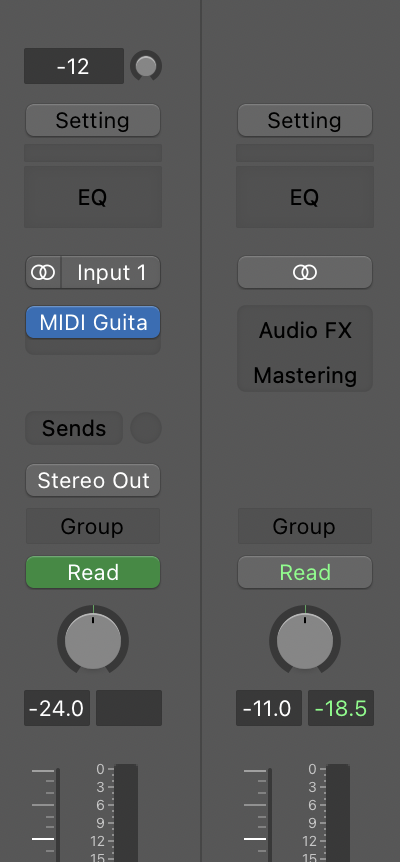
You have already chosen Input 1. You don’t need to tell it anything else. The DAW is handling the audio routing. If you want to record the generated audio, use a send (bus) to funnel the generated audio to another audio track and record it there.
Assuming your guitar input is entering Logic via “Input 1” – yes. As I just said in my previous paragraph, if you want to record the resulting audio (not the input only), you will need to bus the audio, via an auxilliary track, to another audio track. Make sense?
Due to a weekend seminar I’m unable to work on my new I Mac, so I downloaded MG3 on my older MacBook Pro with M1 chips, 8 Gb memory, Sequoia 15.6.1 and older version of Logic Pro 11.0.1
connected my guitar through Midi interface and started recording. It worked flawlessly, put down the wave form on the track using input 1 . It played back exactly what I had recorded with MG3, if I disabled MG3 on that track it played back just the raw audio of the guitar.
This is what I been used to for a year or more , I never had to bus that track to another audio track.
I’m at a loss why this doesn’t to work like that on my new I Mac.
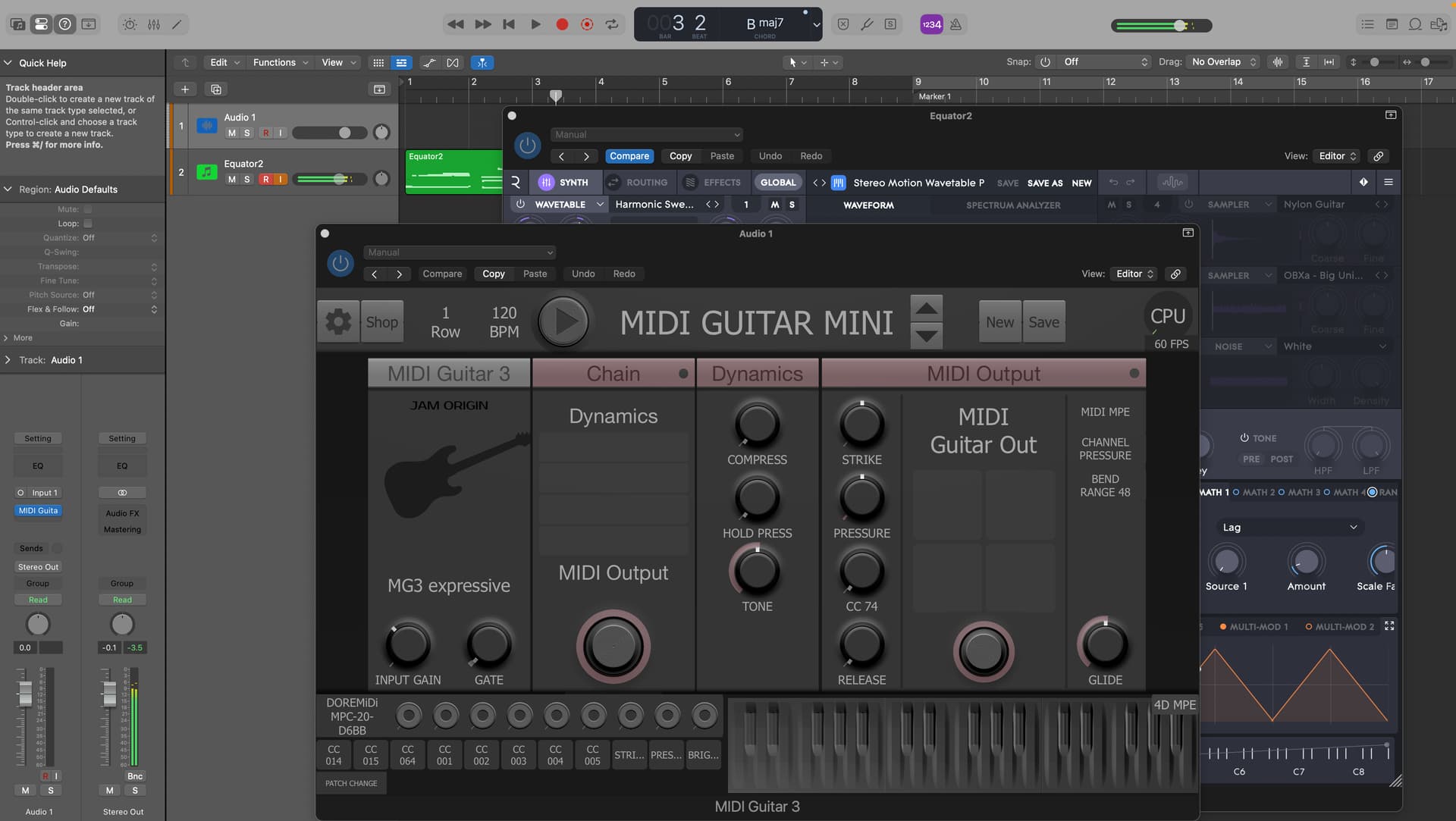
Also my MG3 patch that has an active MIDI Out doesn’t play plugged in instruments on the DAW , even though there input is activated.
That is just partially correct. If your setup is as you described you can only play back the raw signal. You have no record of the processed MG3 audio. By playing back through MG3 it just sounds like as when you recorded it. If you change the MG3 preset it sounds different.
You need the bus scenario if you want to record the MG3 processed sound on a new track.
Thanks Dutti67 for pointing this out, I was always wondering how to record the very sound a special MG3 patch produces, as it changes completely when you use a different patch. Can’t wait to try that.
Still my challenge remains that in my new system MG3 doesn’t function as it should:
It doesn’t produce the raw signal when I record, and it doesn’t send MIDI out to
@Vaultnaemsae already sent you the screenshots to record the MG3 output and how to record a VST. I’m also using Logic Pro 11.1.2 and everything works fine.
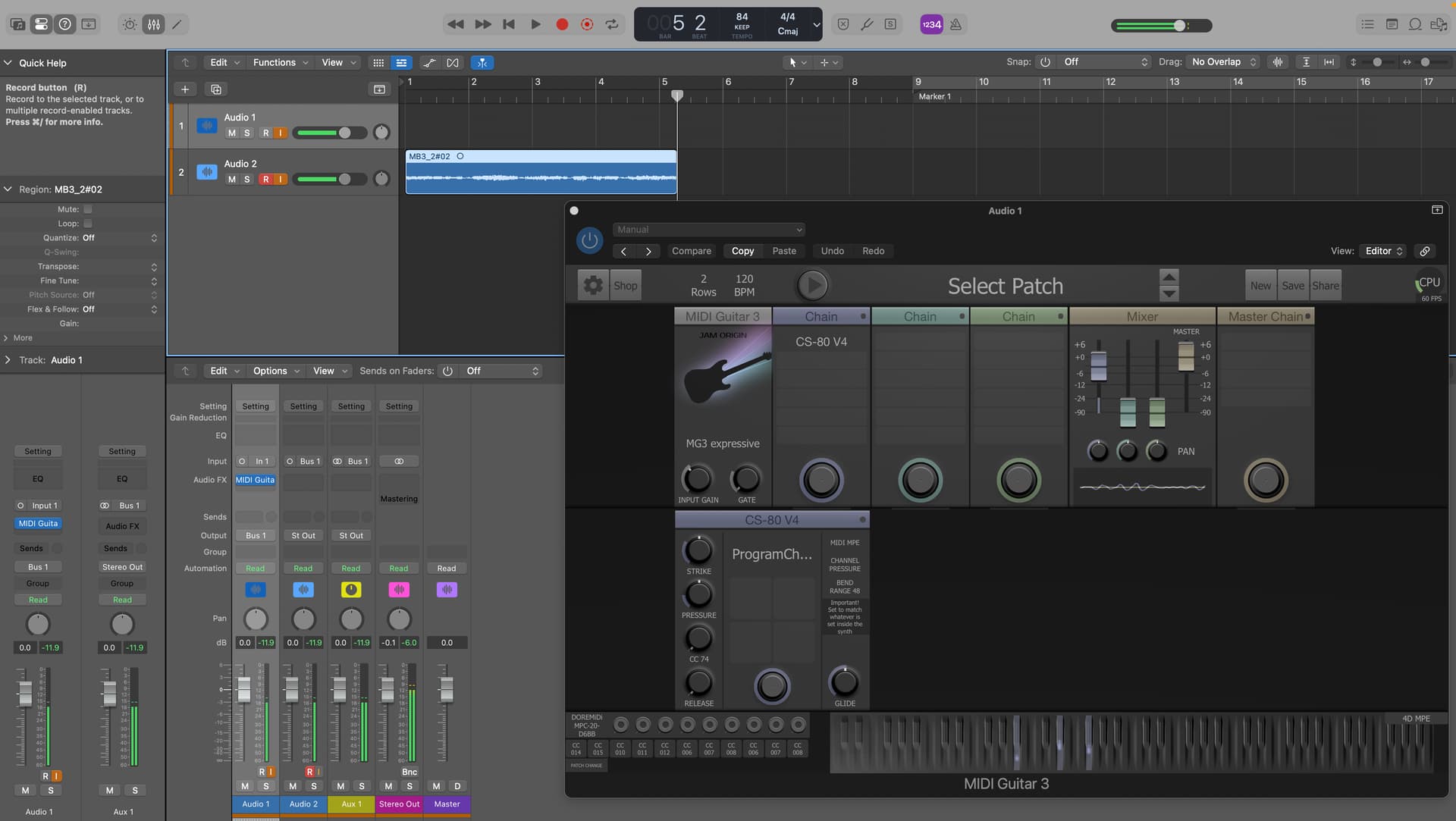
Recording the MG3 output to another track:
Make sure both tracks have input monitoring active. Select “Bus 1” as output of track 1. Select “Bus 1” as input for track 2. Arm track 2 for recording. Select track 1 to hear the MG3. Record.
MG3 is set to use input 1 of my mixer.
Well I just got it to work, I finally see MG3 recording what I play on its own track, without having to Bus it to a second track. Strangely I can’t playback the recording unless I disarm the input monitoring.
Also finally got it to record the MIDI on an instrument track, only after I set the “Internal MIDI input“ to the instrument.. Hope this takes care of it, thanks again
You only “see” and record the dry guitar input and not the MG3 output if you do it like that.
As long MG3 with the desired preset remains on that track it sounds like as when you recorded it because you are playing back the dry recorded signal through MG3.
If you remove or mute MG3 you just hear the dry record. If you change the MG3 preset it sounds different when playing back.
In my experience it’s not a good practice not bouncing tracks containing VSTs. In years, when you go back to your old projects, half of the tracks will not “play” what you thought you have recorded because the VSTs are missing or not working anymore.
Ok Dutti67, you finally convinced me of “bus” ing the VSTs to a “real” audio track, especially when I use MIDI expression pedals to modulate the MG3 output. Also with a “real” audio track I can apply any effect pedal and automate the effects , which doesn’t seem possible yet using the MG3.