I have no idea which videos you might has seen that kind of setup in, but here is how I usually do with MG2 or MG3 in Logic (on a Mac).
-
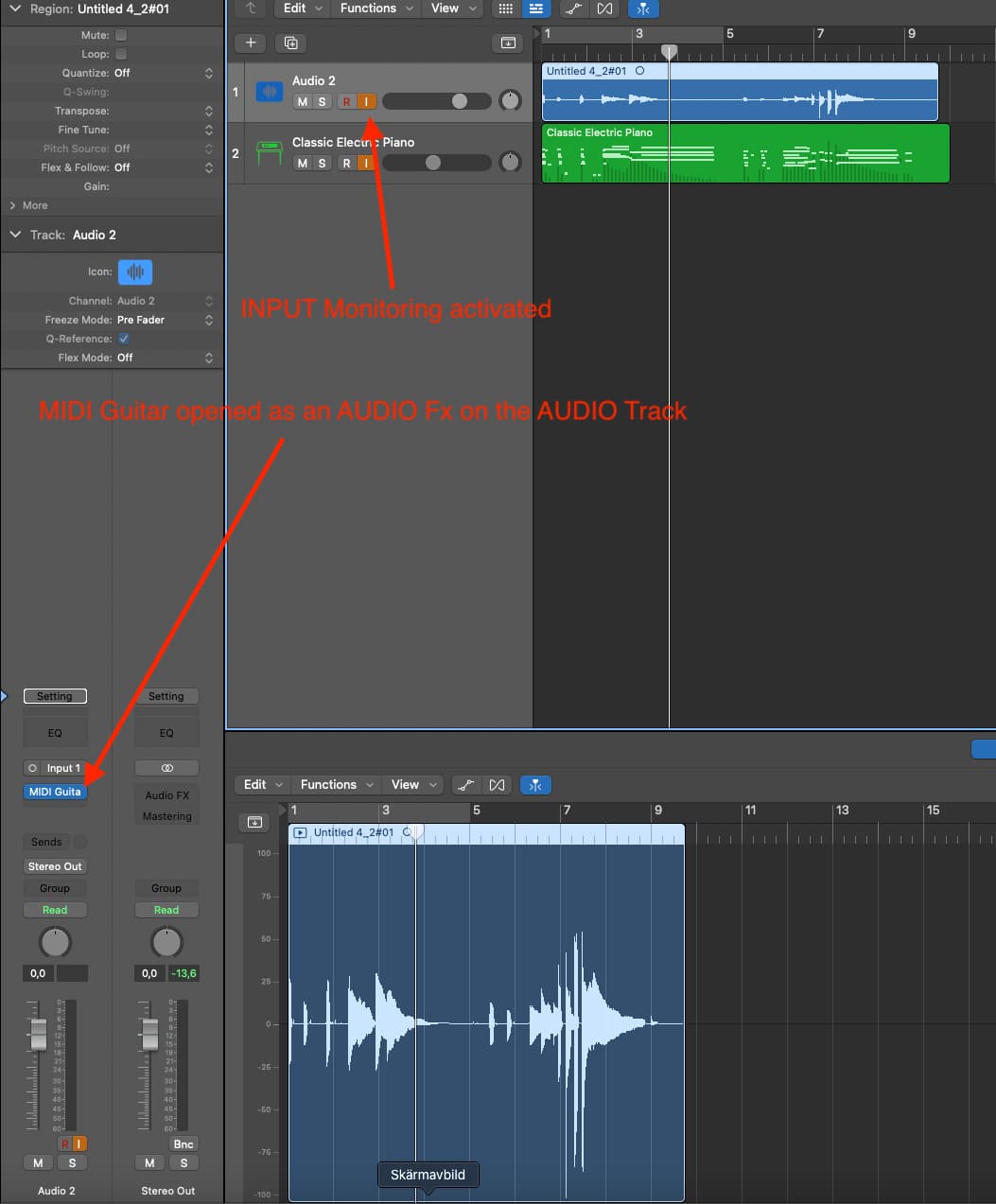
open an empty AUDIO Track, and open MIDI Guitar on that
-
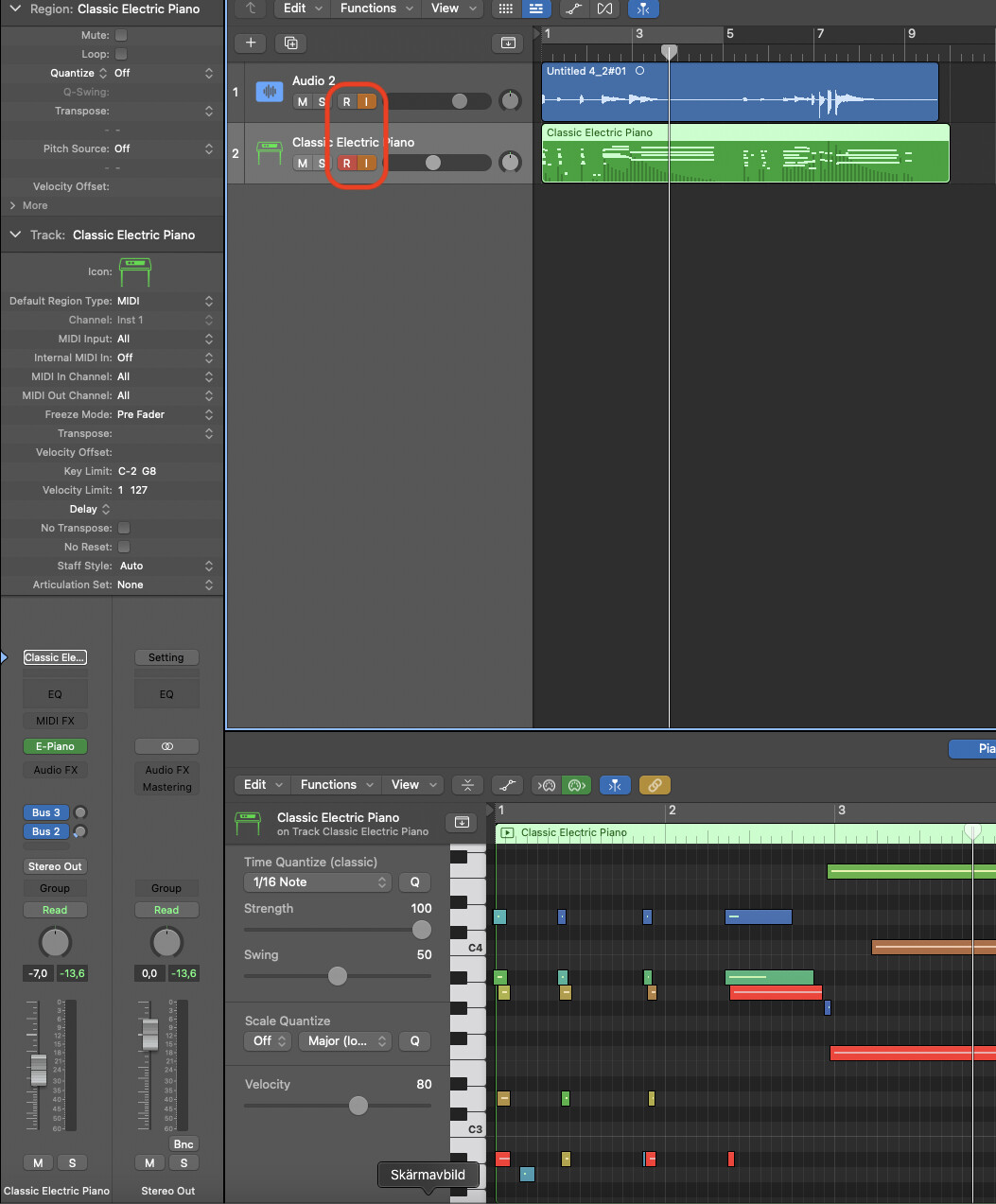
Open a SOFTWARE instrument track, for whatever you mean to control with MIDI Guitar.
-
CLICK both the R (Record) and the I (Input Monitoring) buttons on both tracks to be sure you both record and hear/inspect what you are doing. (You can also click R on just the software track, and not the audio track if you are interested in recording only the MIDI.)
You should be able to hear yourself play the software instrument at this point.
- Click record, and play something
Stop recording and press play and you should hear (both) the recorded tracks (Audio and Software instrument)
The Audio track looks like this:
And the SOFTWARE track look like this:
I belive this is still somewhat relevant too: