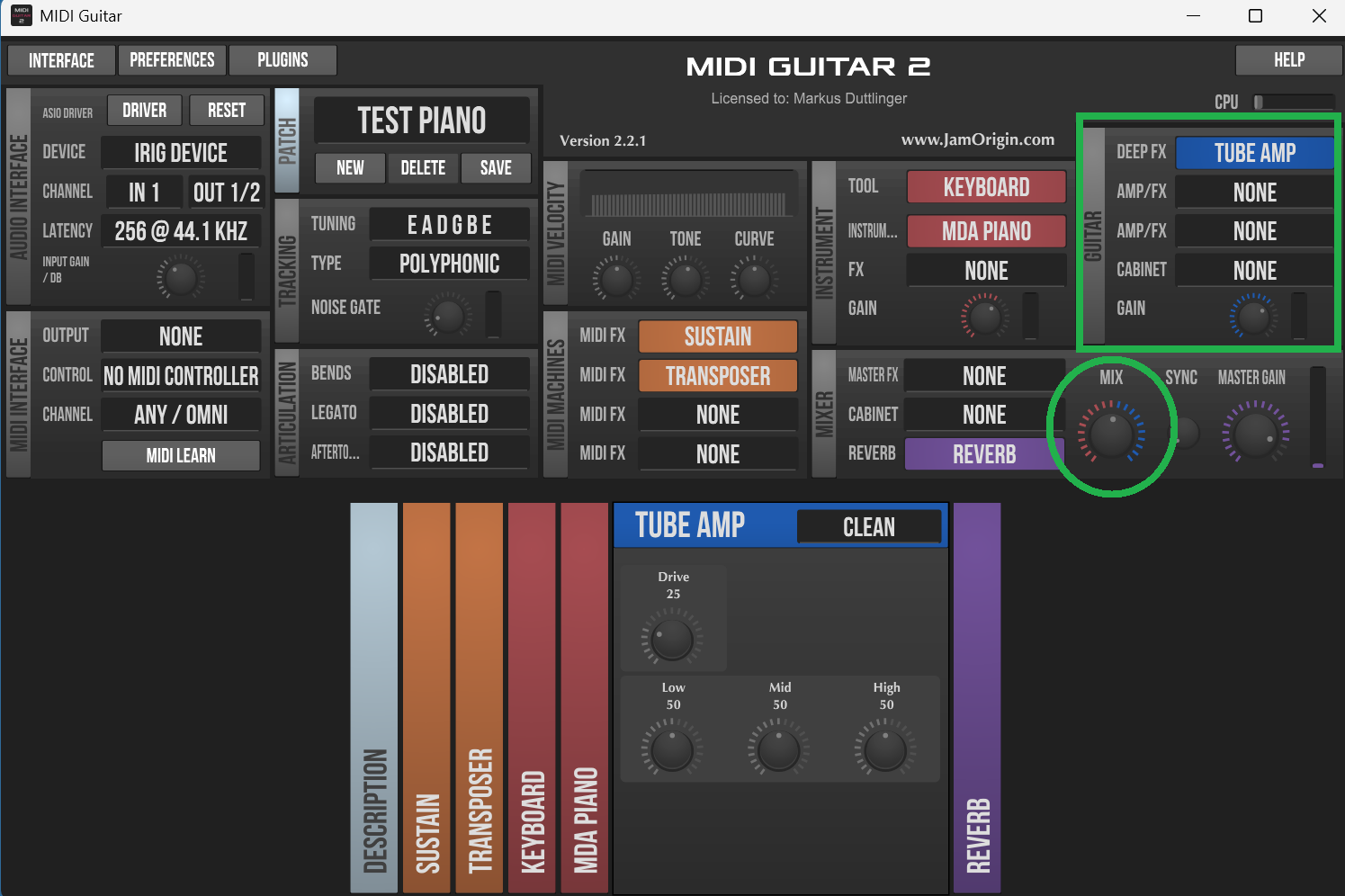
I am new to all of this- I was able to donload and activate MG2 . I also downloaded o other instruments in a vst file. I have run the scan and the new instruments show in a folder. But I am unable to select them to use. Once I get to the track, how do I get MG2 to select and save the instrument I want to use.
in mg3, click on an empty slot and select instruments. your vst’s should appear there, grouped by vendor.
it’s almost the same in mg2 if i remember correctly.
Thank you for the reply. I have been able to get to where MG2 sees the instruments but for some reason I am nable to select the instrumen I want to use. . Unless I am doing something wrong in selecting the instrument, I will select ( say piano) and it still sounds like my guitar. Maybe I don’t know the correct way to select ?
please provide some details about your audio interface and operating system.
also take a screenshot of mg2 and post it.
as you’re just starting to use midiguitar, it probably makes more sense to use mg3 instead of mg2. there are many extremely useful enhancements.
if your audio interface has a knob to select between the input and computer, check to make sure it’s all the way up on computer.
One reason could be that you have some FX selected in the “Guitar” section. If not all three FX fields are marked with “none” you will hear both, MIDI vst and audio according the mix knob ratio. If you have audio FXs and you don’t want to hear them, you can also turn the mix knob all the way to the right (just red indicators for VST volume).