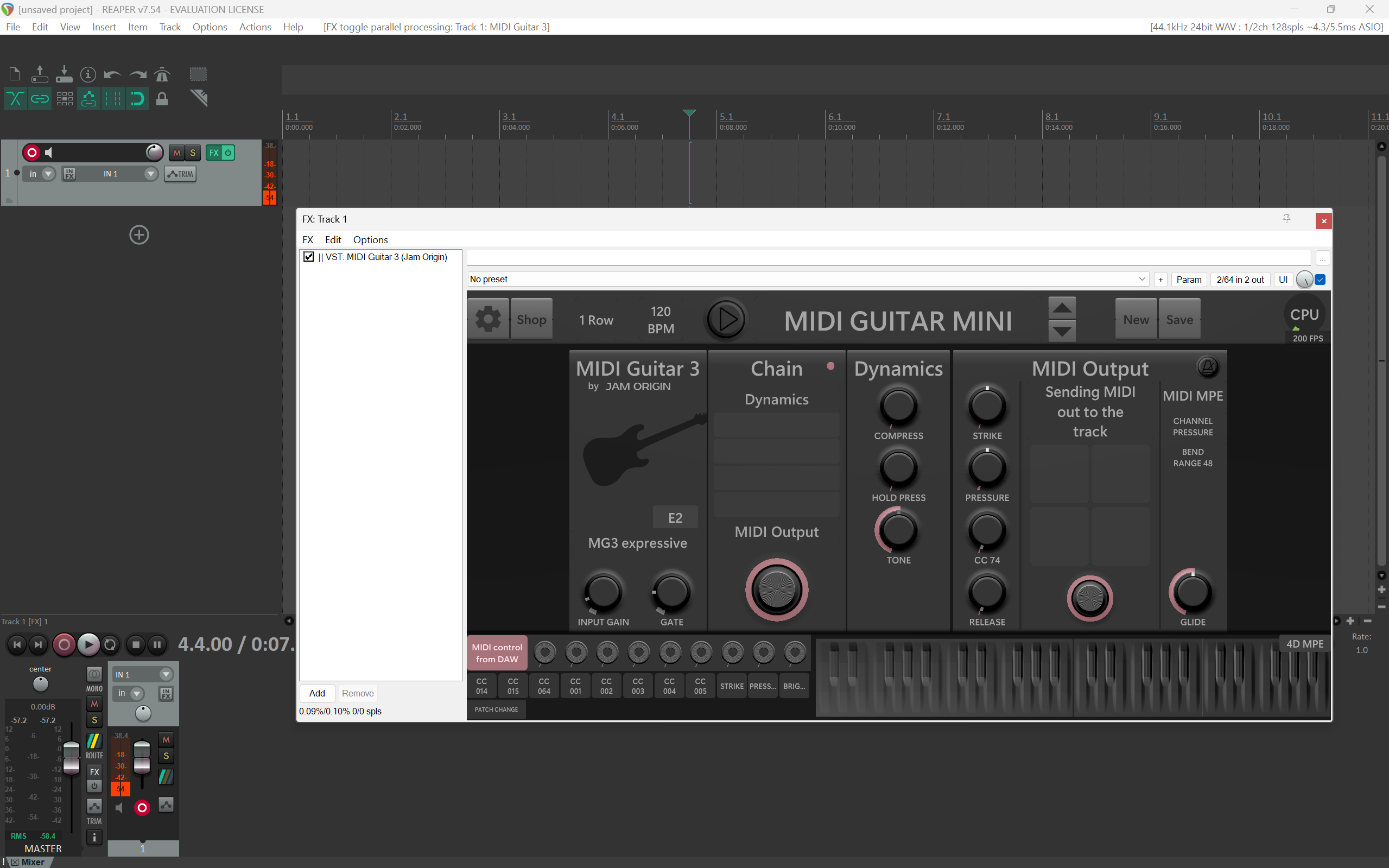
I just tested MIDI Guitar 3.0.63 in the latest version of Reaper for Windows.
I instantiated the MG3 VST3 on a track (as FX), selected an input, enabled monitoring and audio passed fine.
In MG3’s MIDI Patchbay, I selected my MIDI controller and ensured the transmitting CC was visible in one of the dial slots. (My controller transmits CC#11, so I had to change one of the values to match.)
No problems here whatsoever. MIDI is transmitting and being received as expected by MG3 VST3.
I can’t speak to other routings as Reaper is not particularly intuitive for a first-time user and I can neither figure out how to specify a MIDI input nor output for a track. It’s like it’s designed to hide everything a user might actually want to access easily. I’m not commited to learning Reaper, just getting an overview of what it has to offer.
Anyway, have you confirmed your controller’s MIDI CC number is active in a controller slot?
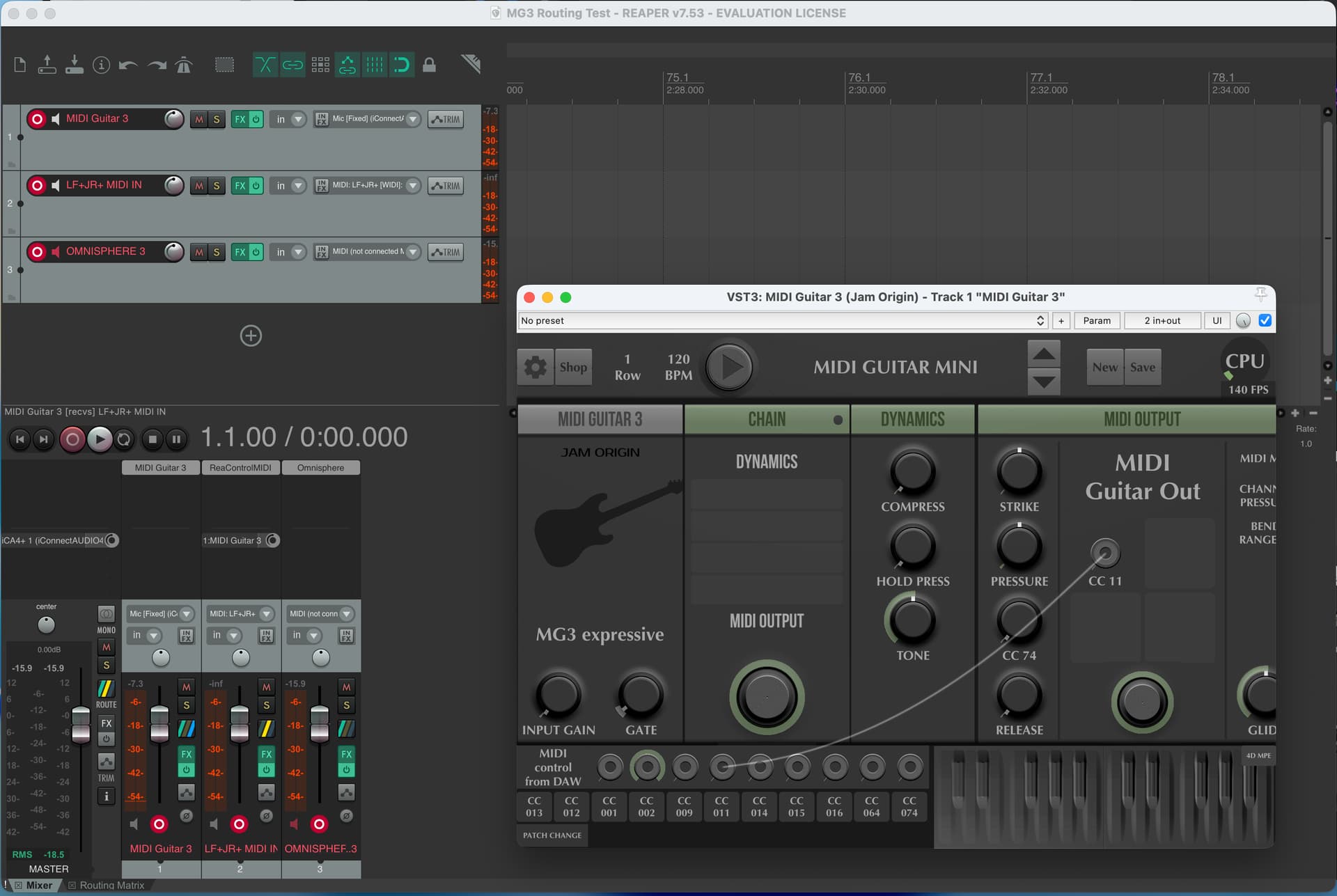
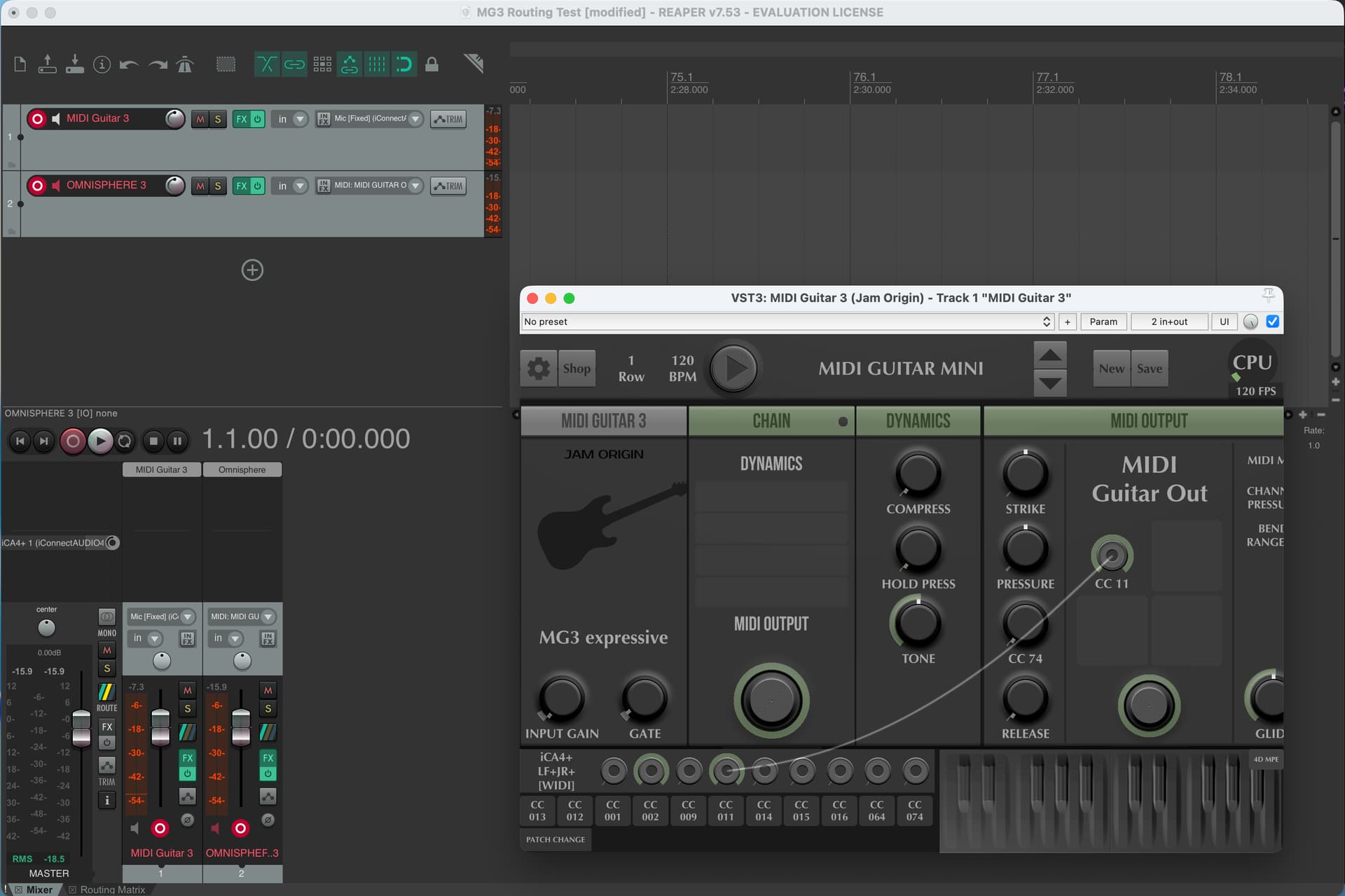
As an afterthought, I recreated this on macOS to make sure I understood the routing in Reaper. I think you have to have a dedicated MIDI input track for your controller if you want to use “MIDI control from DAW” as the input in the MG3 MIDI Patchbay. Otherwise, just select the actual controller by name in the MG3 MIDI Patchbay. Compare the two images below.
A: Using a dedicated track (2) to route the controller to MG3 (1) with “MIDI control from DAW” selected in MG3’s MIDI Patchbay.
We seem to have rather different experiences with the MG3/Reaper combination. I thought it was all working just fine when I had 3.0.61 running, and it was only when I tried 3.0.63 that MIDI input stopped working. I now think it is more complicated than that.
After reading of your experience, I installed 3.0.61 once more. I can make it work just as before. MIDI gets fed to MG3 from a second input track that has MIDI routed to the MG3 track.
Then I try to replicate what you have managed to set up: MG3 on a track receiving audio and then setting MG3 to receive MIDI through choosing a MG3 patchbay MIDI input. No joy! Whatever input I select, nothing gets through, not even when I select “Any MIDI input”. Yes, I have modified one of the patchbay slots for CNTRL-11, Expression.
Now I think it is significant that I have never seen the option “MIDI control from DAW” on the patchbay menu. Why would I not have that as an option when you clearly do? I think this is possibly a clue to what isn’t working the same between your and my installations.
After this first difference, there then follows the difference that I find with 3.0.63 which does not even receive MIDI from a second dedicated track - like I have working in 3.0.61.
From the point of view of my being able to continue building presets for my own use, I can just keep using 3.0.61. My concern is about the problem that this problem may cause for the ongoing beta program. It would be best to iron out this problem before the code moves forward further. There is something that hasn’t been working right for a couple of versions or more (the lack of “MIDI control from DAW” option) and that has now become an inability to get controller MIDI into MG3 at all. Maybe my Reaper setup is the only one to fall foul of this quirk - if so, that is my problem. But I’m concerned that this may prove to be a problem for more users than just me.
Referring to your most recent post, the configuration shown in your first screen shot is the way I usually configure input to MG3. It works OK in 3.0.61 but not in 3.0.63. The config in your second screenshot doesn’t work in either 3.0.61 or 3.0.63, regardless of what input I select in the patchbay.
So what else can we try to clarify what is going on?
Since @Vaultnaemsae and you are using different OSs I just downloaded Reaper on my Win system.
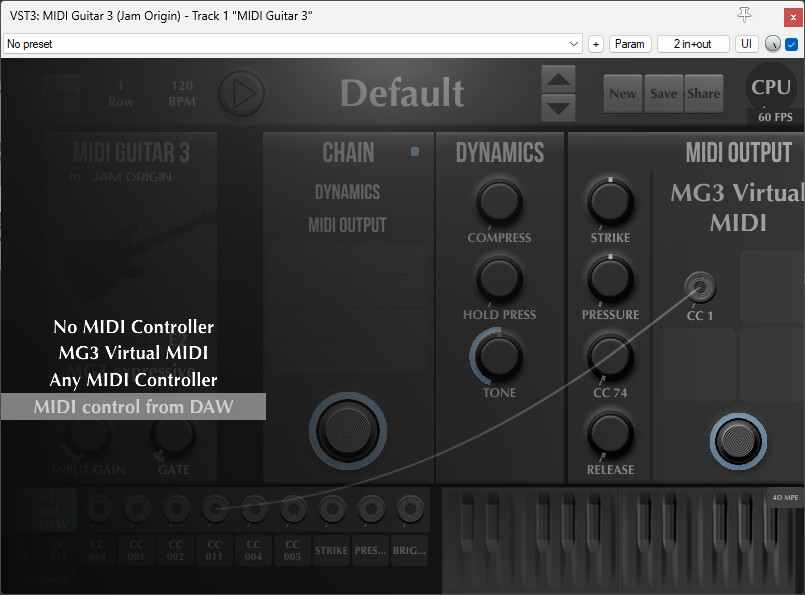
The fresh installed trial version does allow to select “MIDI control from DAW” in MG3. It really might be a setup issue of your Reaper installation.
Very weird. We are using the same version after all. I’ll reiterate, I’m not a regular Windows/Reaper user so I’m afraid I can’t offer much in the way of technical assistance at an operating system level, but logically, we should be seeing the same standard MIDI I/O in the MG3 Patchbay.
To be crystal clear, when you click on the MIDI Patchbay device name box when MG3 3.0.63 (VST3) is loaded in Reaper (7.54), you do not see anything like the below image?
As you already know, the absence of the “MIDI control from DAW” item shouldn’t completely prevent you from receiving MIDI into MG3. But I guess that’s not particularly helpful at this stage.
So, just clutching at straws here…When you reinstall the two different beta versions that you’ve been going back and forward between, is it a complete uninstall and reinstall or are you somehow keeping both versions on the system? Again, I’m not a Windows user so not sure if I’m barking up the wrong tree here.
Also, can you try using the “MIDI Guitar MINI” preset sending to your target SWAM instrument on an independent Reaper track? It’s the simplest preset in the software. I couldn’t see the entire preset config you posted above as you only sent a small section of the GUI in your screenshot. It does strike me now (based on what I actually could see) that it seems to be an illogical routing. Maybe that could be an issue in this too.
My apologies, I have been busy with other things for a while.
I have now had time to test the suggestions. The key thing is that I was installing one version over another. By doing a complete uninstall/reinstall things behave the way that your screenshots show, with the MIDI patchbay option for MIDI from DAW and so on appearing at last. I have not had to change my Reaper setup at all.
I had simplistically assumed that each version of MG3 consisted of a .exe and a .vst3 and that each would be overwritten by the installer. Clearly it is more complex than that. The important lesson is that a change of version requires a full uninstall first.
It might be a good idea to make the installer check for previously installed versions before it runs. This would prevent others from making the same mistake as me in the future and spare a lot of head-scratching.
Thanks to all who helped me to get to the bottom of this..