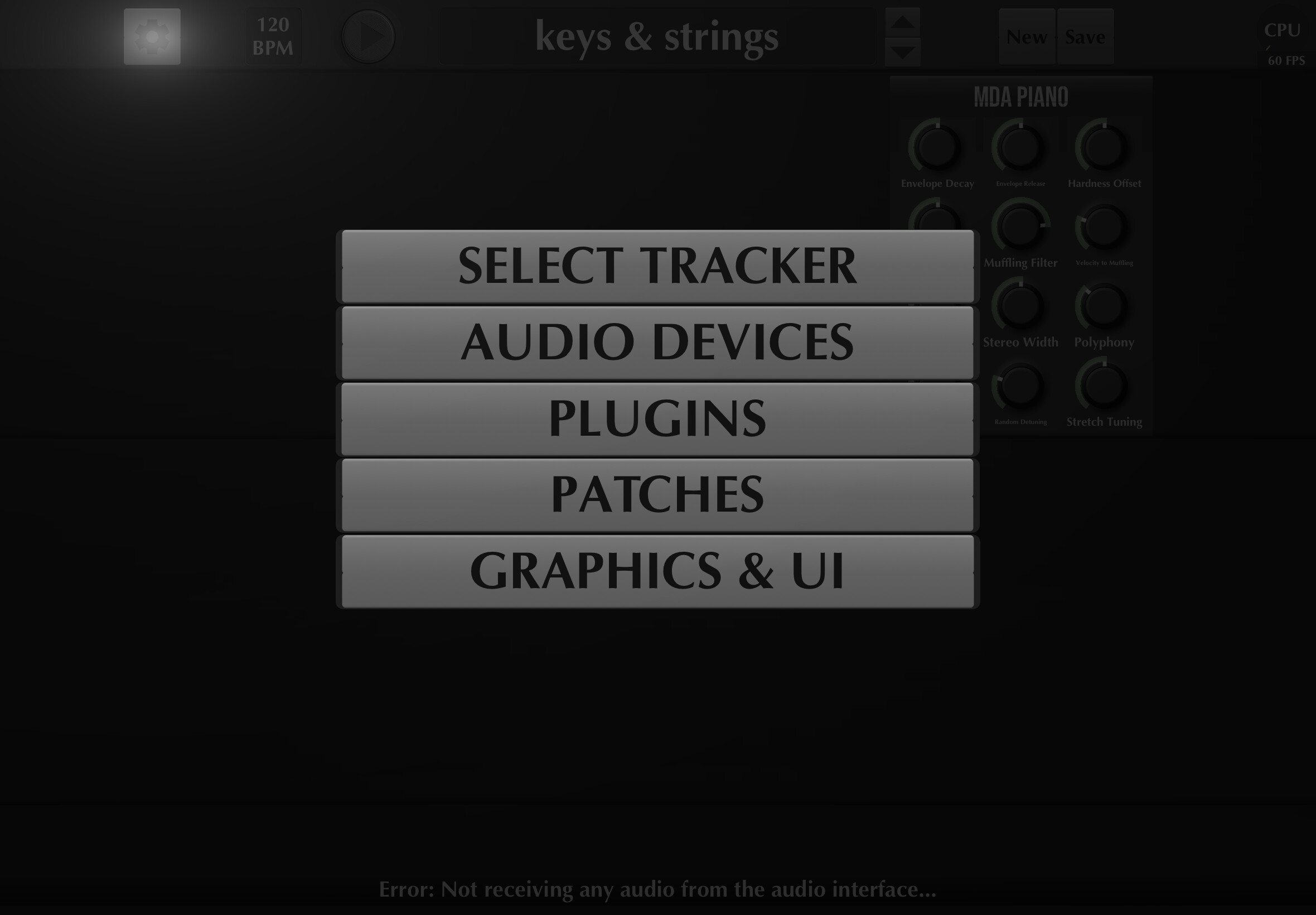
I will admit i am not too knowledgeable with software matters but I was able, with Google AI’s help, to get MIDI Guitar up and running and I managed to save a couple of interesting patches. I’m only less than a week into the trial period but somehow I managed to crash the standalone app. Now every time I open it, it says that it does not recognize my audio input.
I am using the iRig HDX, which functions perfectly. I can hear myself in all my other iPad apps. I do have a recent iPad. My software is up to date but suddenly the standalone app just crashed completely.
Interestingly I can get it to function in GarageBand but only in a limited way. All the other standalone apps that I had that were working, like with decent samples and a few others, MIDI Guitar in GarageBand will not open them. It will only open up things from Jam Origin, which is fine. It’s weird that I can open it up in GarageBand but not as the standalone anymore. If I try to get the Midi Guitar Mini, MIDI send function to open it up in standalone apps, of course that won’t work in GarageBand.
Basically I have the very most limited use. I was wondering: has anybody tried to uninstall and reinstall to get it to function again? Has anybody ever had this complete crash before? What happens when you uninstall it and reinstall it?
By the way I just want to thank you in advance for all your help on this issue. It’s a great privilege, obviously, to test this app. I think it’s obvious by the demand for this thing that it’s a magnificent tool and well worth it for anyone wanting to purchase this.
If and when you get this up and running, if there’s any other information, obviously there are tons of details to this. I did send in a report through Test Flight. I don’t know if there are system logs or anything available that you can use. If you can tell me how to access that information for you, I want to help you guys as much as I can.
Again thanks for all that you do on this. Let me know if I can help you in any way further
By the way thank you so much for taking time out of your busy schedule. I know you are a YouTube content creator and I’ve seen your videos. I know that you’ve been with this application for a while. I trust you as the highest authority. Honestly I respect your creativity. Thank you again for taking time to help me
But isn’t the problem, sir, that the app does not recognize any input at all? It doesn’t recognize the iRig HDX input whereas before it did. It was very straightforward to get this thing up and running the first time I tried it.
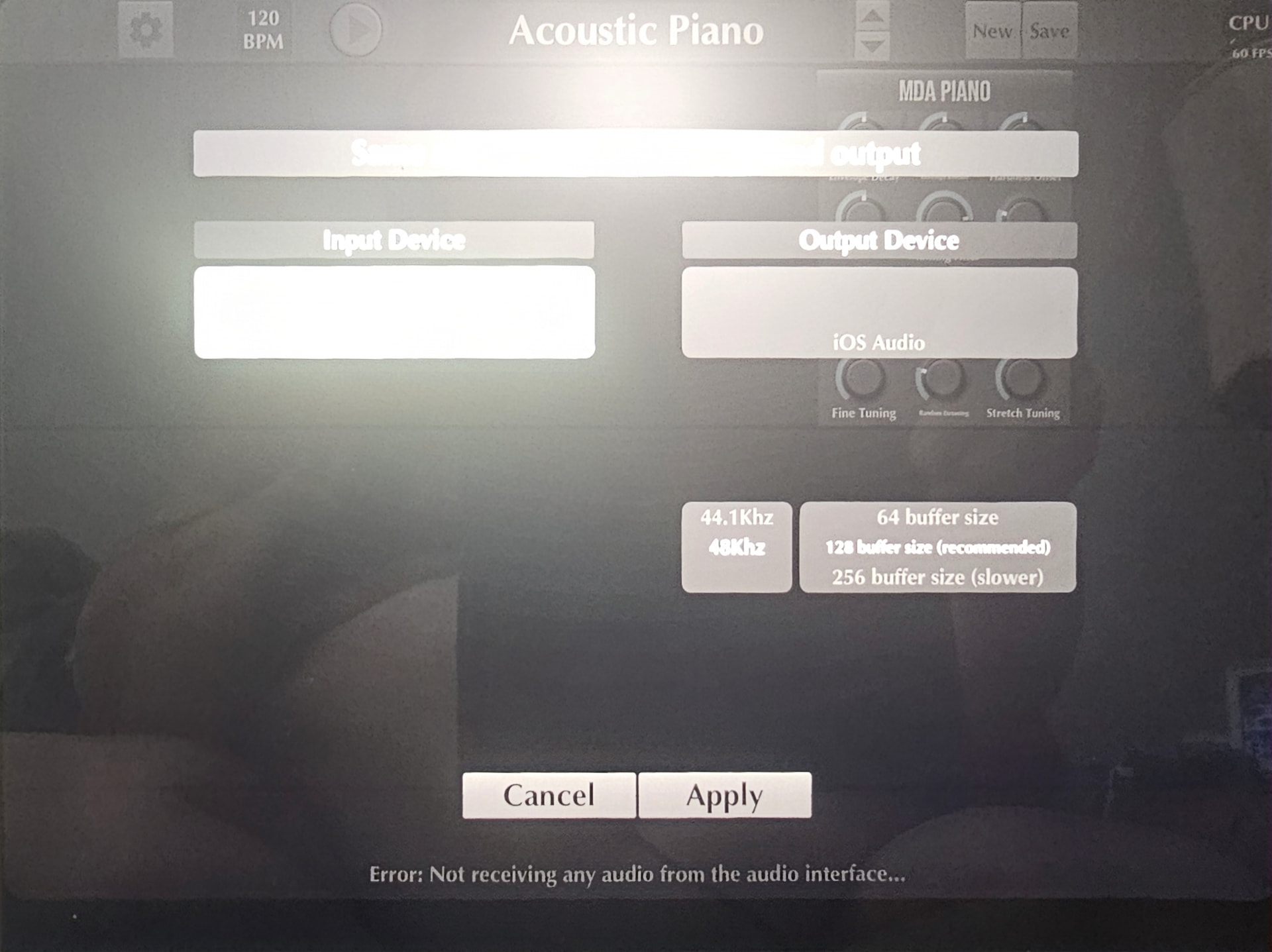
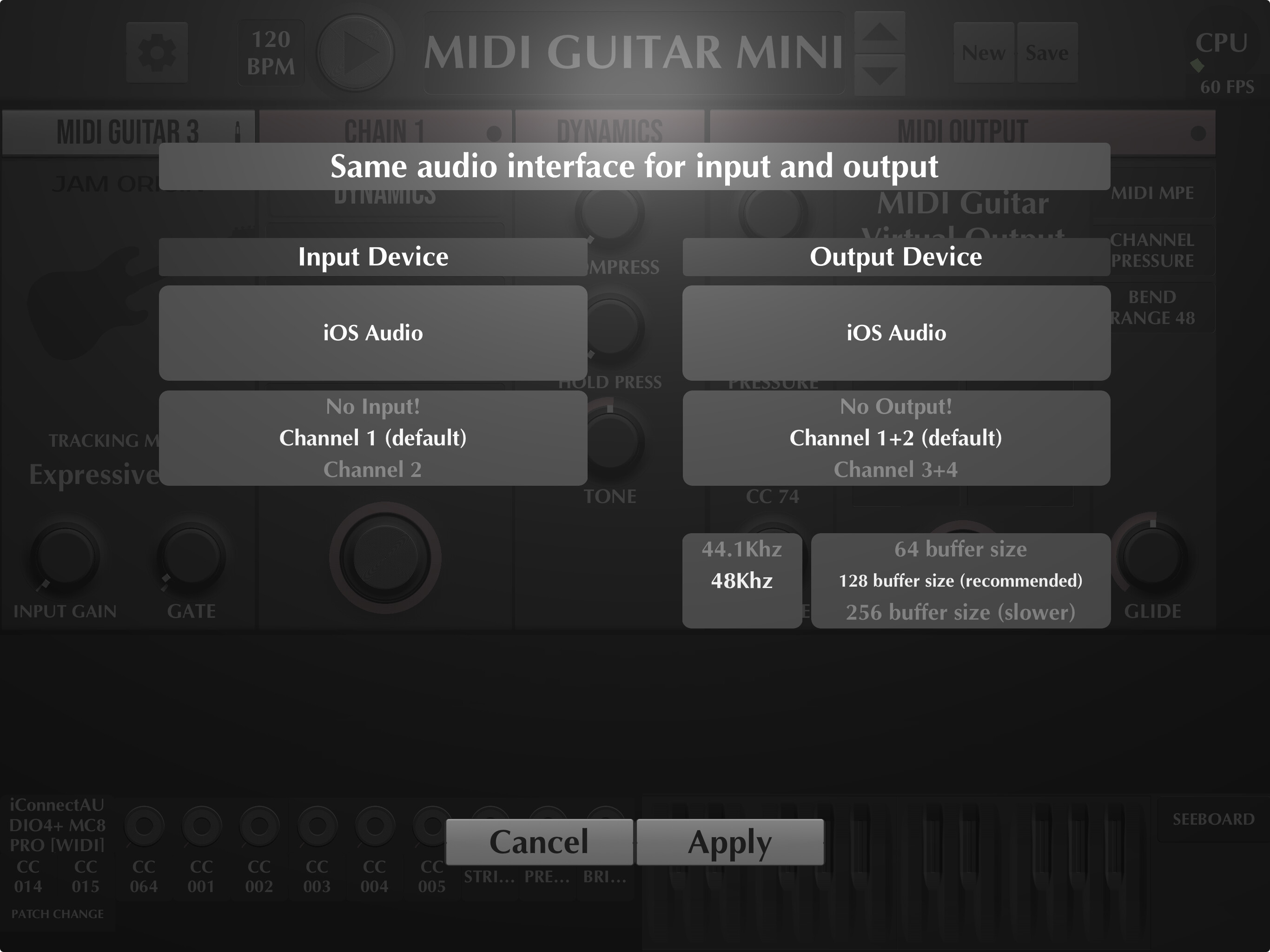
It is also maybe worth noting that I was looking at the audio device page like this, looking at different settings and exploring. I think I activated something that caused what the AI described as corrupted code. The AI suggested something like clearing the cache.
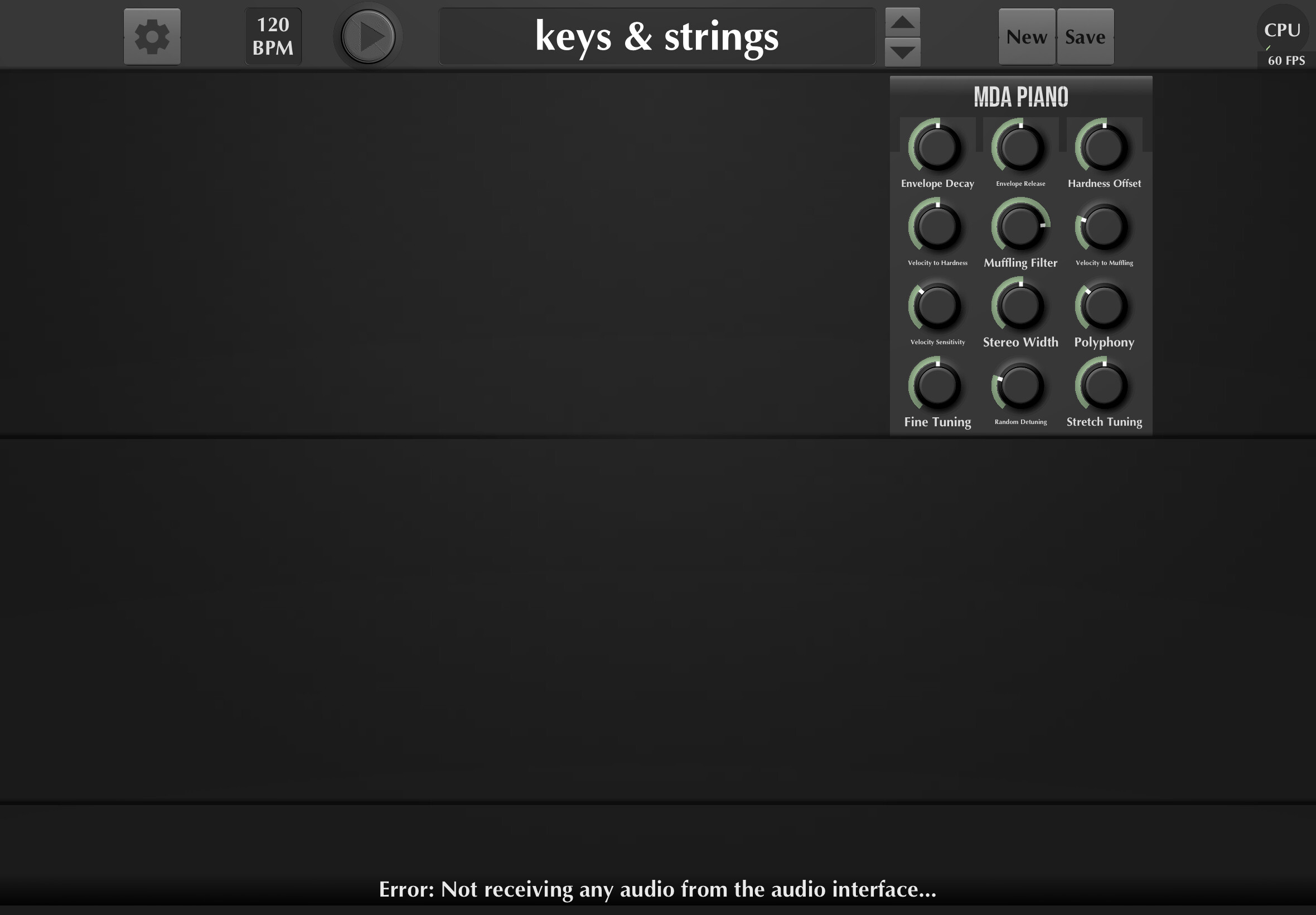
I was wondering: should I just uninstall and reinstall this app and start fresh? If you look at the very bottom of the screen, you’ll see the error message that I’m talking about: “There’s no input detected.”
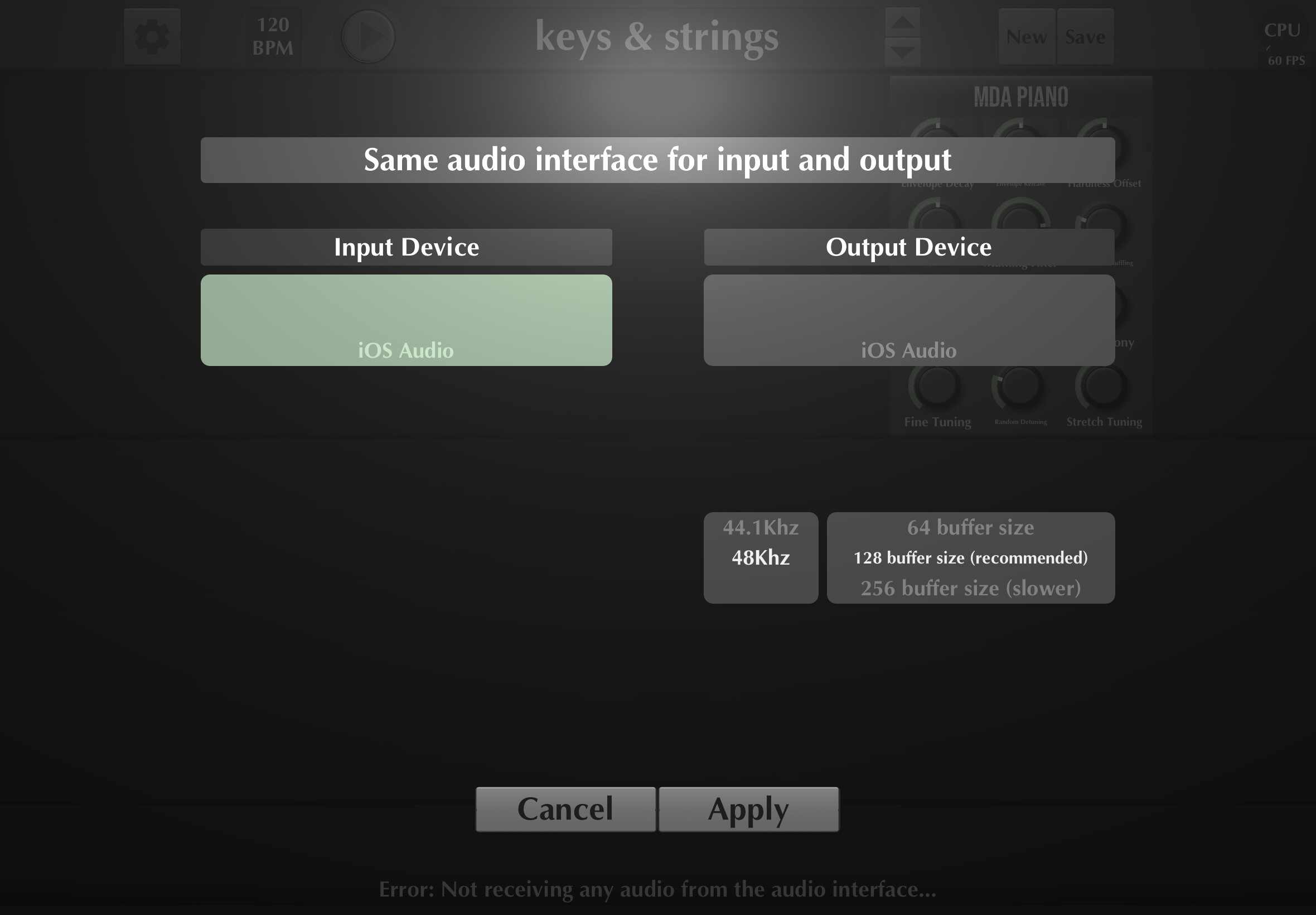
iOS only registers the most recently connected device for audio input/output. So, selecting iOS Audio for both fields is the same as selecting iRig HDX, as long as your iRig is connected to the device. It’s not really a problem, but it is a little confusing. Please select the iOS Audio options as shown in the screenshot below. Once they are correctly selected, you’ll be able to see the actual channels of the device, again as visible in the screenshot below.
That did the trick sir. I wish I could wrap my mind around what exactly the issue was but I just followed your instructions explicitly and now it works.
I wonder if in the future you would consider an apprenticeship program. You could be the teacher and teach a course on just this one application. Maybe even guitar technique as well, because you’re taking what one of the greatest guitarists the world has ever known, Mr. Alan Holtsworth, and making it look like it was easy. That would be another masterclass.
Thank you so much. If I have questions in the future is it okay to just ask? This was an amazing experience and I know you’re busy but I hope the channel of communication is open. Thank you so much