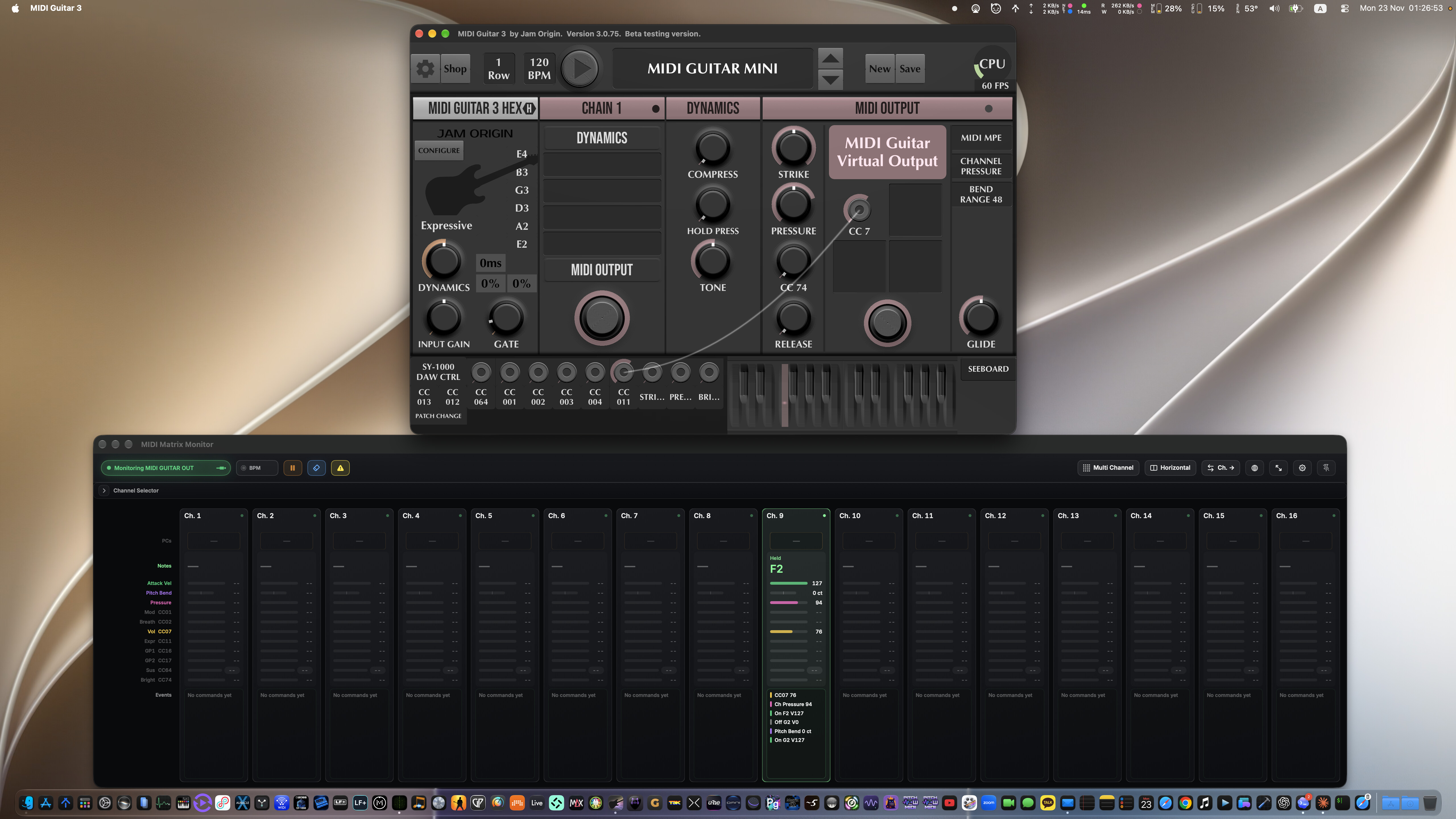
I use MG3 in standalone-mode on Wiindows. I know basically, that I can transfer an incoming midi CC (in my case, the CC11 coming from my GP10) and make it go out of MG3 into my daw via the MIDI output by linking a virtual cable. But how do I change the MIDI CC going out, and how do I change the virtual cables? I can find no way to make them disappear and change them: Clicking? Rightclicking? Control-Clicking? Nothing. Also, I can find no way to change the MIDI CC that are to be chosen in the four slots of the MIDI output (supposed to be sent to DAW). Only the first selection works: clicking opens a popup-dialogue. But once they are selected clicking, rightclicking or control-clicking does not change anything - no dialogue appears - no popup or whatsoever. How the hell does that work?
OMG! The Clicking and HOLDING is the solution. Unfortunately this is not mentioned in the still very rudimentary manual!Thank You very much! @kimyo : This way you can change the selected Midi CC, too.