
or is there a way to make midi guitar 3 “ask for 8 inputs” work with midi bass/midi guitar? I tried each input on metaplugin and none of them register any audio in midi guitar 3 bass or gutiar mode (non hex)
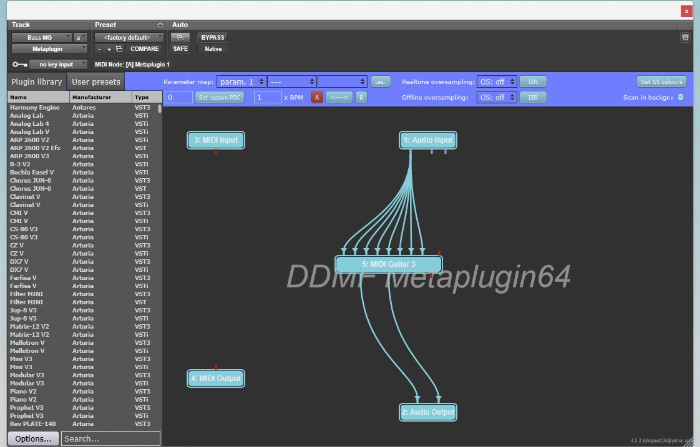
The issue is every time I reload the plugn or exit protools the 8 inputs reverts back to 1 leaving me with a hex instance with only one input.
for example in the screenshot below, I modified the left one to “ask for 8 inputs”. When I exit and get back in the one on the right will then have 8 inputs. I tried saving presets in metaplugin and that didnt help. This appears to defy all presets and is a global change.
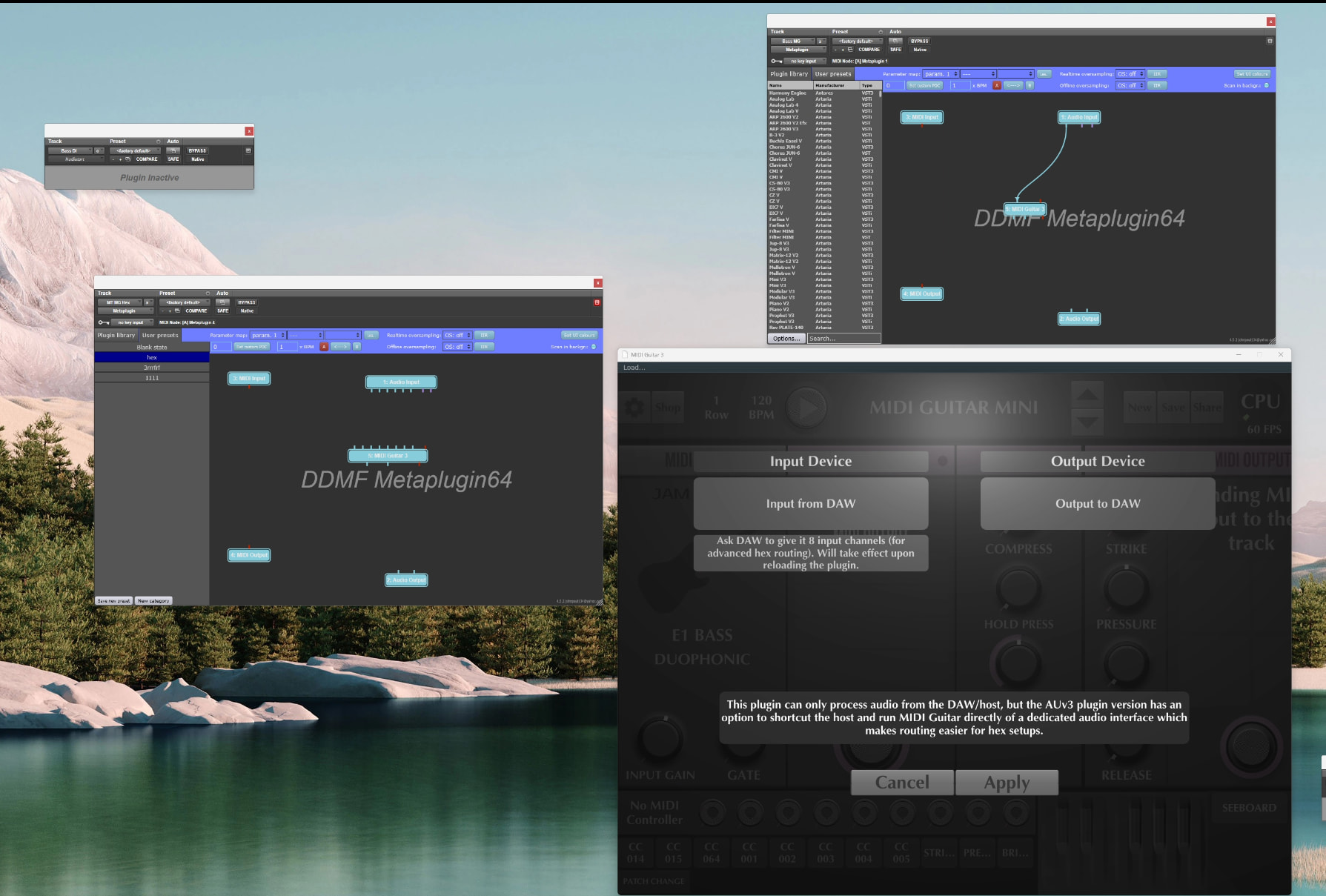
So I can momentarily have multiple instances (ask for 1 vs 8) but after exiting it reverts to which ever setting was set most recently (1 vs 8)
Is midi cast different than midi output? Which one would be better for hex standalone?
midicaster sends both midi and audio to a second copy of mg3 inside the daw (or, in the future, on another computer).
the second copy would need a midi output module.
i’m not a mac guy. if all you need is the midi then midi output > virtual midi port > protools should do the trick. on pc this approach means that a virtual midi port driver is not needed.
Im on windows 11. Do you think that this issue will be addressed by the developer? Or are you affiliated with the developer @kimyo? Do you agree that this ask for 8 s 1 should be savable per plugin instance just like every other parameter in the plugin?
absolutely, the input setting must be saved like every other parameter.
i am not affiliated with the developer.
protools doesn’t do vst’s on windows?
earlier i mentioned that i had experienced similar issues, however, i don’t think i have had this problem for several months.
if you weren’t experiencing it now i’d have thought it was a bug corrected in one of the more recent releases.
Protools can’t load VSTs without bluecat patchwork or metaplugin.
The most recent version is 3.0.68 right? That’s what I am on. I am considering downgrading versions to see if those have the same issue.
I can’t seem to get hex to work on standalone–where do I select the 6 inputs? It only asks for one input on standalone
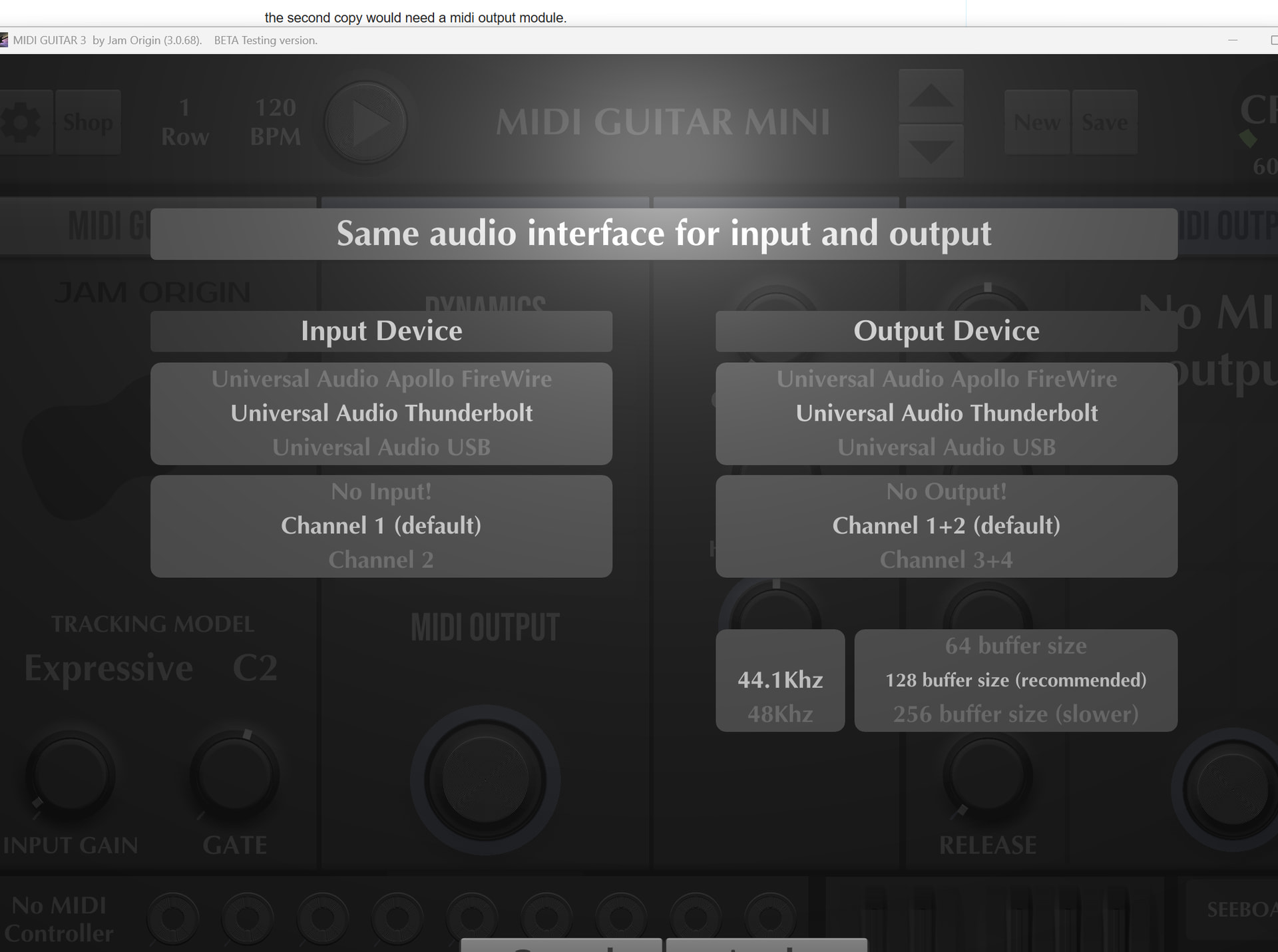
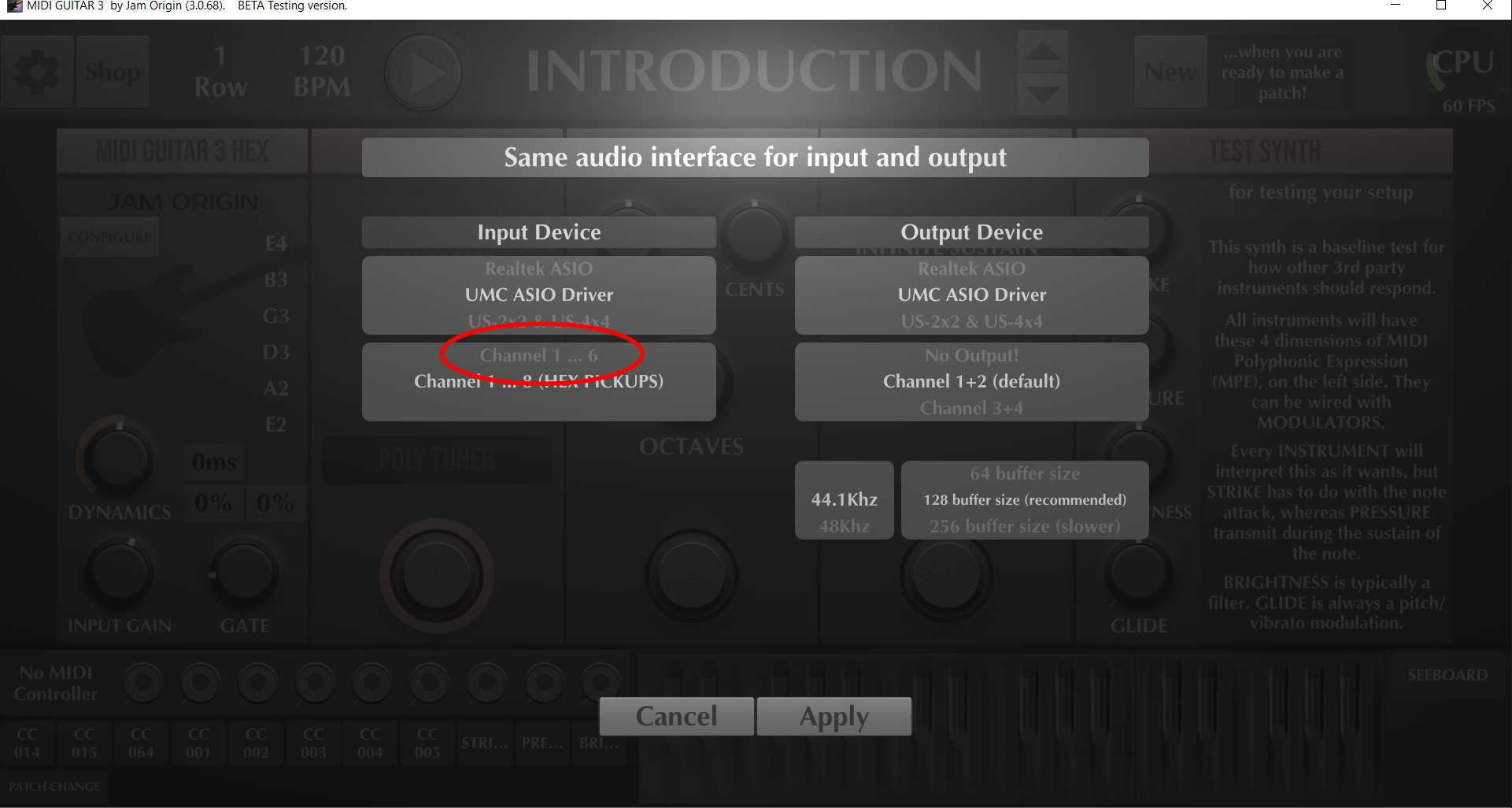
scroll down from channel 1 in input device until you get to the bottom.
@dutti pointed out the 1-6 option, this should be on the list (when in standalone mode).
if you choose that you should be able to use the mg3bass instance inside protools.
this will probably require that you redo the string assignments. going with 1-8 for testing might be easier for now.
3.068 is the latest. downgrading is not likely to make things better.
Gotcha thank you! I will try standalone but hopefully this issue gets fixed! Thanks for the help.
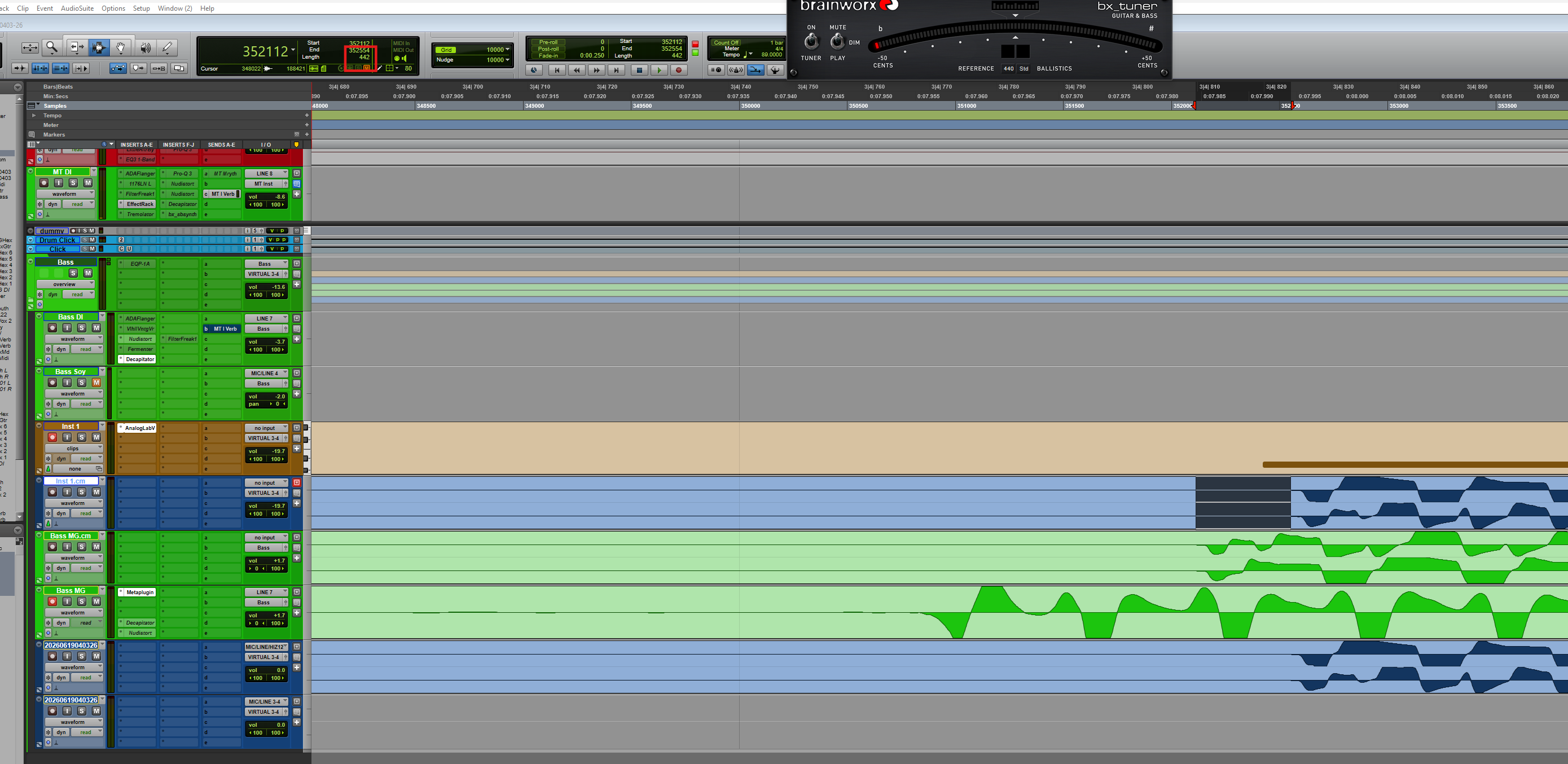
I tried standlone midi bass passing through a midi port on my win 11 machine to protools on a instrument track. It is 10MS (442 samples at 44.1) slower latency wise compared to running all in metaplugin with all other settings the same. I also tried using hex tracker in metaplugin for bass and that doesn’t work well and midi guitar 2 crashes in protools. I am really running into dead ends here. I am really hoping @JamO is able to fix the ability to store the “ask for 1” vs “ask for 8” inputs per plugin instance like every other parameter. Am I missing something? @kimyo are you able to run two instances of midi guitar in your daw with one being hex (ask for 8 inputs) and one being midi bass (ask for 1 input)? I tried reinstalling midi guitar but I didn’t like delete all the files– maybe there is a harder uninstall I could do? Do you know where all preference files are / caches etc…that I would need to clear/delete? I may try older versions of MG3 if I can find the download links
i don’t think this is the type of problem which will be addressed by an uninstall/reinstall or clearing cache files.
i’ll setup separate hex and single string instances inside and out of ableton to try to replicate the issue later today.
if i can’t replicate it i will add metaplugin to the mix.
when you say standalone midi bass do you mean midi bass 2? an extra 10ms is a non starter. what i was suggesting was different, run mg3 hex outside and mg3 bass inside protools.
i don’t think you’re missing anything or that mg3 is borked, i think the issue stems from the combination of metaplugin and protools.
in ableton i created two instances of mg3, one hex and the other not. the settings are retained after the file is closed and re-opened.
i thought i had a metaplugin trial installed but it has gone walkabout. when i have more time later i’ll see if the same thing works but with each mg3 instance in a metaplugin wrapper.
One note is if I switch from 1 to ask for 8 both plugins are correct and when exiting protools and coming back all looks good in metaplugin (looks like it asks for only 1 input for midi bass) but midi bass doesn’t get any audio signal. If I do the other way around (switch from 8 to 1) my hex instances in midi plugin switch to 1 input but bass starts working
I was running stand alone midi bass 3 passing midi through a midi port. Seemed to add 10 ms all in. I use hex way more so I would want that to contained inside of protools and have bass be on the standalone probably. But the 10ms of delay is too much
i installed the metaplugin trial. unfortunately this did not provide any more info as it does not allow saving, so there’s no way to check if the settings persist thru sessions.
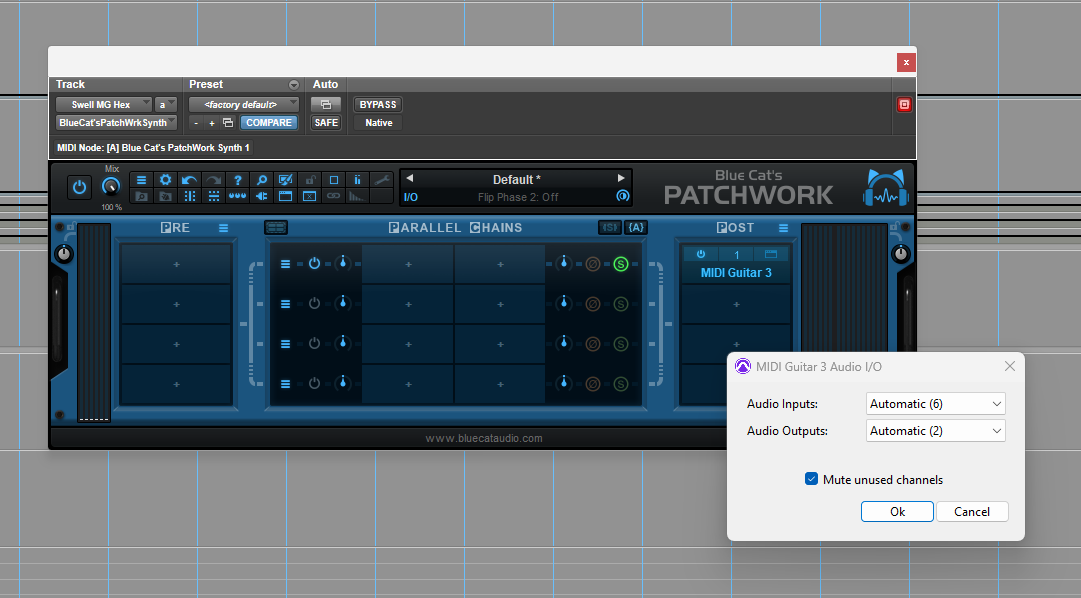
Bluecat patchwork seems to have the same issue where it reverts the ask for inputs but it does indeed get a signal in when midi bass has ask for 8 on so my issue may be solved using patchwork. Only issue is on patchwork using hex the DI guitar signal is that I can’t quite get the IO right– I want it to be 6 in 2 out (Stereo). It is doing 6 in 6 out which is causing some of the strings to be heard DI along with the midi guitar signal
See screenshot below— the mute unused channel checkbox on the io of the plugin in bluecat patchwork appeared to mute the extra channels. I think I have a working solution (a little janky–would still like the 8 vs 1 input to be per plugin instance but I think this work around works for now…). Thanks @kimyo for all the help / leading me in the right direction. I will let you know if any other issues. Bluecat seems to be better all around compared to metaplugin for me. Going to purchase it now.
i’m glad you got it working.
it might be worth posting this issue on the metaplugin forum, if it is indeed specific to them it seems like they should be able to fix it without too much fuss.