
The solution may be obvious to some, but when using MG3 Hex with Gig Performer 5 (GP5), I experienced an “issue” with crossed audio channels while using Surround 7.1 to get 8 inouts. See image:
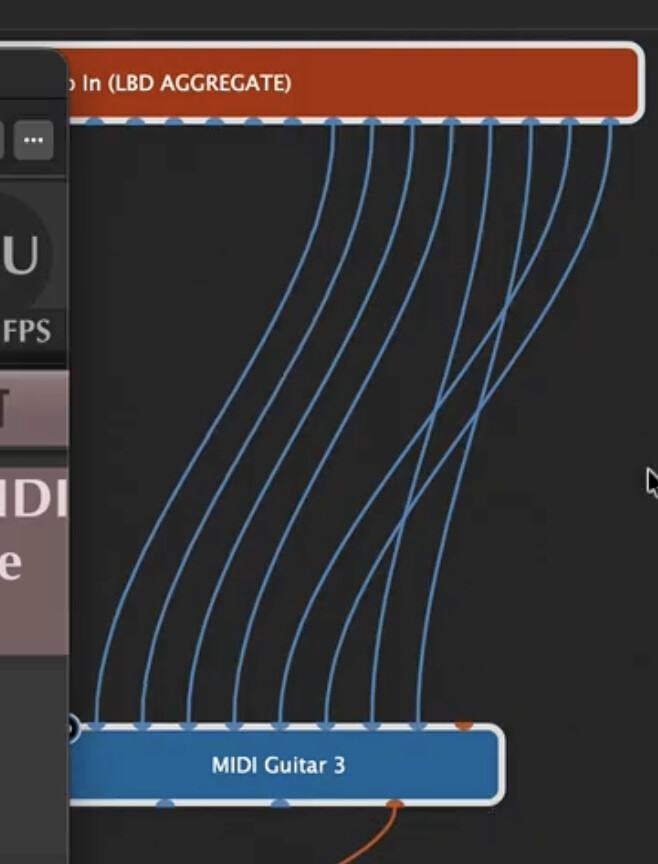
This routing works fine, but it is visually confusing!
Today, I stumbled across a solution, so I thought it might be useful to share here.
I’m assuming that you’ve already told MG3 to give the DAW 8 inputs in the plug-in’s audio settings.
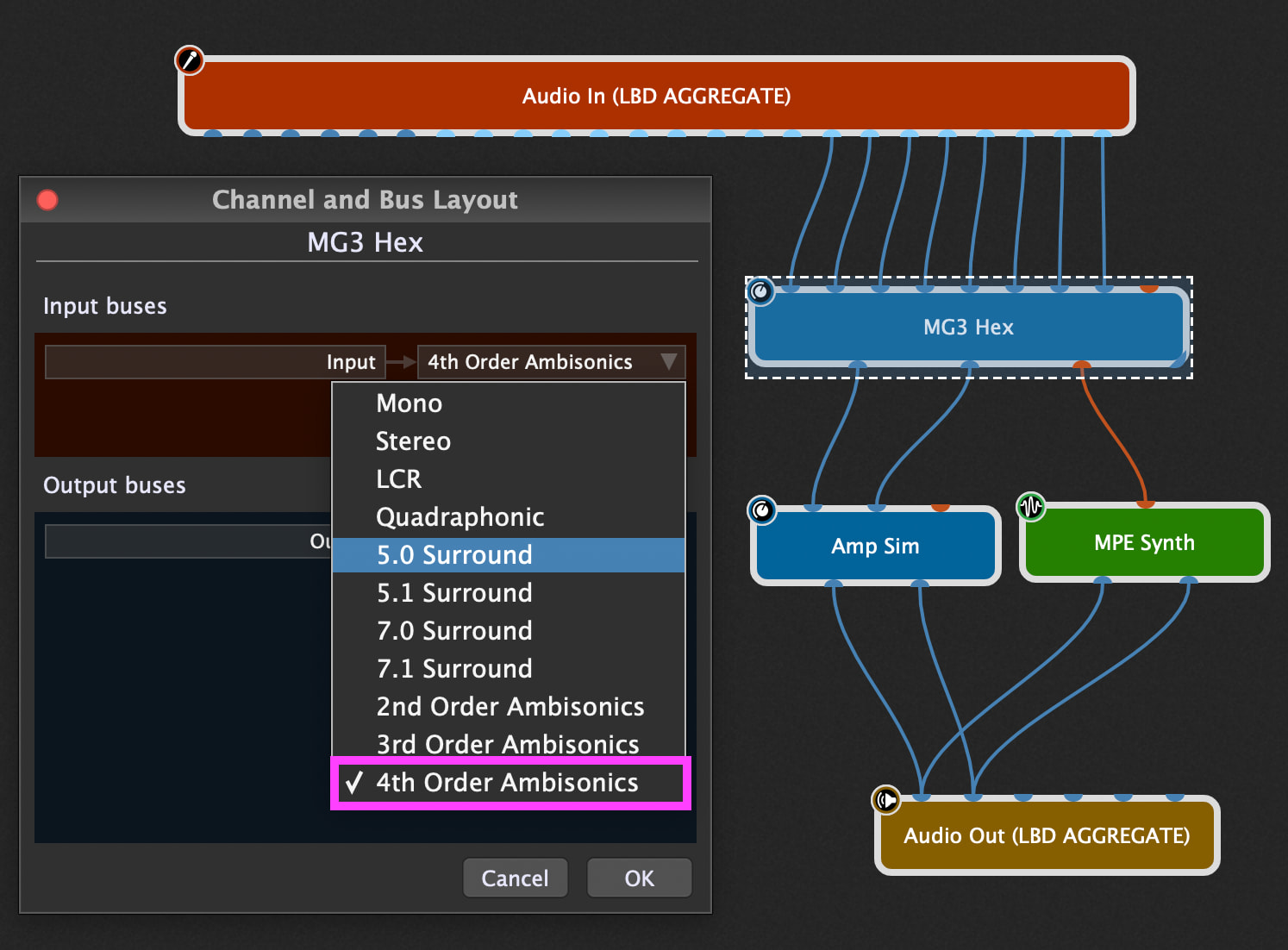
Once MG3 is instantiated in the GP5 wiring view, right-click on the MG3 plugin to configure Channel and Bus Layout. Do not use Surround 7.1 (8 channels). Select the final item in the list, 4th Order Ambisonics (16 channels). Click OK.
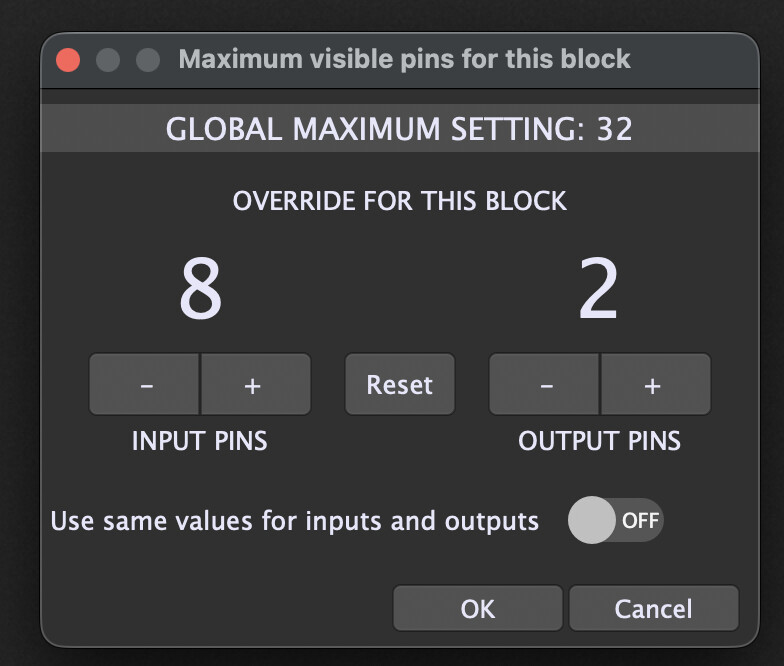
Next, Right-click on the MG3 plugin to configure Maximum Visible Audio channels and choose 8 input pins / 2 output pins. You need to uncheck the “Use same values for inputs and outputs” selector.
Now you can link the audio channels from your multi-channel, per-string audio device into MG3 Hex directly and the channels (strings) will appear in the “correct” order.
I hope this helps any users who had the same problem as I did.