For any forum members who might be interested, I’d like to share that I released a macOS application last week called MIDI Matrix Monitor.
It’s my first publicly released app, so this is a pretty exciting milestone for me — and I can safely say it’s taken a lot of work to get it this far.
You can download the 14-day free trial here:
There are already plenty of MIDI monitoring apps out there, of course. I designed MIDI Matrix Monitor specifically with MIDI guitarists in mind, while keeping it agnostic to the conversion software or hardware platform being used.
The goal is to make complex MIDI guitar data easier to read at a glance, especially when working with multi-channel setups, virtual MIDI outputs, pitch-to-MIDI systems, MPE-style workflows, and per-string channel configurations.
As a new independent developer, I’m still learning the ropes, so I can only offer a macOS version for now. However, if the app raises enough interest, I’ll look at developing Windows and Linux versions in the future. iPadOS is also already on my radar and feels more within reach.
In case anybody is wondering, Scale Demon is definitely still under development, and I’ll post more news about that as it comes to hand.
Thanks for taking a look — any feedback from MIDI Guitar users would be very welcome. The app is still evolving, and I’d love to shape it into a tool that’s useful to a broad range of players and setups.
Also, just wanted to let everybody know that version 1.0.5 is up with improved smoothness of high-rate MIDI visual indicators, including watched CCs, pitch bend, channel pressure, and poly pressure. It just looks better Enjoy!
Hi @Vaultnaemsae, congratulations from me too on your first project.
I’m not a Mac user myself, but I think it’s great that you’ve programmed such fundamental ideas about MIDI organization in MG3 into your own software.
Work like yours always inspires us to improve or expand MG3 in this direction as well.
Maybe you could make a video so that Windows users can get a closer look too.
I didn’t originally post this under Developers because it’s not technically linked to the MG3 API I still do have in mind the possibility of generating a version that could run with a lua script via the MG3 API but that was more of a thought experiment. I think it probably makes more sense as a standalone application with standard MIDI input.
I’ll definitely be making some videos on this. In fact, I’ve already made several videos that I haven’t released. Whenever I make YouTube content, I tend to freestyle it and they end up being quite long. I don’t know if that’s really a great thing for viewers so I’ve decided to challenge myself to make some far more concise content.
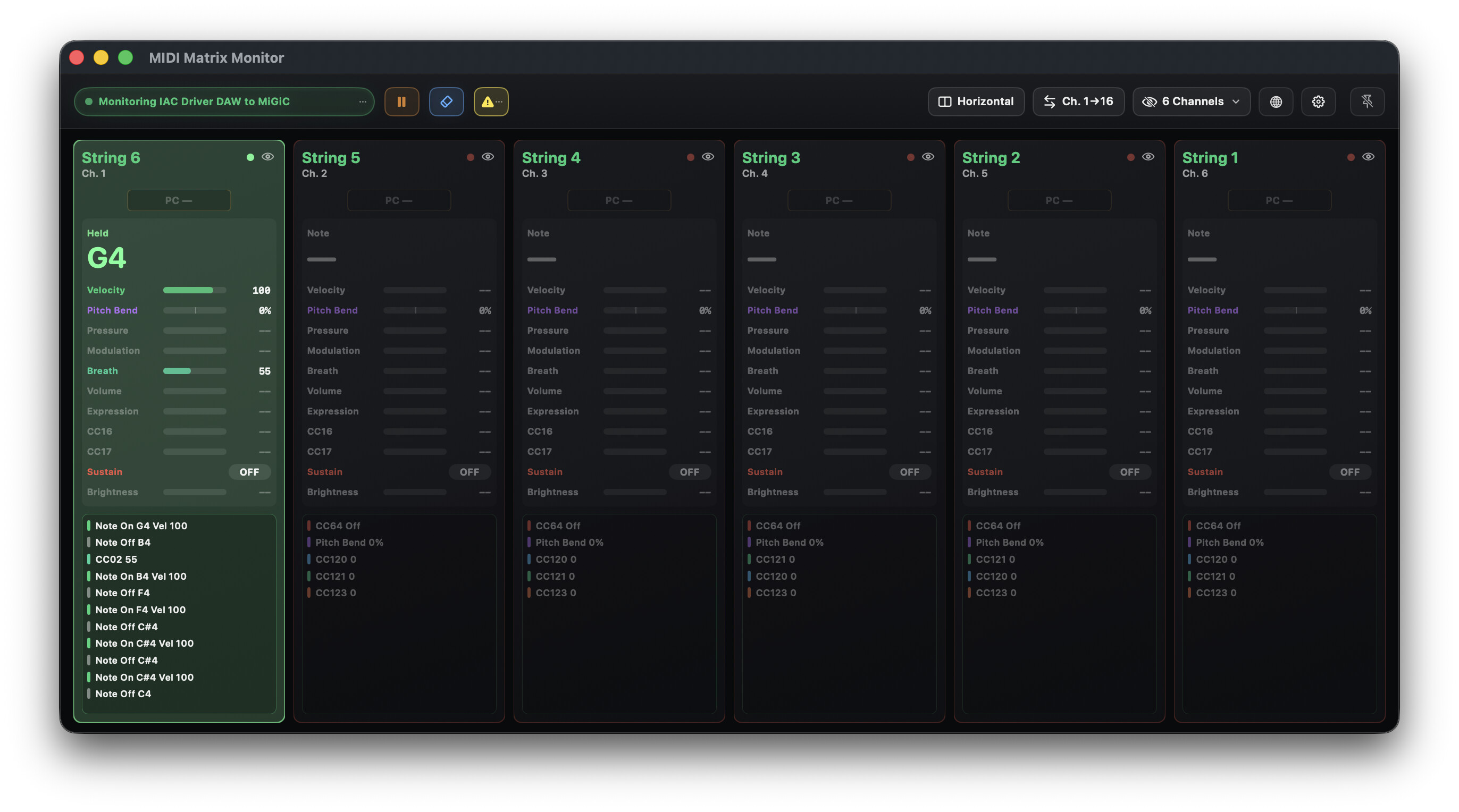
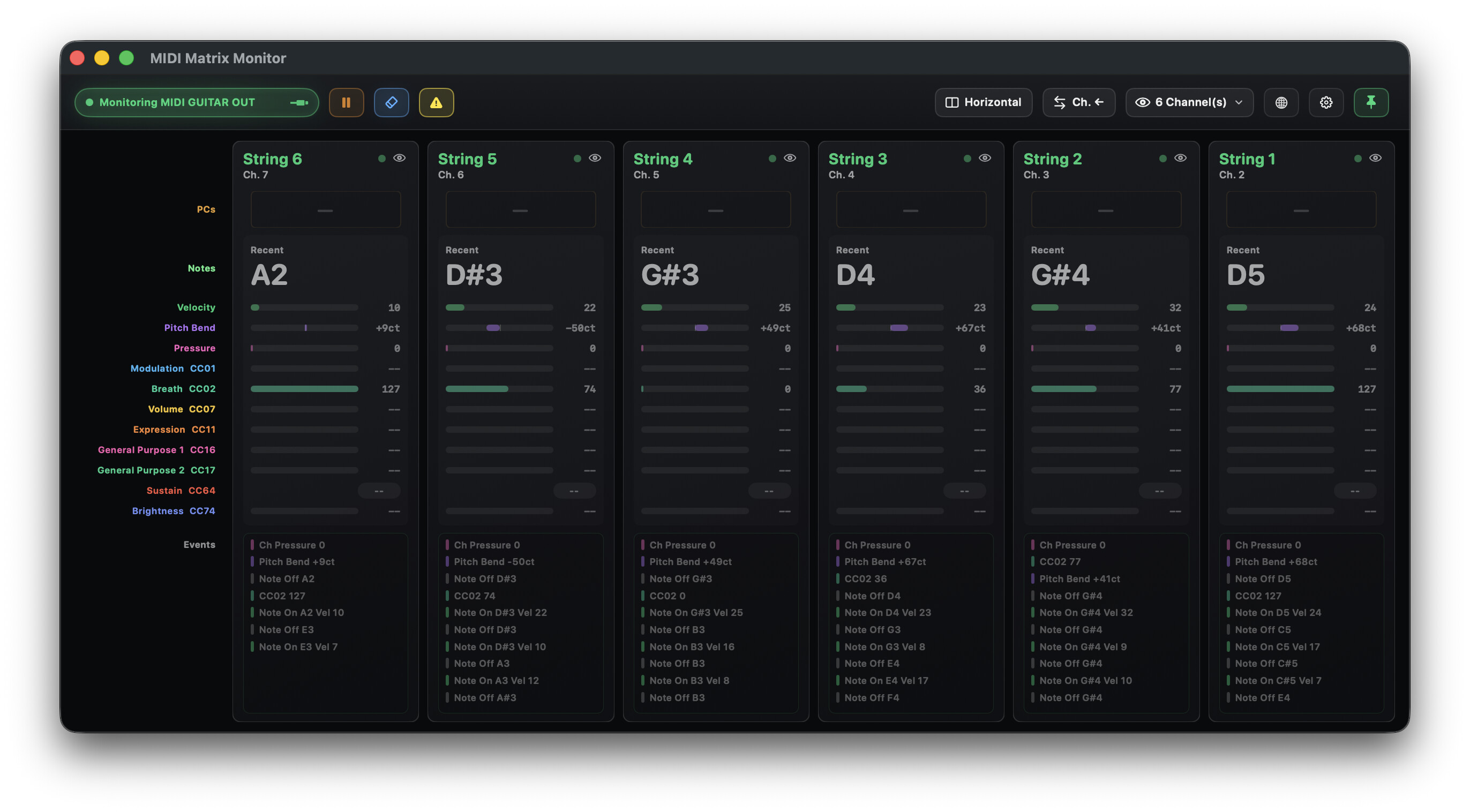
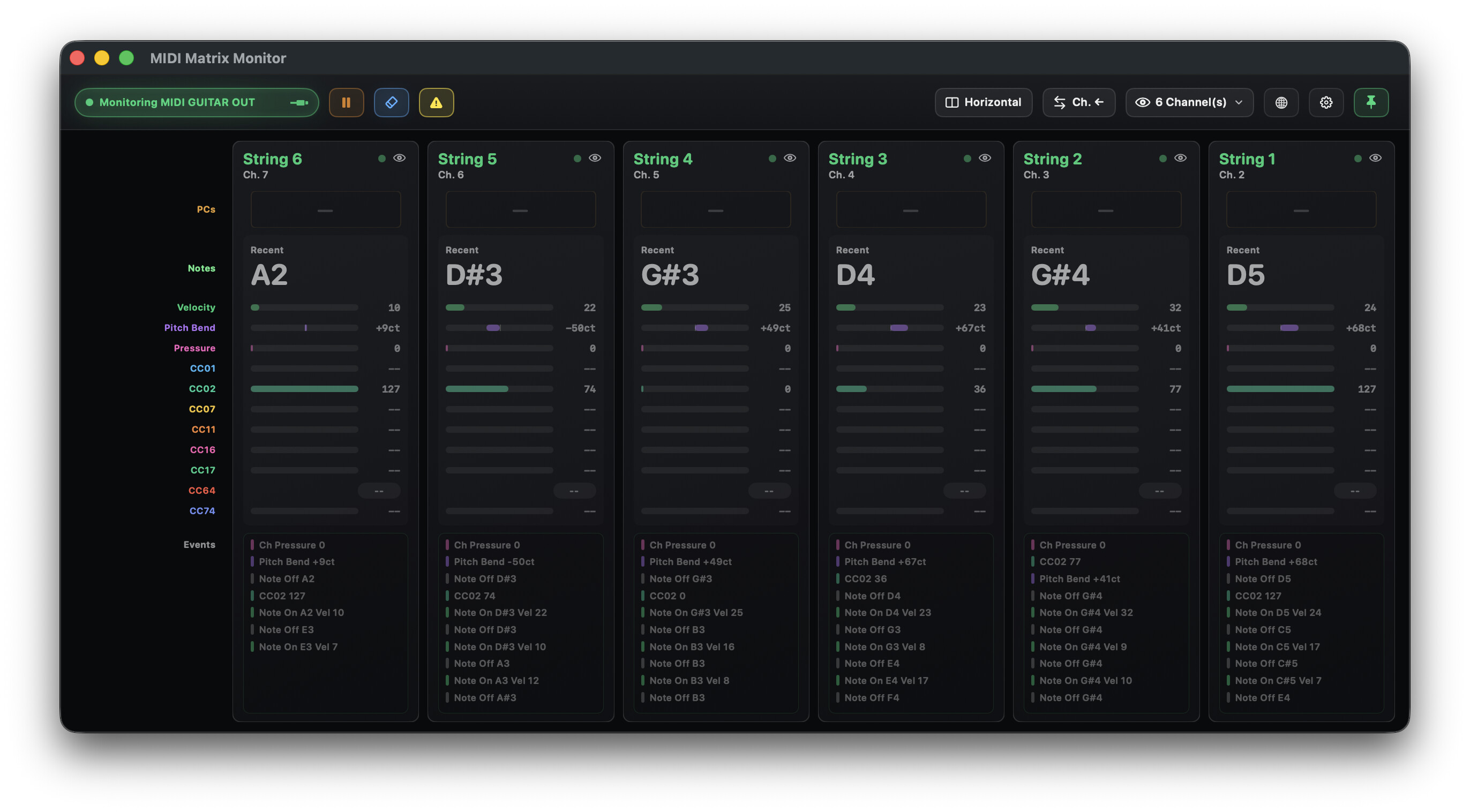
I’m continuing to refine the GUI for better readability by moving all the controller names into the far left column. Here are some GUI examples when using six channels as the import source.
Before (I was actually testing MiGiC Poly here, but that’s another story) :
All these improvements and more will be coming in version 1.0.6, which I hope to have uploaded in the next 24 hours.
BTW, @jamo, something that has popped up for me while working on this is that the controller data which MG3 passes to its destination, freezes at the last value when there is a note off event. I’m on the fence about whether this is correct or not. I think those values actually get zeroed, but because they attach to a note for visualization in this case, you can see that all those breath controller readings are on even though the events are finished and the monitoring application has not frozen the event state for a reading. Anyway I just thought I’d mention this as food for thought.
Yes, im aware of this but MIDI Matrix Monitor makes it very visible
I too was on the fence, but when reset to 0 after note off, but I think some synths controls seems to use middle (64), instead of 0 as a natural reset value for some things.
MIDI Matrix Monitor (MMM) will monitor data from any available source. If you’re feeding any of the instruments that you mentioned into MG3, you can certainly send the outgoing stream to MMM to visualize it across as many channels as you need.
Fair enough and thanks for the response. I do have some further thoughts on this subject, but they’re a bit involved so I’ll need a little time to put them down into a clearly readable format
Version 1.0.7 has been released with improvements across the board. I crushed some MIDI Clock and menu-scrolling issues along the way, too. I think the user experience has been vastly improved. If you already grabbed it, please update!
Thanks @anjo. I’ve been researching how to build for Windows today – out of personal interest since there hasn’t been a great deal of user interest in the app – yet.
There are a few important considerations:
I’ve only dabbled with Windows up until now;
I only have a macOS device with Windows running as a VM on Parallels;
MIDI Matrix Monitor at present is built entirely using Swift.
This means I’d have to rebuild it from the ground up, probably using JUCE. I’d probably then release the macOS version again with the new framework simultaneously with a Windows version. I’m definitely interested in doing it, but have many more things to learn as a prerequisite, and I need to continue researching before I can draw up a roadmap so I’ll have a good idea of the resources I’ll need and be able to predict how long it would take me to do it.
Version 1.0.8 is up on GitHub with a bunch of improvements, notably a BPM monitor (MIDI Clock), refined Global MIDI Stream, tidier window management, better hotkeys and keyboard controls. Hope you find a smoother experience with this version.
Is there a possibility to be able to change the width of the global view in the horizontal view? On my 1920x1080 monitor, I only see ch 1-14ish with the global view active.
Hi @digimidi. Thanks for letting me know about that. I’ll look into it.
UPDATE: I’ve now confirmed the issue.
On 1080p-class displays, the Global MIDI Stream panel can reduce the available horizontal space enough that the higher-numbered channels are pushed into horizontal scrolling. So what you’re seeing is not a fault with your setup but rather a limitation of the current horizontal layout.
I’m working on improving this so the 16-channel matrix is prioritised more intelligently on smaller displays. In the next update, I’m aiming to make the app handle this better at launch and provide clearer control over fitting the visible layout. Longer term, I’m also looking at a better Global Stream behaviour so it can remain available without taking too much space from the channel matrix.
For now, the best workaround is to hide the Global MIDI Stream when you need all 16 channels visible on a 1920×1080 display. With Global hidden, the full 16-channel horizontal layout should fit much more comfortably.
Thanks again. This was useful feedback and has helped me rethink the layout behaviour more broadly.

 Enjoy!