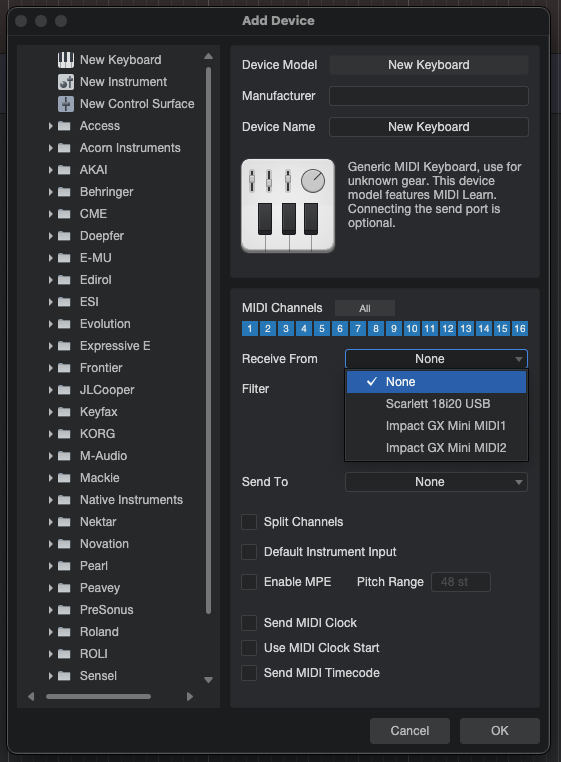
Hi, so I’m trying to setup MIDI Guitar 3 in Studio One Pro 7 but when I try to add MIDI Guitar as a new External Device, it doesn’t show up in the ‘Receive From’ drop down menu. It opens fine as an insert and it shows up in the Track Inspector, yet is missing when I try to add it as an External Device in Preferences. I’m running it on an M1 Mac Mini. Any ideas what the problem could be? Thanks
You’ve left out key information. MG3 standalone or plugin? Is your MG3 virtual MIDI port active?
I’m not an SO7 user, but I’m making an educted guess (based on the above images) 1) that you are using MG3 as a plugin and 2) the drop-down menu is not showing a MIDI port, but rather a plugin source.
MG3’s virtual MIDI port will only be visible once you have activated a MIDI Output module.
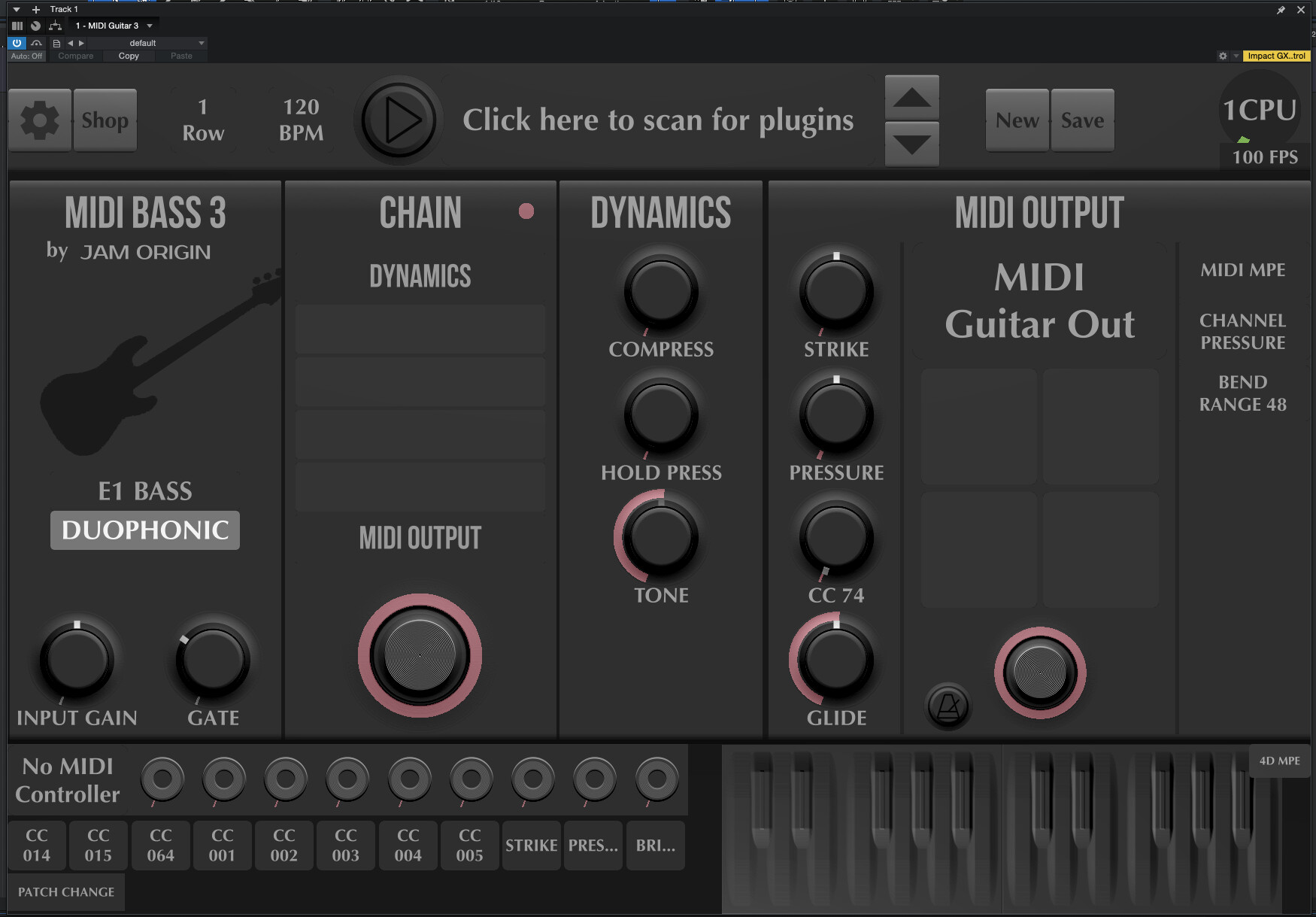
It would be helpful if you shared a screenshot of your MG3 GUI.
Hi wfox.
I have watched and rewatched the following video. However I always get stuck at 2:24 where it shows this very popup. Mine shows only two items, None and my Focusrite. I don’t understand how devices get to be on this list and most of all I don’t understand how Midi Guitar 3, an “Effect” can be listed in the first place as a “Device”. I have been struggling with this on and off as long as MG3 has been in Beta and that is a while. Here’s hoping that some day some kind genius will explain it.
I am not sure what is the problem here. When I did thes videos, MIDI guitar 3 (on a MAC) only had one particular way of sending out MIDI to a DAW, and that was by creating a “virtual MIDI” output stream to be picked up by the DAW. And from the DAW perspective this MIDI stream was no different than any other incoming MIDI controller stream. So sometimes we have to go into a DAW’s MIDI settings and specify that we want to use the MIDI Guitar 3 input, just as we would any other keyboard and controller.
This is how (@JerryLan) MIDI Guitar 3 can work as a Device, even though it is just an AUDIO track effect. And this is why we have to open, and ARM that track as well. If we don’t do this we haven’t created the virtual MIDI output that is to be “picked up” by the DAW, and thus there will be no “MIDI Guitar 3” on the device list.
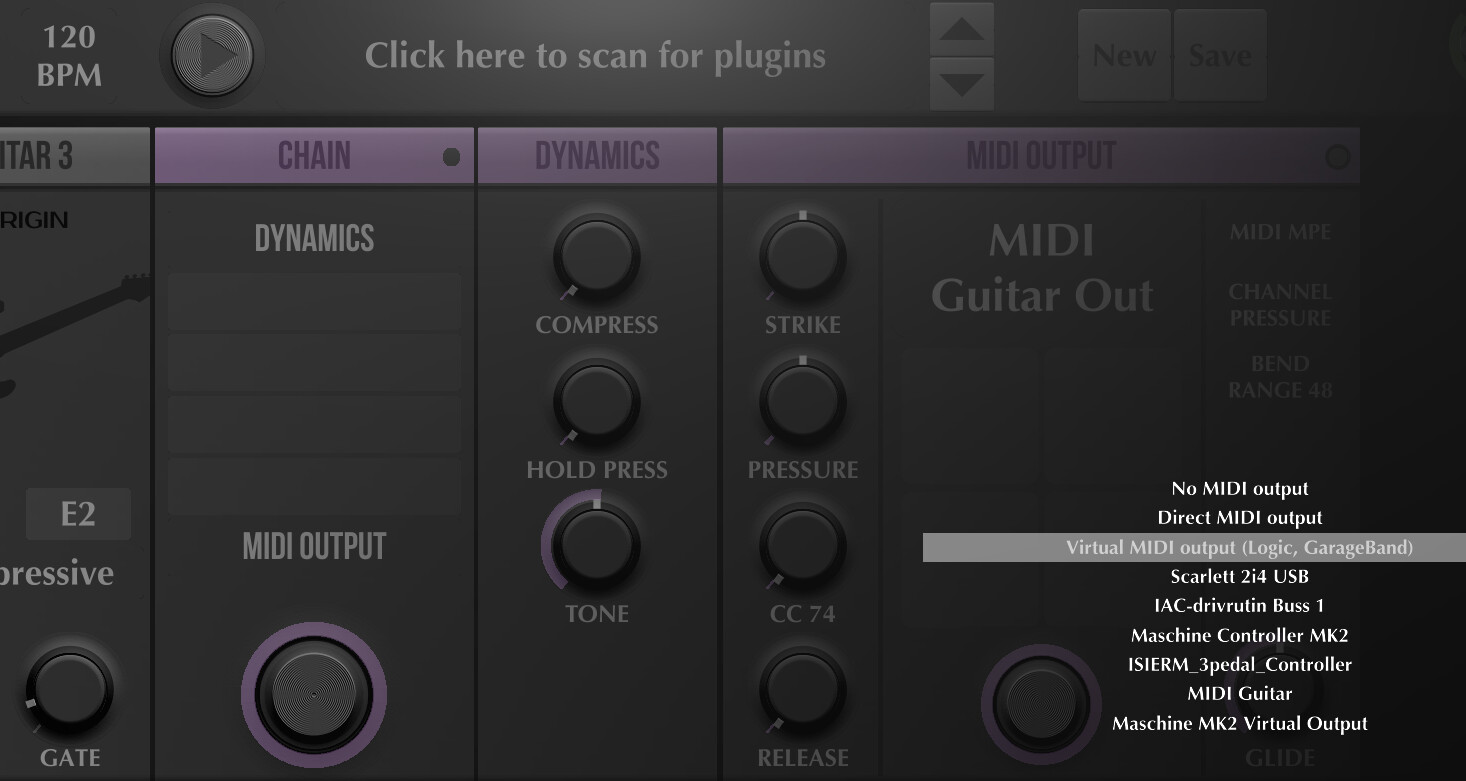
Now, things have changed a bit since making these videos, and that might very well create some issues here. We now have a choice of destinations for our MG3 plugin’s MIDI output, that needs to be made. If I open MG3 as a plugin in a DAW, and click on the MIDI Output window, I get all of these options:
These are of course specific to my setup. To be able to add the MPE capabilities in Studio One I had to resort to this creating a “NEW KEYBOARD” strategy. This is depending on choosing the “Virtual MIDI output” (which was the only option at the time). If you now choose something else as destination, I am not sure it will work the same. So make sure you are using that “Virtual MIDI output” to begin with.
This could be connected to use of the bass tracker. I seem to recall some users reporting issues with the bass tracker not recalling settings.
Click on the space where you see “MIDI Guitar Out” to access other MIDI ports. “MIDI Guitar Out” is MG3’s native virtual MIDI port but you can also send direct to DAW (I prefer this option these days in some DAWs/hosts) or other ports visible to your DAW.
I followed the video and I’ve managed to get it set up as an External Device and it’s working now. One thing I’m noticing though is that if I play continuous 1/16th notes on one note, only the initial note triggers MG3, not the subsequent notes. If I play the notes in a staccato fashion with space between them though they all trigger.
When I did that video I believe MIDI Bass 3 had not been released yet, so I haven’t tried that. I don’t remeber having any such issues with MG3. It believe I have encountered that issue with MIDI Guitar 3 at some point though, so it might be a good idea for @JamO to take look at the MB3 tracker settings for that.