I installed the new beta for MG3 Hex AUv3 (macOS) today. After a brief test, I could confirm that it functions as expected in Logic Pro (and also Reaper).
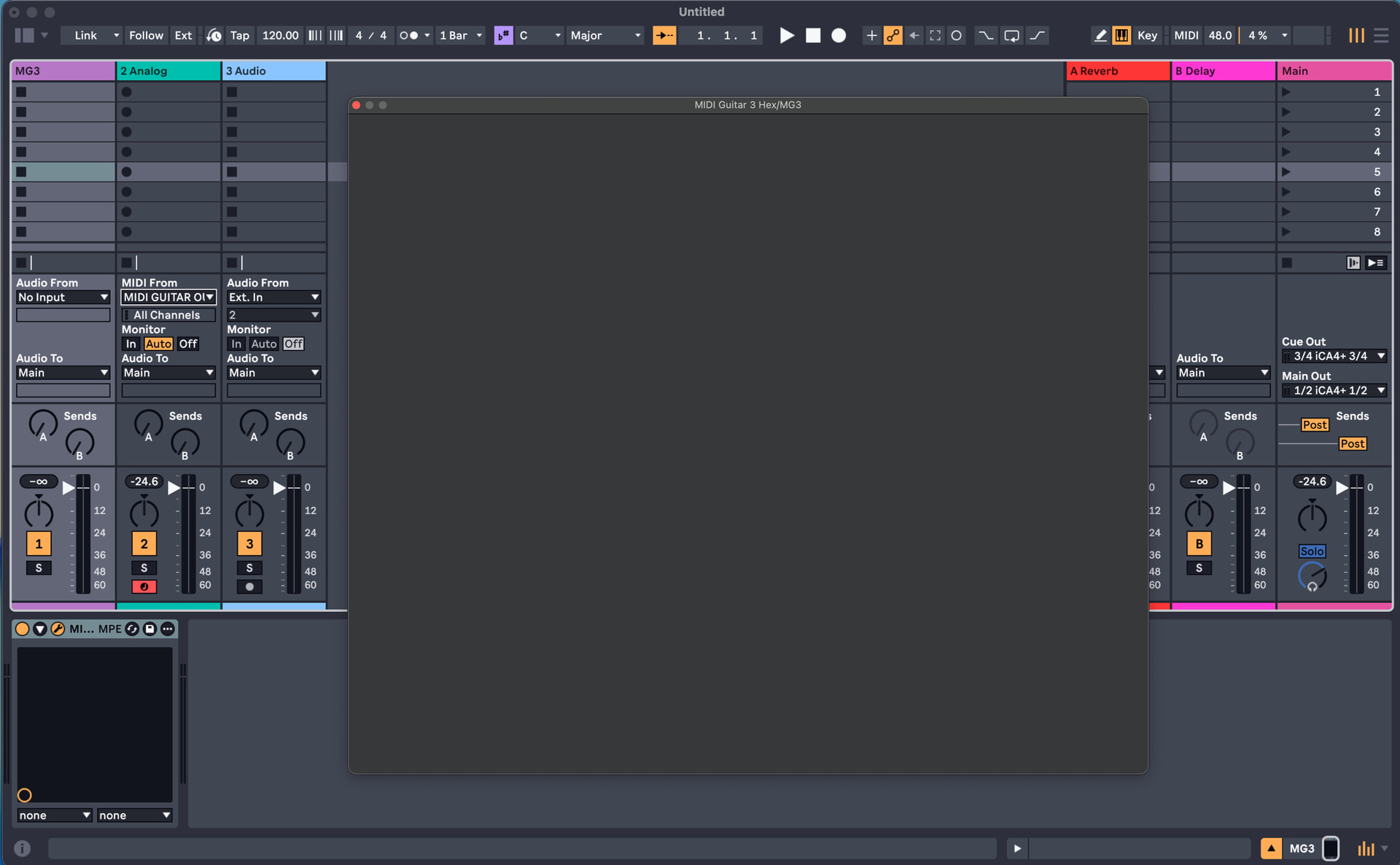
However, I’ve noticed that in Live 12 and Blue Cat Audio’s Axiom 2 and PatchWork, the GUI sometimes draws when it’s first launched, but if it’s closed and reopened, it always comes back with a blank rectangle. In Axiom, it doesn’t even draw if you directly instantiate it, but usually it will draw the very first time the plug-in is loaded in a user preset, then it goes blank when you hide/show the plug-in.
Considering that it works perfectly well in Logic Pro and Reaper, I guess it might be an individual DAW implementation of AUv3 issue, but I thought it was worth pointing out just in case it was a bug.
Like @Vaultnaemsae, I quickly tested this new version of MG3Hex.
I’m very happy that you’ve brought back the automatic recognition of Roland interfaces, which greatly simplifies the implementation of MG3Hex.
I can’t get it to work in Logic Pro or PatchWorks 2.78. The VG800 signals enter the plugin correctly, but the generated MIDI signal doesn’t seem to come out of the plugin. This is the case whether I use “Direct MIDI Output” or “MIDI Guitar Virtual Output.”
@Vaultnaemsae: you mentioned Axiom with MG3Hex; do you have a beta version from Blue Cat’s Audio that supports AUv3 plugins?
Only in Ableton Live 12 does the plugin work for me, but only in “MIDI Guitar Virtual Output” mode.
In all the DAWs I’ve tested, so in plugin mode, it’s not possible to resize the graphical window. And I also have the problem of a blank window when closing and reopening.
In standalone mode, the program is sandboxed. Therefore, third-party plugins (instruments) must be authorized on a new machine, which isn’t easy given the machine limits for most developers. Is there a specific reason for this sandboxed mode?
In standalone mode, everything seems to work correctly.
One notable issue that still doesn’t work is the “SwitchOff” function for external MIDI FX plugins, such as arpeggiators, which block the signal rather than bypassing it.
@JamO: Is this behavior of the MIDI FX “SwitchOn/Off” button intended?
Both methods worked for me in Logic, but I do find “Direct MIDI” a mild pain to set up within Logic. I could play an Alchemy preset without any problems.
Yes, I’m using the “next release” version of Axiom which is available on the product download page.
IIRC, you have to stick to loading AUv3 plug-ins inside MG3 Hex standalone; otherwise you might trigger authorization prompts. Of course, you can load non-AUv3 plug-ins, but the outcome is unpredictable.
Works doe me in Live 12 too but GUI is blank. It still sends MIDI (not direct though).
I’ll try to reproduce the MIDI output issue and the white window issue.
I think it’s only possible to have this AUv3 plugin sandboxed. It’s the only way I found it to reliably open the audio device. I guess its because in MacOS the AUv3 act like an app and it has permission to access the audio devices.
Of course this makes most non-AUv3 third-party plugins to want re-authorize in the sandbox folder. I’m not sure if there is a workaround here. The Apple documentation is a bit short.
Maybe should disallow AUv2 entirely in this AUv3 version.
Im sorry.I thought I had fixed this. You are right of course, it should never block, only bypass when disabled.
I’m now experiencing the same behavior described by @Vaultnaemsae after a few more tests:
MG3Hex now works correctly in Logic Pro, except for the window resizing.
I downloaded the “next release” version of Axiom 2.3 (thanks @Vaultnaemsae), but MG3Hex doesn’t work.
However, I managed to get it working with Patchwork in plugin mode within GigPerformer! But only on the “MIDI Guitar Virtual Output.”:
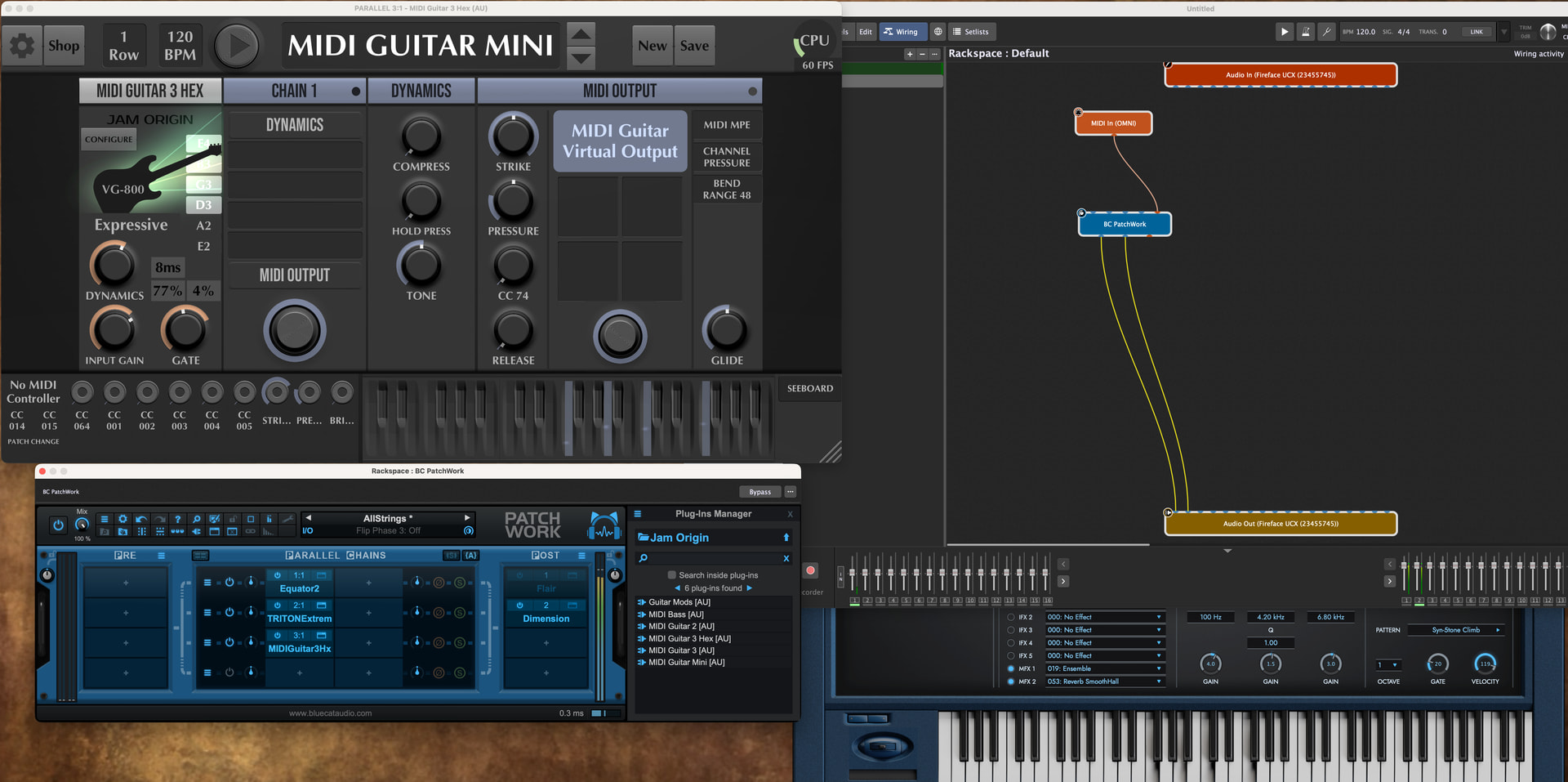
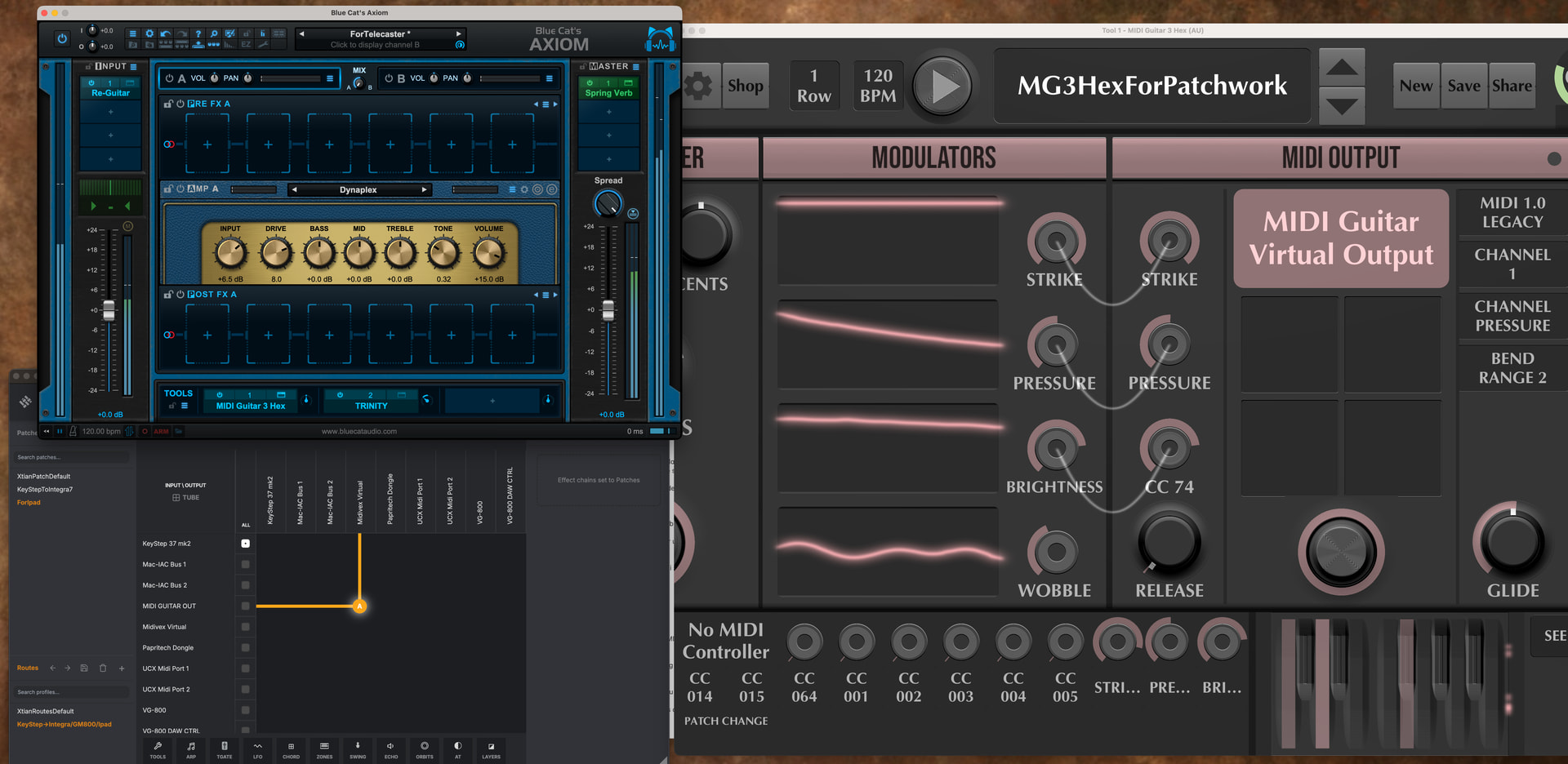
This is probably a little bit off-topic, but I think it’s interesting to look at how MG3 Hex AUv3 integrates with Blue Cat Audio’s PatchWork and Axiom.
One of the things I really love about these two applications is that they respond incredibly well to MIDI program changes in the sense that they can synchronize very nicely, from either the software GUI or the controller itself — assuming that your controller supports remote messages.
I’ve had it in my head for a long time that Axiom, or Axiom in combination with PatchWork, could eventually become a software “virtual Axe-Fx” and the final icing on the cake would be the ability to cleanly load MG3 Hex within, for a clean self-contained guitar/synth solution. Axiom supports a maximum input of two channels. PatchWork, on the other hand, supports eight channels, which is perfect for regular MG3 Hex.
Of course you can already do things like this with Gig Performer, but the Blue Cat products have the program change integration built-in very cleanly from the get-go. If BCA gets around to providing a system of excluding the factory presets form the PC list, we’ll have a winner.
Regarding blank UI, it seems like a long standing issue but the Ableton team is currently looking into this and hopefully we will learn something from this:
To use MG3Hex in PatchWork or Axiom, you need to use an external virtual connection via “Midivex.app” or “MidiFire.app” and connect the “MIDI GUITAR OUT” device to a virtual device.
The problem is that PatchWork and Axiom don’t see the “MIDI GUITAR OUT” device, which appears dynamically.
I suspect the MG3Hex AUv3 plugin is sandboxed, and the “DirectMidi output to the DAW track” connection doesn’t output from the sandbox.
However, “Midivex” sees the “MIDI GUITAR OUT” device as soon as the MG3Hex plugin is active, but neither Patchwork nor Axiom does.
Some applications frequently poll for updated MIDI port status, like Logic Pro for example.
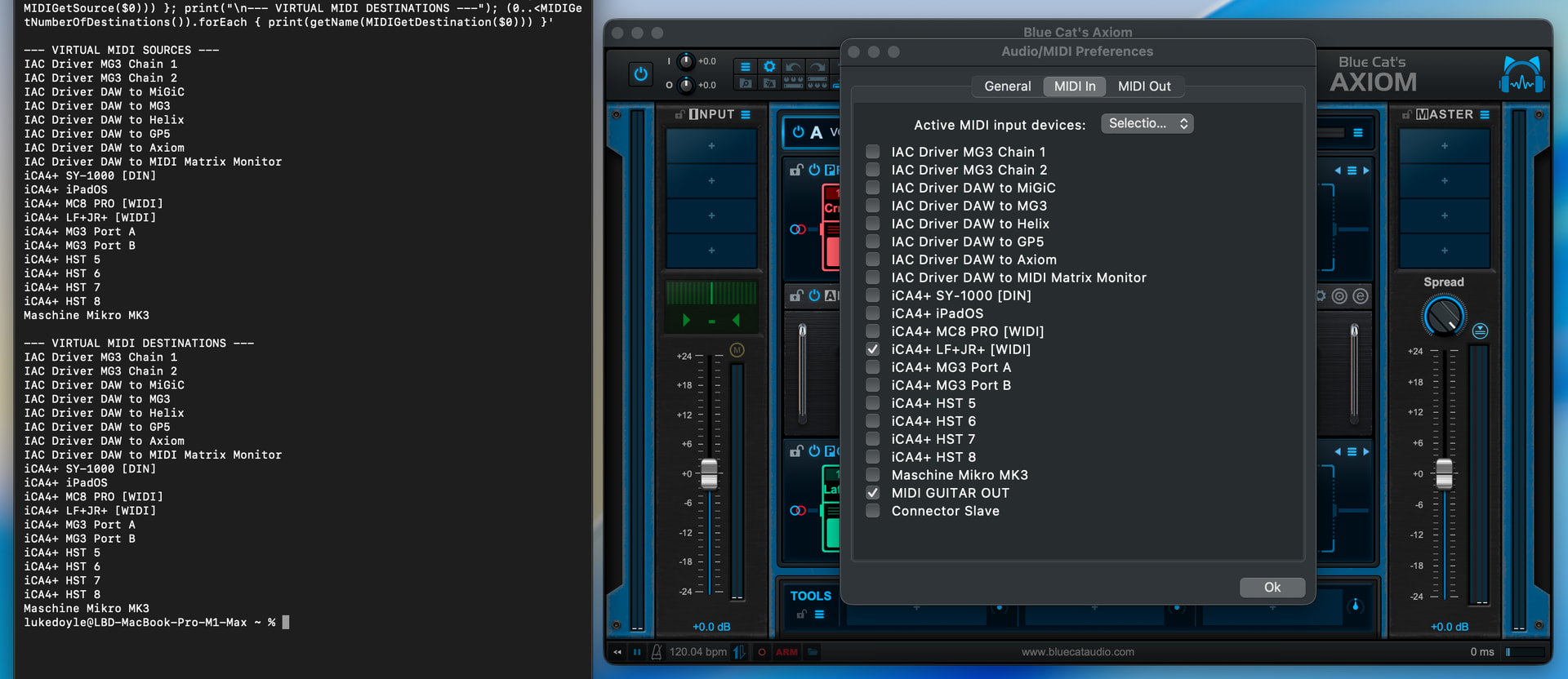
The Blue Cat Audio standalone applications will only register what’s available at the time of launching the application.
In this image, you can see that Axiom shows that MIDI GUITAR OUT is available (because it was when I launched Axiom), but it had already been deactivated system-wide at the time when I captured the image.
Just to add to this now aging post, the AUv3 versions of my Volume Pedal and Prism Delay plug-ins (both built using JUCE 8.0.14) exhibit the same behavior in Live 12.4.2.
In Live 12, it’s clearly a JUCE-related problem but I think there might be a little more to it.
I originally noticed this disappearing MG3 Hex AUv3 GUI issue in Blue Cat Audio’s PatchWork and Axiom, when AUv3 scanning/loading was implemented in recent months. Interestingly, the AUv3 versions of my JUCE-built plug-ins load corrrectly in PatchWork/Axiom but MG3 still exhibits the behaviour described in the KVR thread linked below: