I recently purchased MG3 Guitar…really loving it so far! Keep up the great work!!
My setup is a Submarine Subsix running into a Zoom liveTrak L6max, running into Logic Pro.
I have six audio tracks, each running an instance of MG3, and six different MIDI instruments, one that reads the data from each of the strings. This seems to be working decently.
There is a bit of crosstalk…I’m experimenting with gates/compressors to minimize it, but perhaps it is inherent in the pickup.
I was experimenting with the Hex tracker, and it definitely seems to reduce (maybe even eliminate) the cross-string readings, but I can’t figure out how I would output six different MIDI streams using the standalone app. There’s the string filter option, but I seem to be able to only add three of those (one for each Chain).
Is it possible to use six different software instruments with the Hex tracker? Either as a standalone or AU plugin.
What other advantages does the Hex tracker have?
Also, is there a way to avoid having to manually re-assign each software instrument to its corresponding MIDI Guitar ### out each time I boot up Logic?
PS - I hope this wasn’t covered in documentation I may have overlooked. If so, please point me in the right direction!
The current standalone version with its three chains gives you the possibility to play three different instruments at the time (each chain one instrument). There you can assign different strings using the string filter.
To output the midi data of each single string requires a DAW where you run six instances (one per string) of MIDI Guitar 3 Hex.
Great, this does work (though it’s set in MG3 to export channels 1-6, I’m receiving them on 2-7…not sure what that’s about).
One issue I am noticing is that when I play to adjacent strings and let one ring out, the note keeps re-registering and playing multiple times, instead of as one long note.
Also, am I losing much by not having MPE?
Since it seems to solve the separation issue quite nicely, I’ll probably pick up a hex license if I can solve this repeating note issue.
on note retriggering: ensure that you are getting the best possible levels on all of the strings.
this is not a fix, but in terms of diagnosis, try the chromatic filter with bends set to 1 or 2 and retrigger off.
on mpe: at least part of this depends on which synths you’re driving. if the majority are not mpe-capable, then there’s no reason to use it.
typically mpe synths respond nicely to pressure and brightness, slide is often good. these are all available in mg3 but there is no direct way to communicate pressure or slide from the fretboard. these features can be automated or assigned to other controllable inputs such as pitchbend or foot pedal.
I updated your post title as it didn’t quite match your question.
The obvious advantage of MG3 Hex is improved tracking for complex polyphonic playing thanks to per-string processing. And the setup is tidy. Many of us have worked with multiple instances of MG2 using hex pickups and – while it works – MG3 Hex marks a vastly simplified routing setup process.
Yes and no. Standalone would not immediately allow that (yet) but maybe you could achieve it with third-party plugins – I’m thinking Blue Cat PatchWork to host multiple plug-ins with channel filtering. But using MG3 as a plugin in a DAW where you can route MIDI anywhere and filter channels, you should be able to do anything you can dream up.
Use “Direct to track” rather than “MIDI Guitar Out” and route MIDI internally in Logic Pro.
Thanks for the clarification and info! I’ve focused a bit more on the MG3 Hex this evening, and it does simplify things quite a bit compared to the other route.
The only thing I haven’t been able to solve that seems to happen just in the Hex tracker is the re-triggering of notes on a string that’s ringing out while I play staccato notes on other strings.
If you are referring to the channels 1-6 in the SETTINGS/AUDIO DEVICE/Input Device box, these are incoming AUDIO channels.
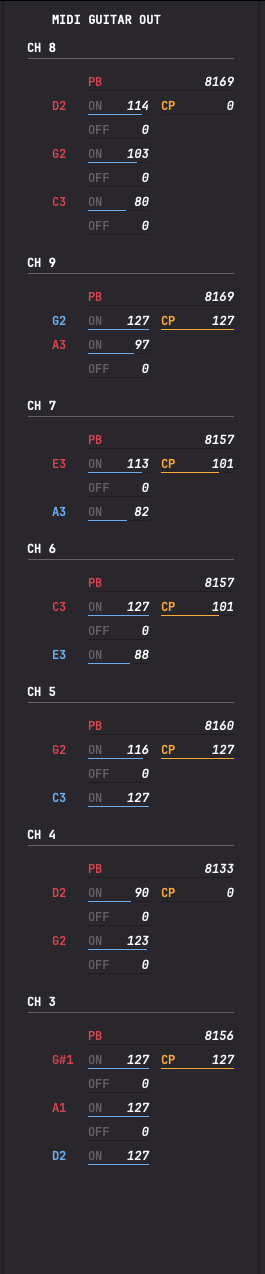
MPE/MIDI coming out of MG3 Hex tracker will come out on MIDI channels 2-7, since MG3 Hex use the MPE Lower Zone standard by default where Channel 1 is the master channel for global messages (preset changes, pedals) and MIDI channels 2 and up as member channels for individual note expression.
If you instead take a look at the MIDI out from the standard tracker mode you will see MG3 uses more channels (at least 2-9), and in a different way (“round robin” as @kimyo says), but it is still Lower Zone MPE, so MIDI channel 1 is not used for voice messages.
In this screengrab you can see me having triggered several notes on all 7 channels in use (it is only the blue notes that are active. When a red note have a note-off visible (here in ShowMIDI), it means that channel is up for grabs to be repurposed for a new note-on.
But the important thing is: There is a difference in channel distribution principle between MG3Hex and MG3 (Standard) - But neither send voice messages on CH 1 in MPE mode.
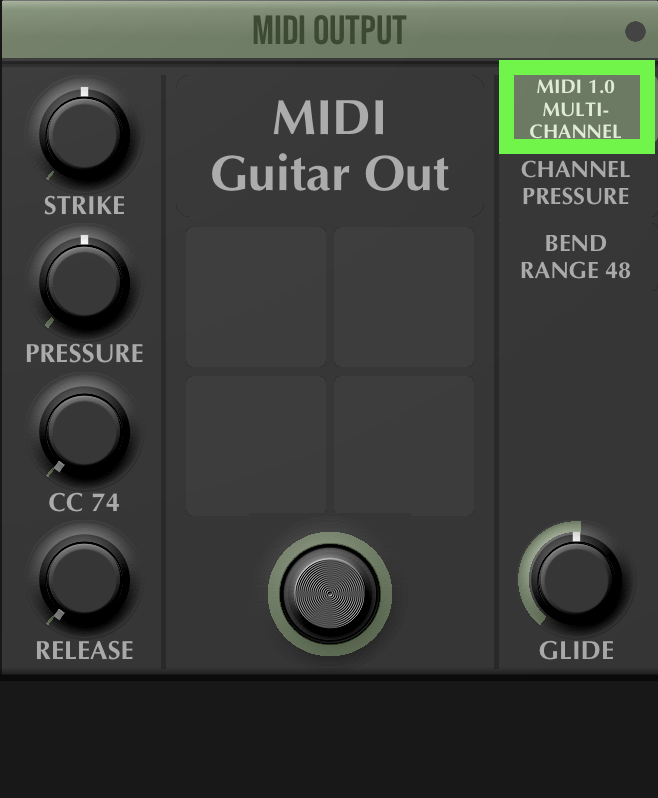
In MIDI 1.0 Legacy Mode you (can) send all messages on MIDI CH.1
But in MIDI 1.0 Multi Channel Mode you have a similar voice channel distribution to that of MPE (for practical reasons).
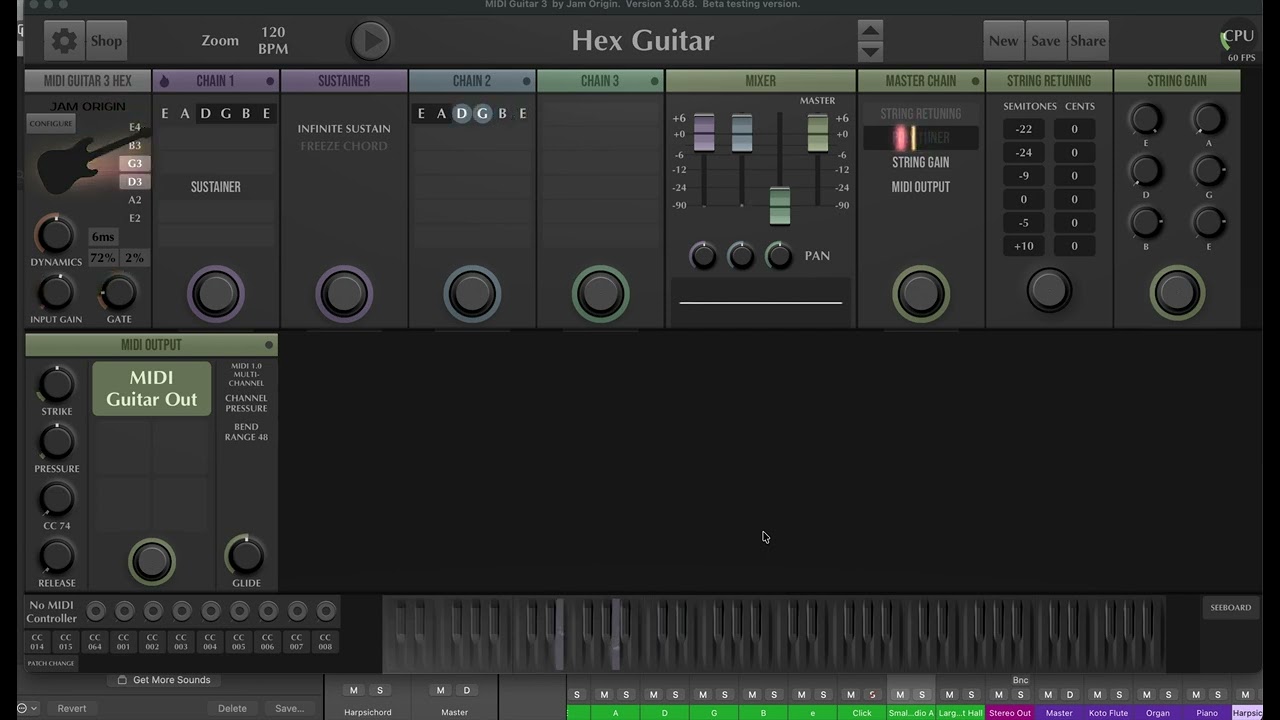
Here is a short video showing the issue. Here, the gate is a little more aggressive than I would like for it to feel natural. I’ve also triggered the issue with reduced gain and significantly more gain, adjusting the gate for each.
I can play the notes individually however softly or hard, and I can’t trigger the issue with just one string, it only seems to happen when a neighboring string is active.
I was having plenty of crosstalk issues with the 6x MG3 plugins, but I didn’t see this behavior until I switched to the Hex tracker.
Also, clearly I’m not using the string gain feature correctly…is there a way to set it so it occurs before the initial gate?
This is the same issue I have. I have a subsix going via a di800 into Yamaha ur44c interface (the ur44c only has 2 hi-z inputs so I bought the Di suggested on the submarine website). I’ve tried the pick up in various positions, with and without backplate, on various guitars, raised and lowered strings as well as upside down so I could have it more or less flush against the neck. I also tried different tunings (reconfiguring mg3 to match the tunings of course) I still get the re-triggering (the b string seems to be worst in my case). I tried lowering and raising strings also. The guys on the forum have been really helpful, but I fell ill so wasn’t able to do much more troubleshooting so far but will also try to do a recording and test some more stuff this week.
The re-triggering as shown in @the.david.v video I have never experienced so far. I’m using mainly GK3 and GK5 pickups (some Graph Tech piezo bridges). Since both of you are using the subsix PU I strongly believe that this is part of the root cause.
i haven’t experienced the re-triggering. i will test specifically for it, but i’m in the process of permanently installing the subsix and it may be a few days.
The Zoom I have running at a 32 sample buffer size. The input level knobs on it don’t seem to actually affect how much signal my computer is receiving, though. I’ll have to look into why that might be tonight or tomorrow. I’ll also try gaining up the whole thing inside of MG3 and running it that way.
I also have an X32 that definitely sends post-gain signal to my computer, so I’ll also try it through there when I get a chance.
Good luck with your permanent install! If you haven’t figured it out, the cables are simple trrs cables, so it’s possible to buy extensions, angled adapters, etc.
please do try 256 samples. if that happens to eliminate the problem try 128.
the zoom l6 did not work reliably for me at 128 (crackles/artifacts even with a very stripped down mg3 patch) and i bet its siblings firmware is also unreliable.
the input gain is pretty key, i don’t think you can mimic that by bumping things up post-interface.
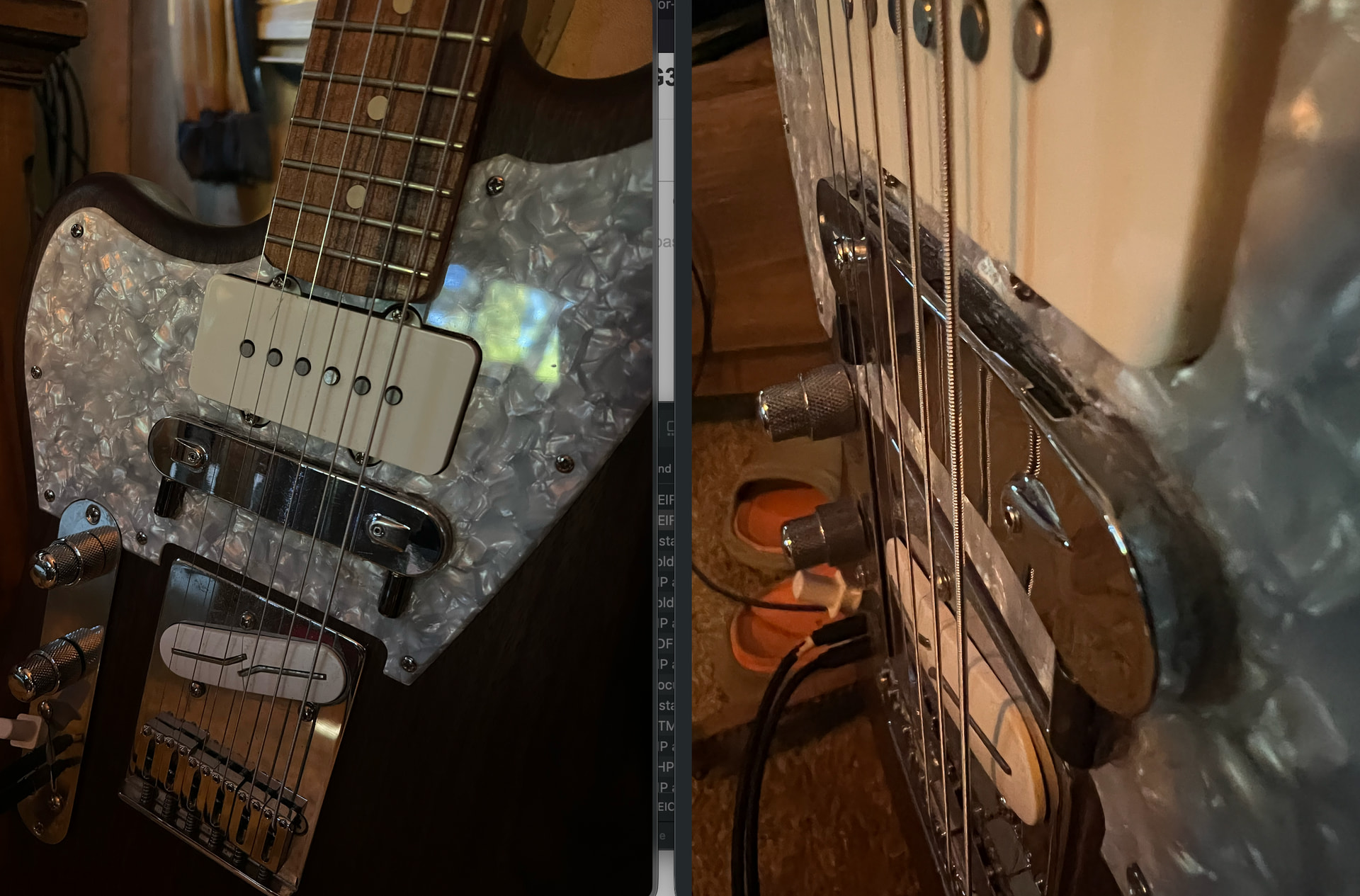
you did a nice job with your subsix install, i will have to aim high.
in terms of proximity, the docs say they’re looking for 9-21mm distance between the e-strings and the pickup. they don’t specify if the string should be held down at the 12th fret for the measurement.
eyeballing it i’d say you’re as close as you can get.