
Midi Guitar 3 won’t open in Logic anymore. Says my DAW isn’t sending audio, however, you can see in picture attached that I have plenty signal.I’ve tried every combination of input and output devices. Also when I tested in standalone mode a warning that there was too much load on the CPU. And when I used midi guitar 2 in Logic it defaulted to a ridiculous and unusable Sample Rate.
This is unprecedented - it worked like a charm until today. It has been a couple of months since I used it last, butnothing has changed in my set up.
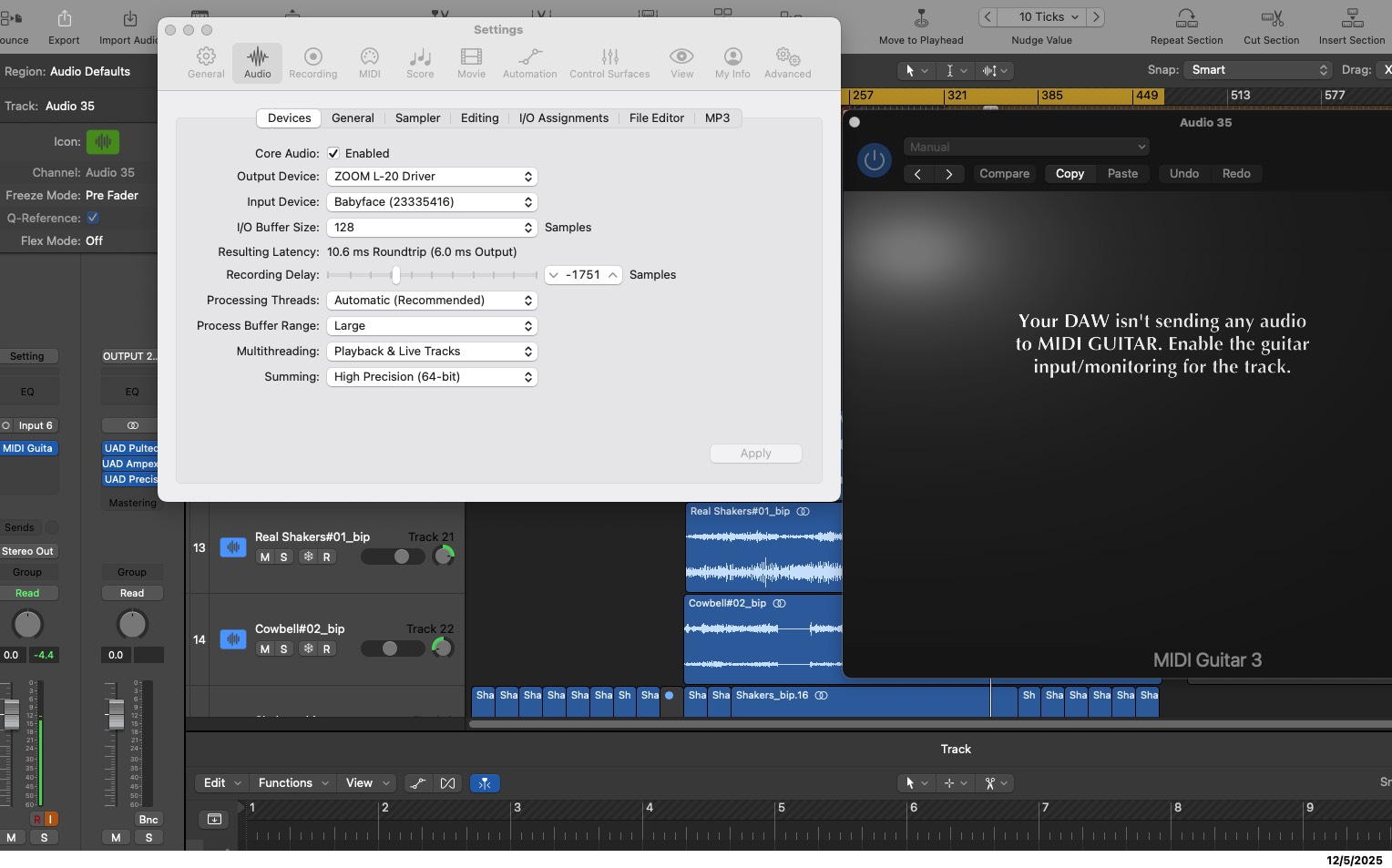
Multihreading should only be enabled for playback. Multithreading uses the large buffer setting. MG wants short buffers,
Logic have permission but still midi guitar don see him
Make sure you have the track armed. Close and reopen the GUI. This should fix your issue.
thank you. track is armed, logic have permission to use mic.
I have the same problem with midi guitar 2.
I reinstalled both more times but it dont work.
I use last logic pro on a mini mac m4 24 gb ram sequoia os.
in the midi input in the sw track mg3 dont appear
in standalone modalitiy work but don open plugins
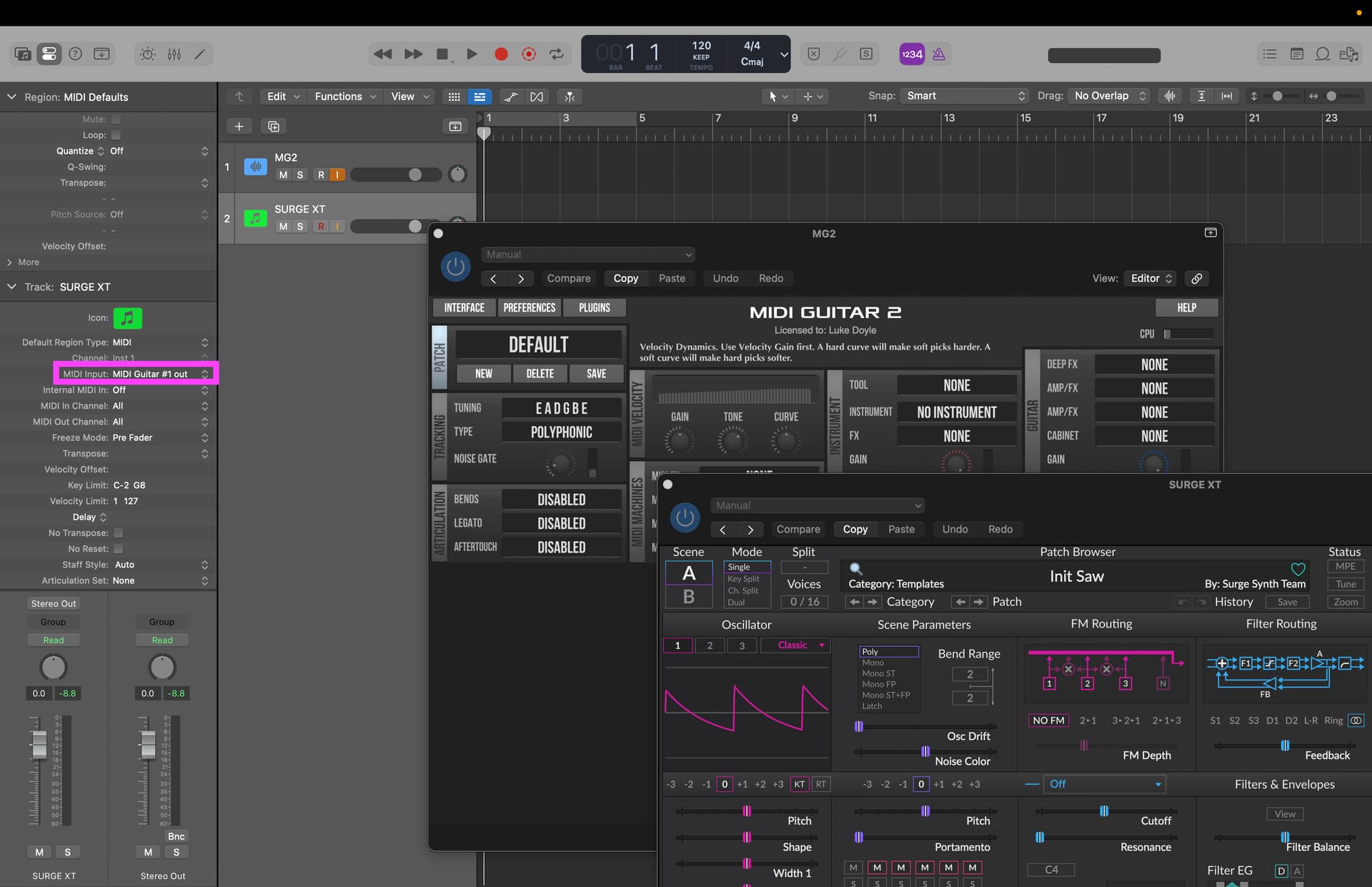
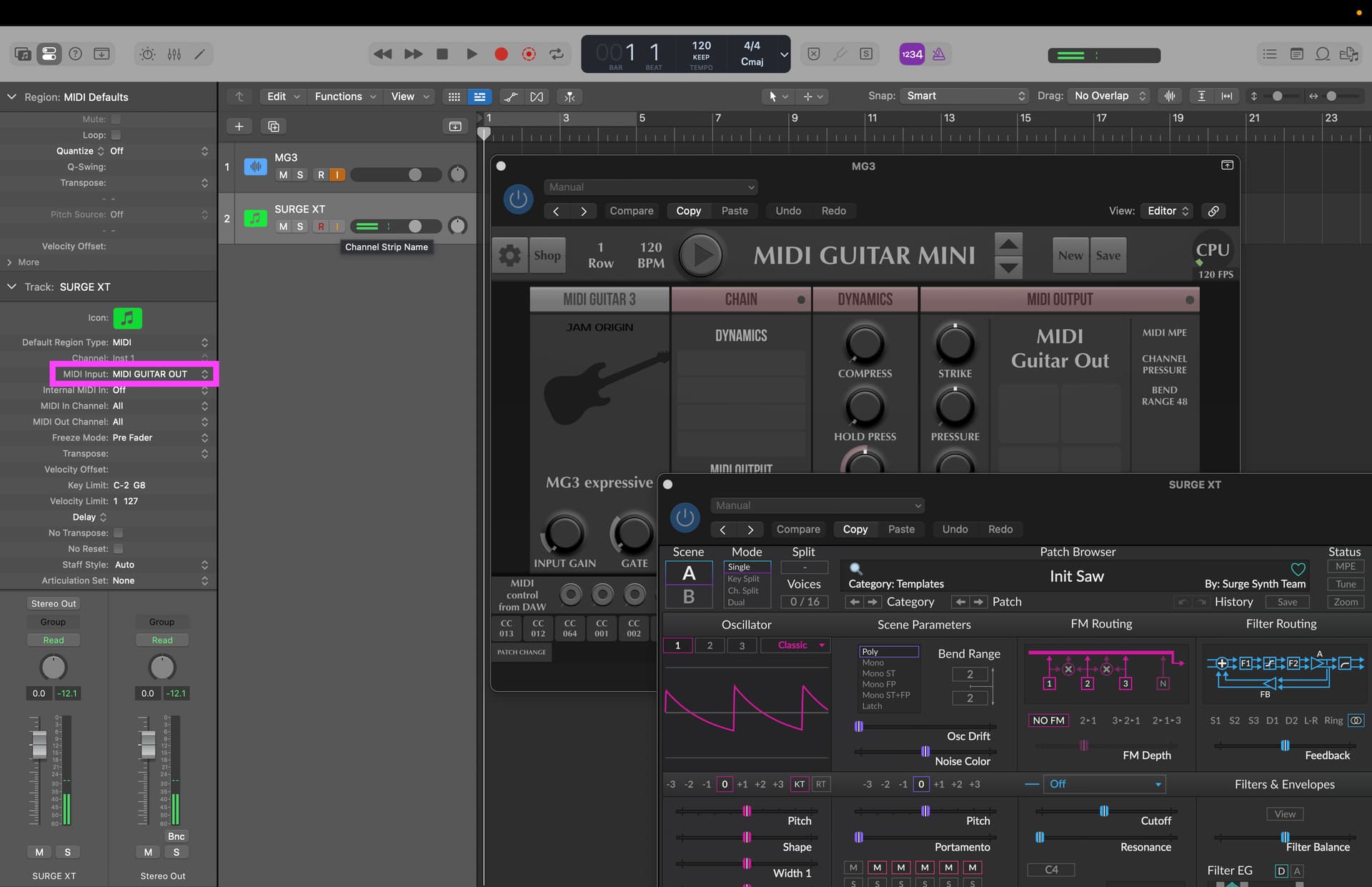
So here you can see both MG3 and MG2’s virtual MIDI ports available in Logic Pro. Both plugins function correctly.
And here’s MG2 loading plugins.
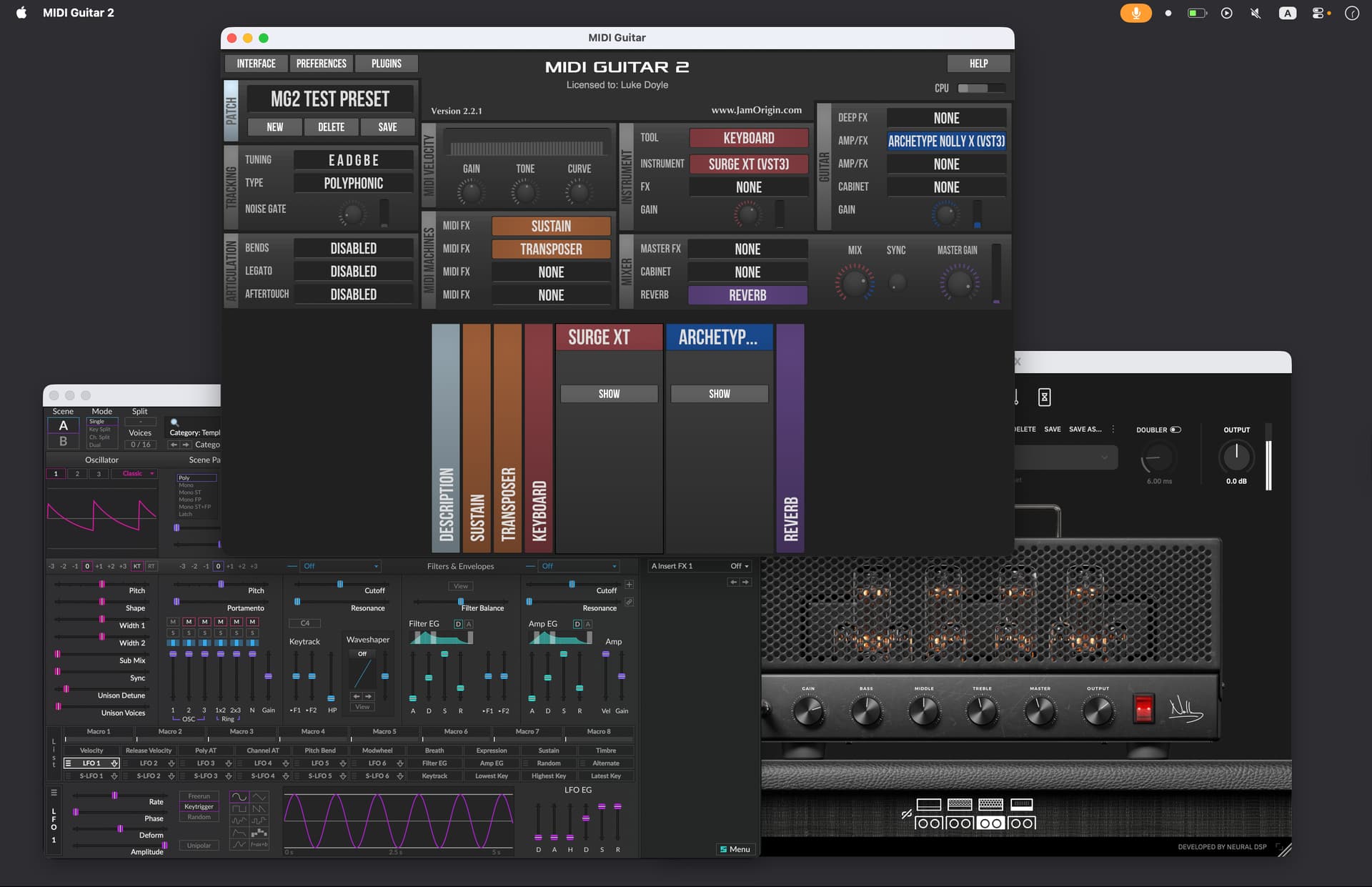
Without specific details, I can’t really guess what could be going on with your configuration. But one thing is for certain: contrary to the posting title and assertions otherwise, both MG3 and MG2 work in Logic Pro.
I’m sorry for the title, I would intend that on my logic don’t work and I´m searching help.
I´ve just seen it works well in logic but not on mine as if I passed a lot of time on it
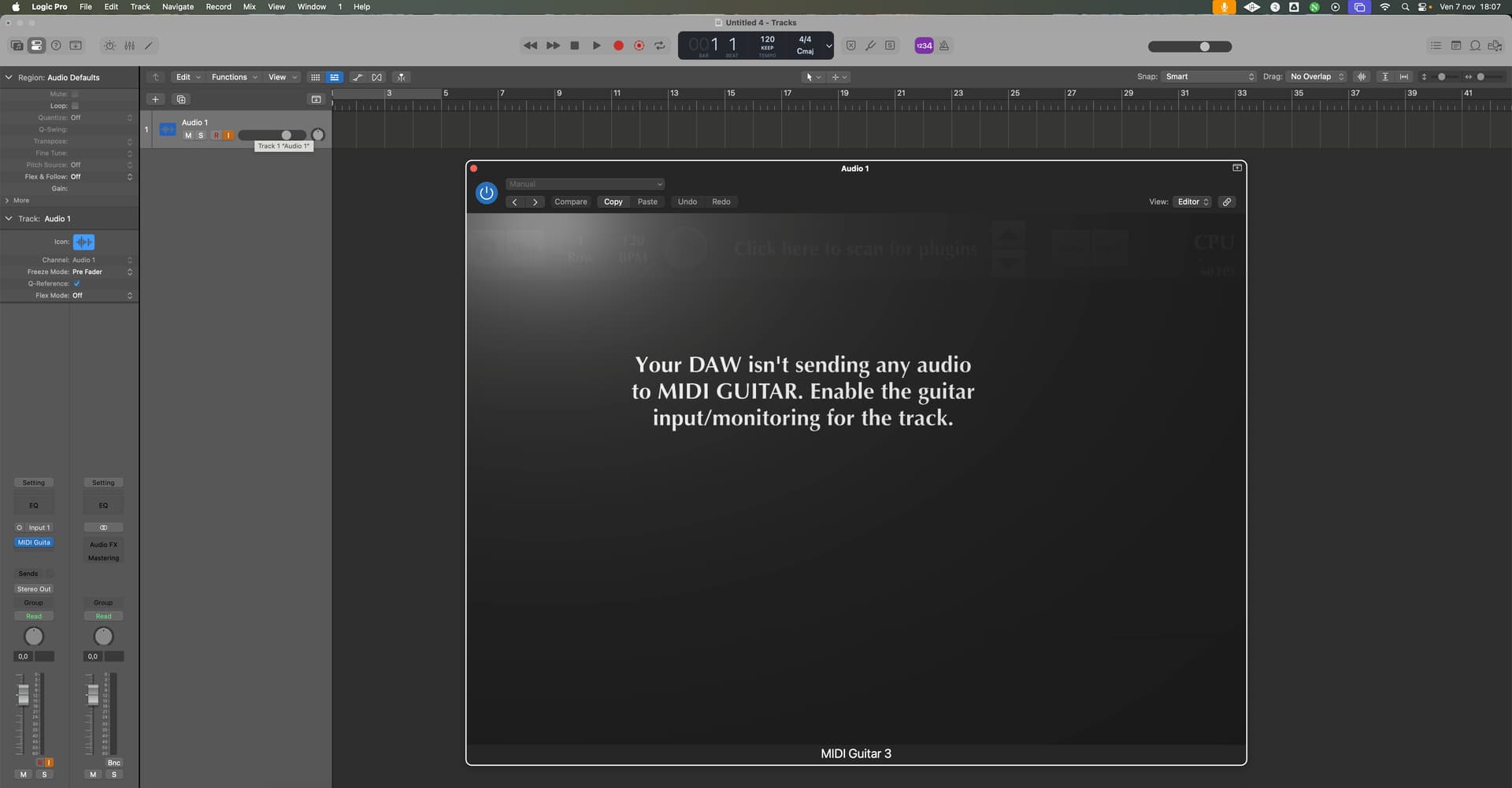
with midi bass works what the difference? someone have same problem?
This error message can be misleading but it happens when MG gets too large buffers of audio from the DAW, and thus is unusable for real time MIDI.
Try to experiment with the audio settings in Logic. It’s dependent on what kind of interface you use. Sometimes Logic will refuse to use low buffer sizes until you press Play in Logic.
In addition to what @JamO said, often it’s a simple case of closing the plug-in window and then reopening it. Here are before-and-after shots.
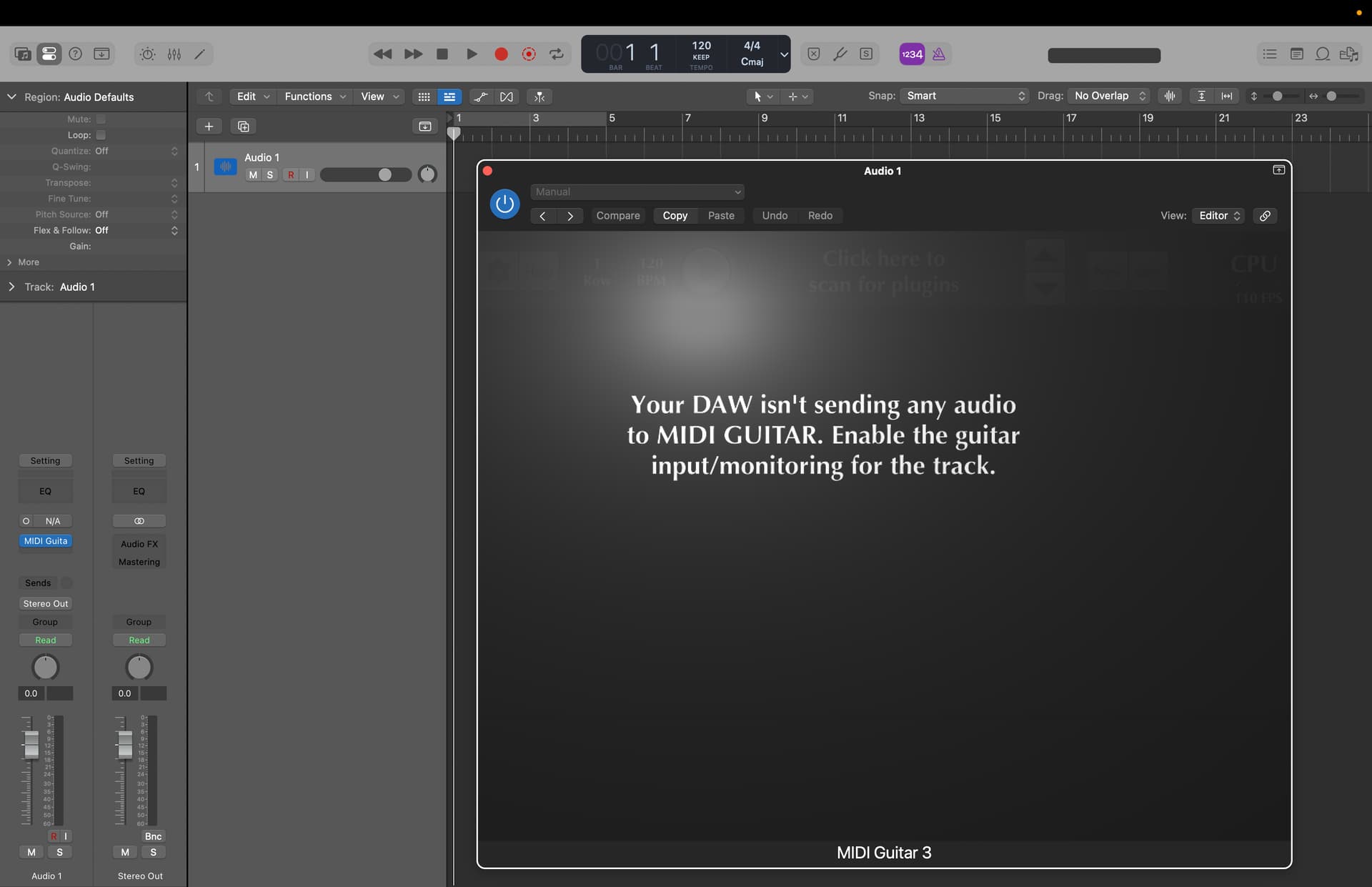
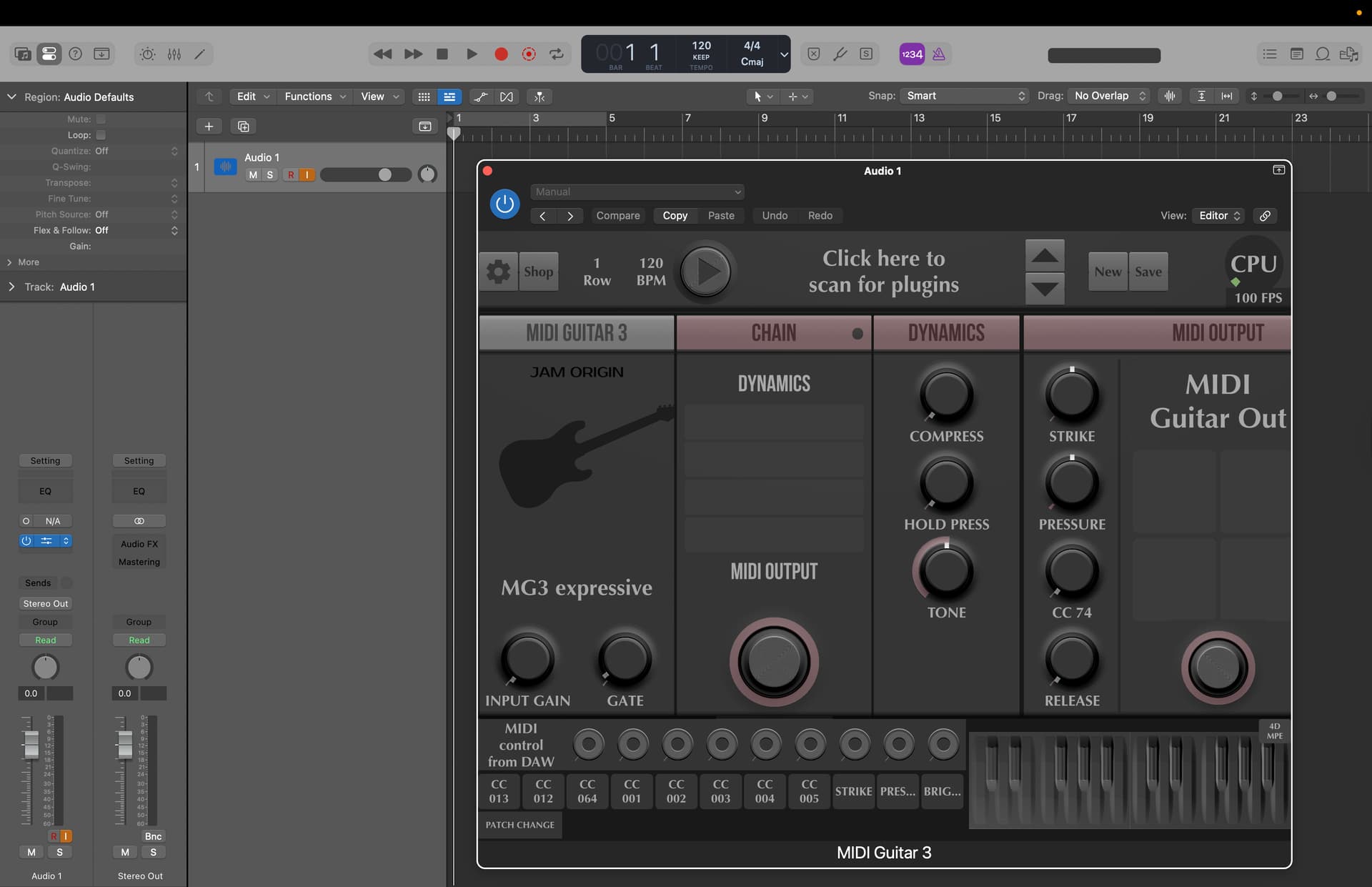
I thank you all of you and made what you say but still don’t work.
I updated both Mac OS to sequoia 15.7.7 and Logic Pro to 11.2.2. but nothing change.
I was wrong sayin that midi bass work.
It opens in logic, its visible as input in software instruments track but don work
Hi Jaco62. I’m going crazy with a similar issue:
After upgrading to Mac OS Sequoia 15.6 (I Mac 24 GB, M4 chip) with Logic Pro 11.1.2 I downloaded Midi Guitar 3.066 check out my post from last week. I,m starting to think Logic Pro 11.1.2 is having a problem with the MG 3.066
Well I just got it to work, I finally see MG3 recording what I play on its own track, without having to Bus it to a second track. Strangely I can’t playback the recording unless I disarm the input monitoring.
Also finally got it to record the MIDI on an instrument track, only after I set the “Internal MIDI input“ to the instrument.
Hi Ioislios, I don’t perfect understand what you mean and how you did it.
Can you add some screenshot?
Thank you
You and me too. It seems MG3 gets better the longer you keep trying, often the same process over and over. I think it helped to save and reload MG3. Disregard the nasty buffer message and just hit the play button. It is a very complex software, kind of moody ….
Honestly, Im not sure why it suddenly worked. Starting with a very small, clean Logic Pro project, don’t use 2 year old projects with 3 versions of Kontakt or MG….
Thanks guys.
Next update should have improved this error reporting.
1 Like