Hi guys, finally opens in software track directly and opens plugin! its great!
But I´not still able to record what I play..

Hi guys, finally opens in software track directly and opens plugin! its great!
But I´not still able to record what I play..
Read through this thread:
I hope this helps.
This video is certainly helpful, but I see the problem for many users as a lack of basic DAW functionality and fundamental knowledge.
Therefore, the sidechaining solution is more suitable for advanced users and may not be immediately understandable to everyone. Nevertheless, it undoubtedly works and offers additional advantages in signal distribution and utilization.
Thanks for the feedback. I hoped to offer a system that would work for users and also impart some basic and accessible “DAW education” along the way. I mainly use MG3 for performance-type situations, so the DAW realm to me is not as familiar or comfortable as plugin-hosting apps – like Gig Performer, Sessions, MainStage3 Live 12 – where you don’t have the recording part to think about. Anyway, maybe it will prompt some thought, discussion and help for users who are struggling to get things up and running.
Thanks for your video Vaultnaemsae, I like to use that approach.
Where do you open the side chain?
It’s in the video. You can find the sidechain audio input selection in the top right of the plugin GUI.
are logic files easy to share? if so, perhaps you could post one with the side chaining setup?
After some thought, I realized that my video was potentialy misleading and removed it. My way could end up being really confusing for some users.
QUICKSTART:
It’s that simple. You can record this way too. But, BEWARE OF YOUR INPUT MONITORING SETTINGS when flipping between recording and playback.
Also, as I don’t use Logic Pro often, I danced around the fact that automation on audio tracks is probably best achieved with Logic’s Smart Controls. In some cases, using software instrument tracks may be necessary, but not for most users most of the time. I’ll leave it there. My apologies for muddying the waters.
Hi, thank you for suggestion but today, without change anything, nothing works.
I´m not able to input guitar in mg3 in logic, but in standalone mode works.
Which can be the problem?
Does this mean that you saved a project in the past that worked and now it doesn’t anymore?
Or did you open a new project and maybe the routing and monitoring isn’t yet as it should be?
I opened several new projects . The first time mg3 opened in sw track but signal didn’t arrive and the didn’t ope both in audio as in sw track with same settings I used when in works
now is working opening two sw tracks and record!!
In Logic Pro 11, this behaviour is only possible when you are using MG3 on a software instrument track.
This tells us that you have MG3 loaded as an AU MIDI-Controlled Effect, as Logic defines it. Personally, I find this approach more practical than using MG3 as an audio effect, but other users may disagree with this method.
It also indicates that you have selected Direct MIDI output in the MIDI Output module, as opposed to Virtual MIDI output. The latter creates a system-level virtual MIDI port called MIDI GUITAR OUT.
In the MIDI GUITAR MINI preset, when Direct MIDI output is selected, generated MIDI does not pass over the MIDI GUITAR OUT port.
The point is, the Direct MIDI output option enables the direct transmission of MIDI between tracks/plugins within Logic. It is important to recognize the difference in the behavior of these two selectable ports.
This distinction is also critical when using MG3 as an AUv3 in Logic Pro for iPad (and other iOS DAWs/hosts) because in iOS the Virtual MIDI output option is only functional in MG3 standalone. This is a notable difference between the macOS and iOS versions of MG3.
Both now and always! 
I’m glad you’ve found the settings that work for you.
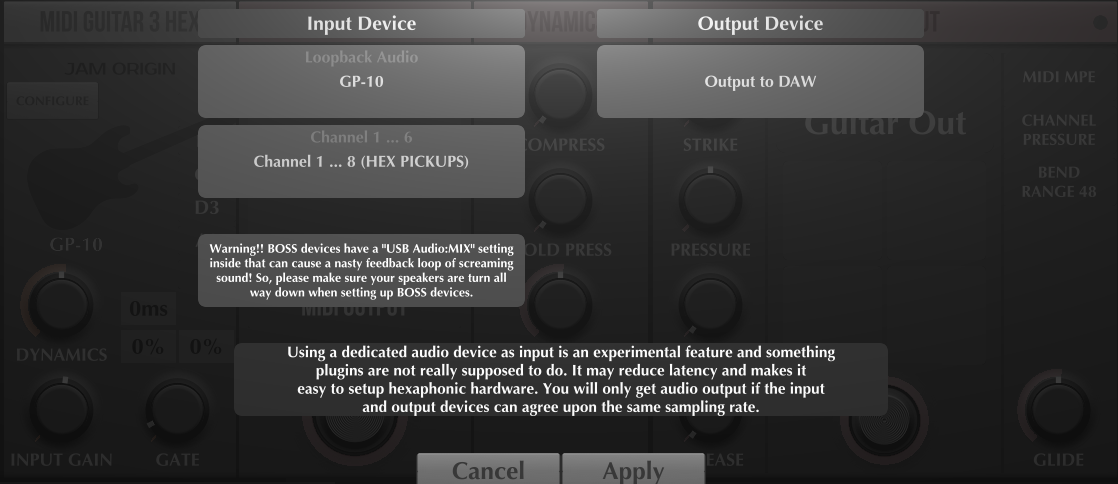
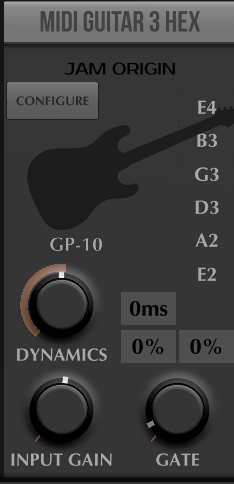
Is everyone good with Logic and MG3? I have constant issues with opening new projects with MG3 in HEX-tracker mode. I believe this is since my complete reinstalling of everything from the ground up. I am on MacOS 15.7.2, and with Logic 11.2.2 and I can’t get MG3 to use the GP10 hex input. Everything looks completely normal
but creating a new song/project, I don’t get anything out of my GP10. Old projects work with the exact same setup (using GP10 and MGHex). Mg3 also work in GP5 and Reason with the GP10/Hex combo.
Any ideas?
Yes, this im aware about and its not new.
To my knowledge there is no reliable way to open a dedicated audio input (in your case GP10), in the MG3 AU plugin, running under Logic. It’s of course highly unorthodox to do this kind of thing and I don’t know why it seems to work once in a while, but never reliably. It has to do with Mac security, maybe something about having run the standalone version first. But I haven’t been able to understand what exactly cause it to work or not work.
But I have experimented with an AUv3 version (on TestFlight) and that can reliably do this.
Pro Tip:
There is another way to get MG3 Hex working in Logic Pro without the AUv3.
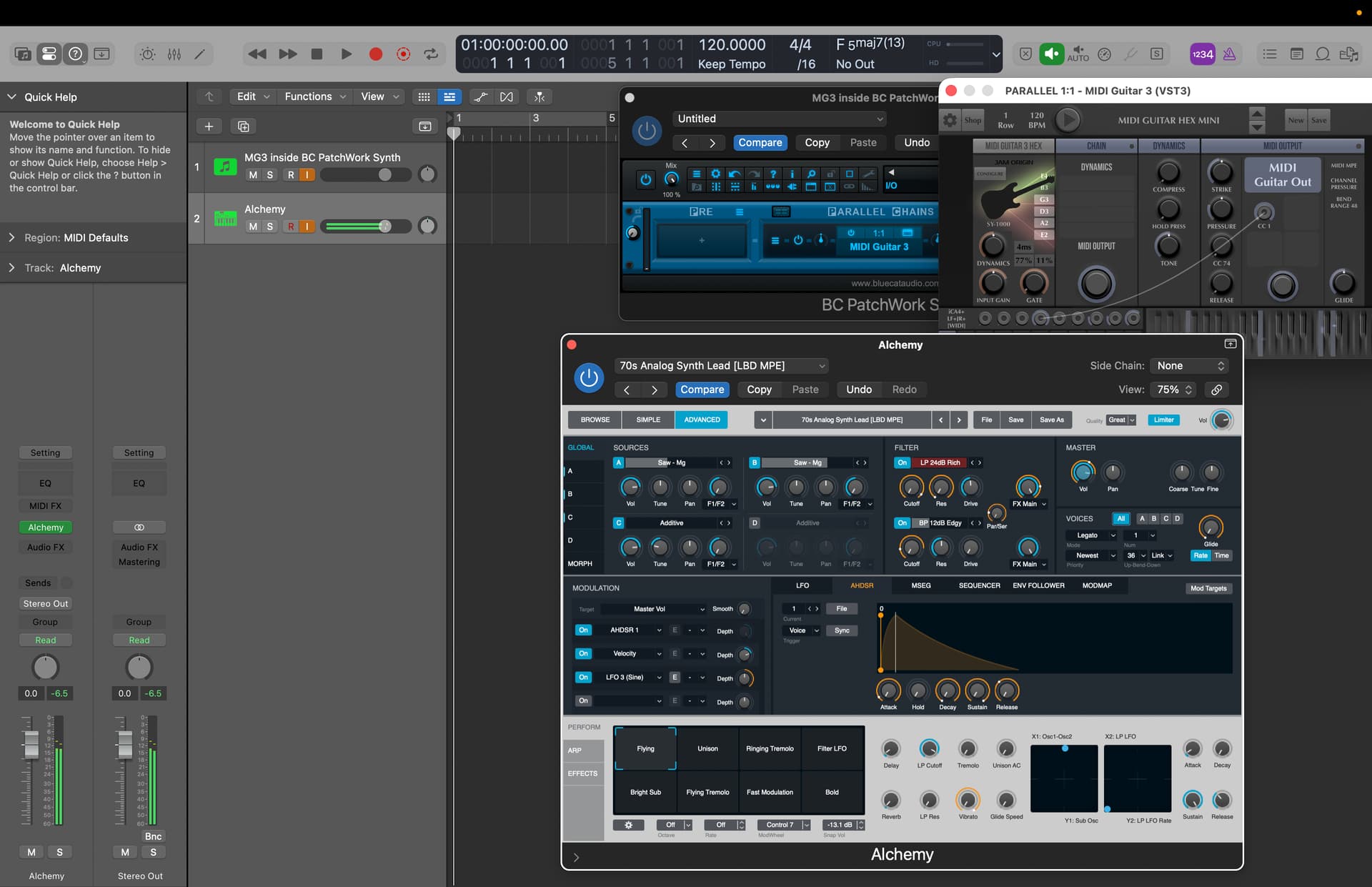
Use a plug-in hosting app (I recommend Blue Cat Audio’s PatchWork) to host MG3 inside Logic Pro and you’ll instantly get your hex feed back. In the image below I used a software instrument track with BC PW and MG3 Hex (VST3) hosted/loaded inside it.
I’ve tested the AUv3 beta that @JamO mentioned and it work just fine, but there is the issue that it can only load sandboxed AUv3 plugins internally. This could be a limitation for some users, i.e. those who load AUv2 plug-ins directly in MG3. Attempting to load an AUv2 will throw an error.
I recall you recommended another free hosting app/plug-in called Element that might be able to handle this too, but I haven’t tested it in this context so I couldn’t say with 100% certainty that it would work correctly.
@LofiLeif, you should already have access to this AUv3 distribution. For other hex’ers you can always send me a private message and I will add you to TestFlight.
I’m still unsure what this “MG3 for Logic” plugins really is and avoid further confusiuon, and whether we should disable loading plugins within it and call it “MG Mini” instead. It might also become “MG Hex” as it’s only really useful to hex guitar setups.
I do have access to it, and I have tried it and it works fine for me.  I was actually investigating this Logic/Hex combo for a guy over at my Patreon who had problems getting MGHex to work in Logic with his SY-1000. So I mentioned this solution. Does he need to contact (DM) you to get an invite to TestFlight?